How-to · Close · FloQast AI · Oct 12, 2026
Run a 15-minute close standup from FloQast status, not a spreadsheet
A daily close standup goes long when someone has to update a tracker spreadsheet before it starts, or during it. This page shows a controller how to run it straight from FloQast's own status, sign-offs, and alerts, so 15 minutes covers what's late, what's blocked, and who's clearing it.
Who this is for
Controllers and close managers whose checklist and reconciliations already live in FloQast, and who still keep a side spreadsheet for the daily close meeting. If you're choosing between close tools, see FloQast vs Numeric first.
How to do it
This is a how-to, not a ranking of close tools. Feature detail lives on the FloQast AI review. The standup uses what FloQast already records: preparers, reviewers, due dates, and sign-offs.

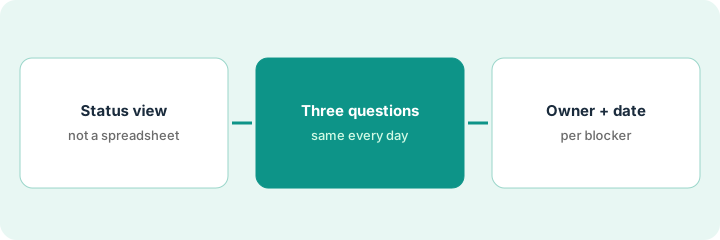
1. Step 1 — Open the status view, close the spreadsheet
What it is: FloQast already knows each task's preparer, reviewer, due date, and whether it's signed off. The standup reads that instead of a copy of it.
- Share the close status view on screen, filtered to items due today or overdue.
- Pull up any sign-off alerts from overnight. FloQast alerts by email, Slack, or Teams when the ledger moves after an account was signed off.
- Retire the side spreadsheet for one close. If nobody misses it, it's gone for good.
- If a task's dates or owners are wrong in FloQast, fix them there, not in a spreadsheet.
Day three, 9:00 AM: 14 items due today, 3 overdue, and one overnight alert that prepaid expenses moved after sign-off. That's the whole agenda, and it took no prep.
Save a filtered status view called "Standup" with due today, overdue, and post-sign-off changes. Open it at the start of every standup.
2. Step 2 — Ask the same three questions every day
What it is: A fixed script keeps the meeting short and keeps people from walking through finished work.
- "What's overdue, and what's stopping it?"
- "Which signed-off accounts moved since yesterday?"
- "What do you need from someone else today?"
- Only people with an overdue item or a post-sign-off change speak to the first two.
- If FloQast's AI flux drafts are waiting on a preparer, they count as open items, not finished ones.
- Anything that takes more than a minute to discuss gets its own follow-up with the two people involved.
Overdue: accrued payroll, waiting on a bonus file from HR. Moved: prepaid expenses, because an annual renewal posted late. Need: the accounts payable lead needs a vendor statement from the controller's contact. Twelve minutes total.
Paste the three questions at the top of the standup invite. Read them out in order every day for one close.
3. Step 3 — Leave with one owner and one date per blocker
What it is: A blocker named in the meeting is only useful if it has a person and a date before the meeting ends.
- For each blocker, write one owner (a person, not "HR" or "accounts payable") and the date it should clear.
- Record it as a comment on the FloQast task so it stays with the work.
- Start tomorrow's standup by checking yesterday's blocker dates first.
- After the close, count how many blockers came from the same source. That's your fix for next month.
"Bonus file from HR" becomes "Dana in HR, by 2 project management today," written on the accrued payroll task. Tomorrow's standup opens with that line. It cleared at 1:40.
Comment format on the task: "Blocked by: [name]. Needed: [item]. Clears by: [date]." No other format.
Pricing context (October 2026)
This how-to isn't a price sheet. When we checked on 6 October 2026, FloQast's pricing page said it has no per-user fees and listed Close Management, Close AI, and Risk & Compliance packages without figures. Packaging notes live on the FloQast AI review. Ask FloQast for a written quote. Dated October 2026.
Checked Oct 12, 2026 on the vendor’s own pricing page: FloQast’s pricing page says packages are tailored without per-user fees and lists Close Management, Close AI and Risk & Compliance families without dollar figures. This page quotes no FloQast dollar amount; ask FloQast for a written quote.
Uncertainty: Which AI features are included depends on your package. If your contract and our review disagree, trust your contract. The only prices this site sells here are the optional $9 AI toolkit spreadsheet and $19 AI toolkit audit.
When this helps (honest take)
Useful when FloQast is already the close system, the team keeps a duplicate tracker for meetings, and standups regularly run past 30 minutes.
Not useful when task owners and due dates in FloQast aren't maintained. Clean those up first, or the status view will mislead the meeting.
Related options (educational)
| Need | Where to look | Why |
|---|---|---|
| FloQast AI features | FloQast AI | Primary path on this page |
| Comparing close tools | FloQast vs Numeric · Numeric | Same job, different design |
| Finance ops stack | Stack map for finance ops | Job, tool, and owner in one view |
| Close basics | Close checklist from your books | Live how-to |
Free: seat-waste calculator if a project-tracking tool and FloQast both hold the close checklist.
FAQ
Does FloQast AI run the standup for me?
No. It keeps the status and drafts flux explanations. A person still runs the meeting and assigns blockers.
What about auto sign-off?
FloQast can auto-sign-off unchanged and zero-balance accounts. Decide as a team which accounts, if any, should use it, and review that list each quarter.
Where do current prices live?
With FloQast. The FloQast AI review notes what its pricing page showed. This page doesn't invent prices. Our Oct 12, 2026 check of the vendor’s own pricing page is summarized in the pricing section above.
Why ban the spreadsheet?
A second status sheet drifts from FloQast within a day. The standup reads one system of record so blockers match what controllers already see.
Optional next step
Free reviews stay free. If FloQast, a project tracker, and a shared spreadsheet all hold copies of the close checklist, the $9 AI toolkit spreadsheet helps you lay them out, or the $19 AI toolkit audit gets you a written memo.