How-to · Recurring check-ins · ChatGPT · Oct 22, 2026
Set a ChatGPT scheduled task for a Monday renewals check-in, and keep the decisions human
ChatGPT scheduled tasks run a recurring prompt on a cadence you set, so Monday’s “what renews this week?” draft does not start from a blank chat. This page shows how to write that task against a Sheet you refresh, plan for its limits, and keep renew, cancel, email, and payment decisions with a person.
Who this is for
Ops leads and finance coordinators who track software renewals in a Sheet and want a Monday draft list and reminder. The job here is one scheduled check-in with every decision kept human. For giving a Lindy agent one inbox chore — a different job (working an inbox, not a calendar cadence) — see Lindy inbox agent with a supervision gate. For a Zapier bot that answers invoice questions in Slack — a different job (on-demand lookups) — see Zapier invoice lookup bot.
How to do it
This is a how-to, not a ranking of AI assistants. Per the ChatGPT scheduled tasks review, scheduled tasks fit a weekly renewals list, a status reminder draft, or an old-tickets checklist from a paste you refresh; they do not fit auto-canceling vendors, charging cards, emailing customers without a person, or treating a stale Sheet as truth. Tasks can miss a run, see stale context, or draft confident nonsense if the Sheet was empty. Availability, plan gates, and labels change; confirm in your account. The ground rule: the model lists and drafts; a person decides and sends.

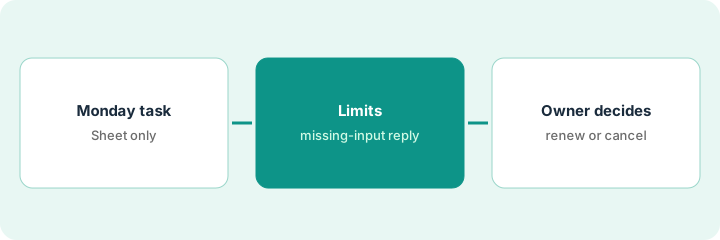
1. Write the Monday renewals task
What it is: Name the cadence, the input, and the output. The input is a renewals Sheet you refresh before the run; the output is an open-renewals list and a short reminder draft.
- Set the cadence: every Monday morning.
- Input: the tools Sheet paste or attachment for this run only.
- Output: tools renewing in the next 30 days as Tool, Renew date, Owner, Cost if present.
- Tell it to use Unknown for blanks and never invent tools, dates, or prices.
The coordinator writes the task to list renewals in the next 30 days from the Sheet she attaches each Monday. The first run lists four tools; one has no owner in the Sheet and shows Unknown.
Write a Monday scheduled task that lists renewals in the next 30 days from only the Sheet you attach, with Unknown for blanks and no invented tools or prices.
2. Know the limits and build in a missing-input reply
What it is: Plan for the ways scheduled tasks fail: a missed run, stale context, or an empty Sheet. Make the task say so instead of guessing.
- Add: if no Sheet is attached for this run, reply only that the input is missing.
- Tell it not to use Memory or earlier chats to build the tool list.
- Refresh the Sheet before Monday, not after.
- Check on Monday that the run happened.
One Monday the manager forgets to attach the Sheet. The task replies “Missing input” instead of listing tools from an old chat. She attaches it and reruns.
Add a missing-input reply to the task, tell it not to use Memory or earlier chats for the list, and refresh the Sheet before each Monday run.
3. A person makes every renew or cancel decision
What it is: End every run with a section listing what stays human. The owner of each tool decides renew or cancel, edits any vendor email, and sends it.
- Add a closing section: renew or cancel decisions, vendor emails, payment changes, and Sheet updates are done by a person.
- Tell it never to claim it canceled or emailed anyone.
- Send the reminder draft to each tool’s owner for a decision.
- Have a person update the Sheet with each decision.
The Monday list shows a design tool renewing in nine days with three unused seats. The owner decides to renew with fewer seats, emails the vendor herself, and updates the Sheet. The task only drafted the reminder.
End every run with a list of what stays human, send the reminder to each tool’s owner for a renew or cancel decision, and have a person update the Sheet.
Pricing context (October 2026)
This how-to quotes no ChatGPT dollar figure. Per the ChatGPT scheduled tasks review, scheduled tasks are a ChatGPT feature, not a separate product, and which plans can run them has changed as OpenAI ships updates. OpenAI’s pricing page did not load for our recheck on Oct 22, 2026, so check it and OpenAI help directly before budgeting. Dated October 2026.
Checked Oct 22, 2026 on the vendor’s own site: OpenAI’s ChatGPT pricing page blocked our direct fetch and our reader tool on Oct 22, 2026, so we could not confirm a plan price. This page quotes no ChatGPT dollar figure; see our review for what is known and ChatGPT’s own site before you budget.
Uncertainty: The only prices this site sells here are the optional $9 AI toolkit spreadsheet and $19 AI toolkit audit.
When this helps (honest take)
Useful when renewals live in a Sheet you keep current, a Monday reminder would help, and each tool has an owner who decides.
Not useful when the Sheet is stale, nobody owns the tools, or you want something that cancels or pays on its own.
Related options (educational)
| Need | Where to look | Why |
|---|---|---|
| Recurring prompts on a cadence | ChatGPT scheduled tasks | Primary path |
| Inbox chores with an approval gate | Lindy inbox agent with a supervision gate | A different job |
| On-demand invoice lookups in Slack | Zapier invoice lookup bot | A different job |
| General assistants compared | ChatGPT vs Gemini for ops | Broader comparison |
FAQ
What are ChatGPT scheduled tasks?
A way to run a recurring prompt on a cadence you set, such as a Monday renewals list, so you get a draft without starting from a blank chat.
What should stay human?
Per our review: renew or cancel decisions, vendor emails, payment changes, and confirming the Sheet is current.
Should I keep renewals data in ChatGPT Memory?
No. Our review advises against parking confidential renewals data in Memory; attach the Sheet for each run.
Why does this page show no ChatGPT prices?
OpenAI’s pricing page did not load for our recheck on Oct 22, 2026, so we did not repeat a price. Check OpenAI’s pricing page. Our Oct 22, 2026 check of the vendor’s own site is summarized in the pricing section above.
Optional next step
If you want a one-page toolkit map for the tools you already pay for, use the optional $9 AI toolkit spreadsheet. If you want a short review of seat waste and unused tools, use the optional $19 AI toolkit audit. Neither is required to follow this how-to.