Tool · Sales & marketing · Taplio · Nov 2026
Taplio review (Nov 2026): Starter $39, Growth $69, Pro $199 — LinkedIn drafting, scheduling, and who owns each post
Taplio is a LinkedIn growth tool for drafting, scheduling, and researching posts. Plans are Starter $39 a month ($32 billed yearly, $384 a year), Growth $69 ($49 / $588 a year), and Pro $199 ($149 / $1,788 a year), with a 7-day Pro trial that includes limited AI. Name who owns every post before it goes live, and cancel any scheduler Taplio replaces.
What this Taplio page covers
This page is for founders, sales leads, and personal-brand marketers who want a steadier LinkedIn posting habit without hiring a full-time ghostwriter. It covers plans, the Pro trial, and what to test before you pay.
Facts come from the Taplio pricing page, read on 5 November 2026. We did not connect your LinkedIn account, so run your own trial with posts you would actually publish.
Taplio helps when LinkedIn is a real channel for pipeline or hiring. It does not help if nobody will edit AI drafts or if posts go live without an owner.
Ground rules: every scheduled post has a named owner; claims about products, pricing, and results get a human check before publish.
Major features (with how someone uses them)
Examples at a glance: each feature has a concrete example from a real job plus a short Try this you can run this week.
1. Use the 7-day Pro trial on real posts
What it is: Taplio lists a 7-day free trial with Pro features and limited AI (Taplio pricing). Yearly billing advertises about 25% off versus monthly.
The trial is long enough to schedule one week of posts, not to rebuild your whole content calendar. Decide keep or cancel before day 7.
Price the week:
Before you start the Pro trial, write down the LinkedIn posts you will publish this week, who will approve them, and what you already pay for scheduling or ghostwriting. Use Taplio only for that week’s posts and decide on a plan before the trial ends.
2. Starter, Growth, or Pro
What it is: Starter is $39 a month or $32 billed yearly ($384 a year). Growth is $69 a month or $49 yearly ($588 a year). Pro is $199 a month or $149 yearly ($1,788 a year) (Taplio pricing).
Start on the cheapest plan that covers the posts you will actually publish. Jumping to Pro for unused AI credits wastes money.
Count posts per week:
Write how many LinkedIn posts you published last month. Match that cadence to Starter, Growth, or Pro before you pick yearly billing.
3. AI drafts still need an editor
What it is: Taplio’s Pro trial includes limited AI for drafting (Taplio pricing). AI can speed first drafts; it does not check facts, pricing, or tone against your brand.
Treat every AI draft like a junior writer: someone edits before it schedules. Soft claims and competitor names are the usual failure points.
Add an edit gate:
For the next five AI drafts, mark every claim and CTA. Do not schedule a post until each mark has a human OK.
4. Scheduling and consistency
What it is: Taplio is built around LinkedIn drafting and scheduling (taplio.com; pricing). Consistency beats volume when the same person owns the calendar.
If three people can edit the queue with no owner, posts will slip or contradict each other. One calendar owner fixes that faster than a higher plan.
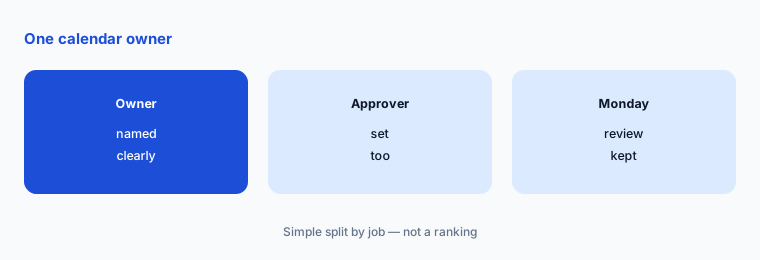
Name the calendar owner:
Write who can schedule, who can approve, and who reviews the queue each week. Keep that list next to the Taplio login.
5. Replace a scheduler or a ghostwriter bill
What it is: Taplio only earns its keep when it replaces a tool or a writing bill you already have (Taplio pricing). Compare against what you pay a freelancer or another scheduler for the same posts.
For outbound email rather than LinkedIn posts, see Instantly.ai (or Lemlist for email plus LinkedIn steps). For chat automation, see ManyChat.
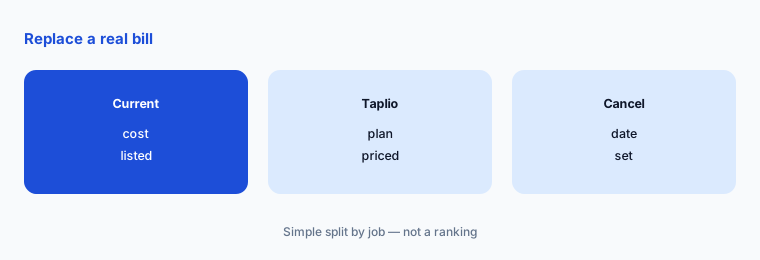
Set a cancel date:
List what Taplio would replace (scheduler, ghostwriter hours) and a cancel date. If you would not cancel anything, keep your current setup.
6. One owner per LinkedIn voice
What it is: Starter, Growth, and Pro all create a posting queue that can keep publishing after the offer or role changed (Taplio pricing).
A named owner for the LinkedIn voice matters more than the plan name. A scheduled post with outdated pricing still reaches your network.
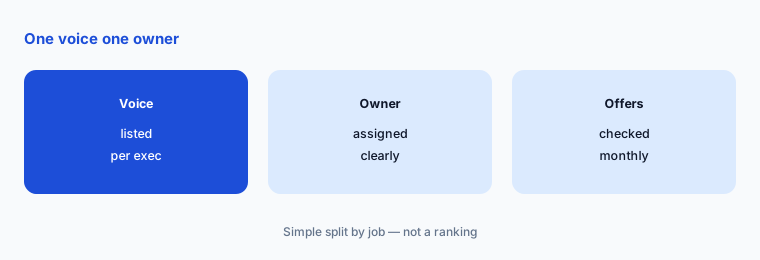
List voices and owners:
Write every LinkedIn voice you manage, its Taplio owner, and the last date pricing or offers were checked. Review it monthly.
Pricing context (November 2026)
Starter $39 a month, or $32 a month billed yearly ($384 a year). Growth $69 a month, or $49 yearly ($588 a year). Pro $199 a month, or $149 yearly ($1,788 a year) (pricing page, read 5 Nov 2026).
Taplio lists a 7-day free trial with Pro features and limited AI. Yearly billing advertises about 25% off versus monthly on the page we read.
Confirm feature limits per plan on the live pricing page and signup screen — public marketing copy can change faster than the checkout table.
Uncertainty: The pricing page we read on 5 November 2026 shows Starter, Growth, and Pro with monthly and yearly totals; feature-by-feature limits on each plan may sit behind signup or docs. AI allowances on the Pro trial are described as limited. Check the live page and trial screen on the day you buy.
When it’s useful (honest take)
Useful when LinkedIn is a real channel for pipeline or hiring, you will edit AI drafts before they go live, and you would cancel a scheduler or reduce ghostwriting hours.
A poor fit when nobody owns the posting calendar, or when you only needed a one-week experiment. Cancel unused seats and schedulers before you add another tool.
Paying for Taplio and a few other AI tools? The $9 AI toolkit spreadsheet lists every AI subscription you have, what each one costs, and how fast it pays for itself, so you can see which ones are worth the money.
Want someone to do it for you? AI toolkit audit — $19
Related options (educational)
| Need | Better home | Why |
|---|---|---|
| Cold email sending | Instantly.ai review | See that review for current plans |
| Chat automation | ManyChat review | See that review for current plans |
| Funnels and checkout | ClickFunnels review | See that review for current plans |
| CRM-style sub-accounts | GoHighLevel review | See that review for current plans |
FAQ
How much does Taplio cost?
As listed on 5 November 2026: Starter $39 a month ($32 yearly / $384 a year), Growth $69 ($49 / $588 a year), Pro $199 ($149 / $1,788 a year).
Does Taplio have a free trial?
Yes. The pricing page lists a 7-day free trial with Pro features and limited AI. Confirm details on the signup screen.
Is Taplio only for LinkedIn?
Taplio markets itself as a LinkedIn growth and content tool. If your main channel is email outbound or chat, look at Instantly.ai or ManyChat instead.
Should I pay monthly or yearly?
Yearly billing on the page we read advertises about 25% off. Choose yearly only after a trial week where real posts went live on time.
Who should own Taplio posts?
One named person per LinkedIn voice, with a short edit checklist before anything schedules, and a monthly check that offers still match the website.
Optional next step (if seats overlap)
If LinkedIn posts already drive conversations, try Taplio on one real week of posts with a named editor before you lock yearly billing. Map the overlap with the $19 AI toolkit audit or the $9 AI toolkit spreadsheet. Email Audit $19 or Toolkit spreadsheet $9.
Checkout is live via Stripe. After you pay, we email delivery (spreadsheet) or intake next steps (audit).