Tool · Sales & marketing · ClickFunnels · Nov 2026
ClickFunnels review (Nov 2026): Launch $97, Scale $197, Optimize $297, Dominate $5,997 a year, workspaces, contact and email limits, and who owns each funnel
ClickFunnels is a funnel builder with checkout, email, courses, community, a store, and a simple CRM in one account. Plans are flat per month, but each one caps workspaces, team members, contacts, and emails: Launch $97 ($81 a month billed annually) with 1 workspace and 10,000 contacts, Scale $197 ($164) with 5 workspaces and 75,000 contacts, Optimize $297 ($248) with 10 workspaces, and Dominate $5,997 a year. Count your contacts and monthly emails before you pick a plan, and name one person who owns each funnel.
What this ClickFunnels page covers
This page is for a coach, course creator, small agency, or online seller deciding whether ClickFunnels should run their sales pages, checkout, and follow-up emails. It covers plans, limits, what changes between tiers, and what to test before you commit.
Facts come from the ClickFunnels pricing page, read on 4 November 2026. We did not build your funnels or import your list, so test with your own offer.
ClickFunnels bundles several jobs into one bill. That saves money only when you cancel the tools it replaces, so the useful question is which subscriptions end, not how many features it lists.
Ground rules: every live funnel has a named owner; checkout pages and emails that reach customers get a person checking them before launch.
Major features (with how someone uses them)
Examples at a glance: each feature has a concrete example from a real job plus a short Try this you can run this week.
1. Use the free trial on one real funnel
What it is: Every self-serve plan has a Start Free Trial button, and the pricing FAQ lists a 30-day money-back guarantee and says you can change plans during or after the trial (ClickFunnels pricing).
The pricing page does not state the trial length, so check it on the signup screen. Rebuild one funnel you already run elsewhere and compare results, rather than trying every app.
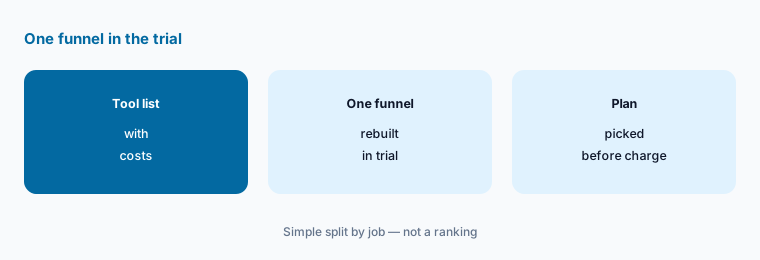
Price the tools it replaces:
Before you start the free trial, write down the one funnel you will build (an opt-in page, a sales page, and a checkout), the tools it would replace, and what each costs a month. Build only that funnel during the trial and decide on the plan before the first charge.
2. Launch, Scale, or Optimize: count contacts and emails
What it is: Launch includes 10,000 contacts and 50,000 emails a month, Scale 75,000 contacts and 300,000 emails, Optimize 150,000 contacts and 750,000 emails, and Dominate 400,000 contacts and 1.2 million emails (ClickFunnels pricing).
Your email list, not your funnel count, often decides the plan. A list of 12,000 contacts already needs Scale, even if you run one funnel.
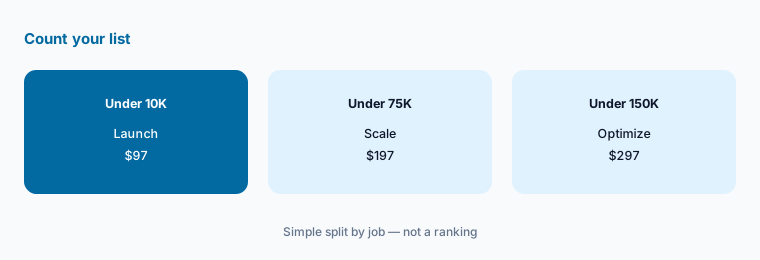
Count your list:
Export your current email list size and last month’s total sends. Compare both numbers with the contact and email limits for each plan before you choose.
3. Workspaces and team members
What it is: Launch has 1 workspace (sub-account) and 2 team members, Scale 5 workspaces and 5 team members, Optimize 10 and 10, and Dominate 20 and 20 (ClickFunnels pricing).
Each brand or client needs its own workspace, and each person who edits needs a team seat. Agencies with several clients reach Scale or Optimize quickly; for agency-style sub-accounts, see the GoHighLevel review.
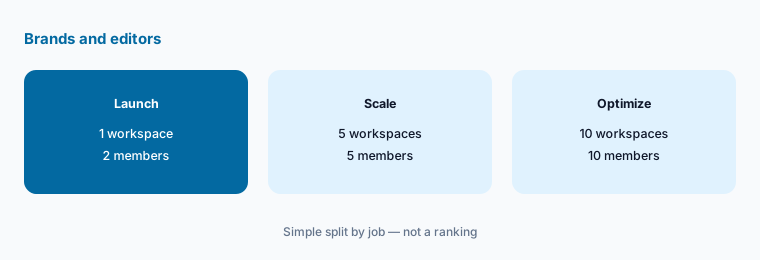
Count brands and editors:
List every brand or client that needs its own funnels and every person who will edit them. Match both numbers to the workspace and team member limits.
4. API, webhooks, and custom code start at Scale
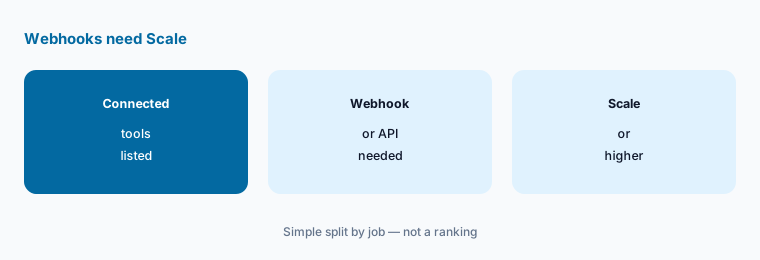
What it is: The plan table lists the custom code editor and webhooks with full API access on Scale, Optimize, and Dominate, not on Launch. Scale and higher also add priority and live chat support (ClickFunnels pricing).
If your funnel must send orders to a fulfilment tool, CRM, or spreadsheet through webhooks, Launch may not be enough. Check the integrations you need before you pick the cheapest plan.
List your connections:
Write down every tool that must receive data from your funnels (CRM, fulfilment, accounting). If any needs a webhook or the API, price Scale, not Launch.
5. AI tools and coaching by plan
What it is: Each plan includes an allowance of AI tool words: 1 million on Launch, 2 million on Scale, 5 million on Optimize, and 10 million on Dominate. The table also lists an AI funnel builder and AI coaching, text only on Launch and text and voice on higher plans (ClickFunnels pricing).
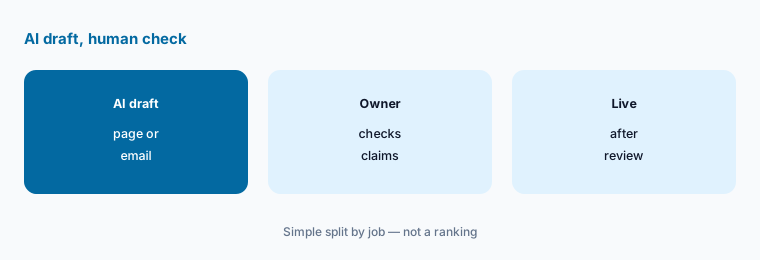
AI drafts are a starting point. Someone still has to check claims, prices, and refund terms on every sales page and email before it goes live.
Check AI copy before it ships:
Draft one sales page with the AI tools, then mark every claim, price, and guarantee in it and confirm each one with the person who owns the offer.
6. Compare against what you already pay
What it is: The pricing FAQ says ClickFunnels does not take a percentage of your sales, includes hosting, and gives you a free myclickfunnels.com subdomain if you do not have a custom domain. Launch includes 5 custom domains; Scale and higher list unlimited (ClickFunnels pricing).
For comparison, read on 4 November 2026: GoHighLevel starts at $97 a month with 3 sub-accounts and unlimited contacts, and Systeme.io has a free plan and paid plans from $17 a month. See Systeme.io vs GoHighLevel for that pair.
Set cancel dates:
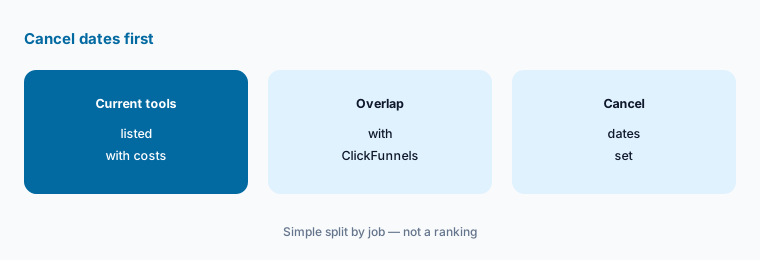
List each tool ClickFunnels would replace, its monthly cost, and a cancel date. If you would not cancel at least two, keep your current setup.
Pricing context (November 2026)
Launch $97 a month, or $81 a month billed annually: 1 workspace, 2 team members, 10,000 contacts, 50,000 emails a month, 3 courses, 5 custom domains. Scale $197 a month, or $164 billed annually: 5 workspaces, 5 team members, 75,000 contacts, 300,000 emails, 6 courses, webhooks and API (pricing page, read 4 Nov 2026).
Optimize $297 a month, or $248 billed annually: 10 workspaces, 10 team members, 150,000 contacts, 750,000 emails, 10 courses. Dominate $5,997 a year, annual only: 20 workspaces, 20 team members, 400,000 contacts, 1.2 million emails, 20 courses, VIP support, and 3 hours of private onboarding.
All plans list unlimited funnels (marked limited time), unlimited visitors, and group onboarding calls. The FAQ lists a 30-day money-back guarantee and no percentage taken from your sales.
Uncertainty: Unlimited funnels are marked limited time on every plan, and the pricing page does not state the free trial length. Payment processor fees are separate from the plan. Check the live pricing page and the signup screen on the day you buy.
When it’s useful (honest take)
Useful when you sell courses, coaching, or a small product line through sales pages and checkout, and would cancel at least two tools: a page builder, an email tool, a course host, or a checkout tool.
A poor fit when you only need one job, such as email or a course host, or when your list is large but your revenue is small, because contact limits push you up a plan. Free or cheaper tools cover single jobs for less.
Paying for ClickFunnels and a few other AI tools? The $9 AI toolkit spreadsheet lists every AI subscription you have, what each one costs, and how fast it pays for itself, so you can see which ones are worth the money.
Want someone to do it for you? AI toolkit audit — $19
Related options (educational)
| Need | Better home | Why |
|---|---|---|
| Agency sub-accounts and unlimited contacts | GoHighLevel review | See that review for current plans |
| Free plan for solo creators | Systeme.io review | See that review for current plans |
| Courses and funnels side by side | Systeme.io vs Kajabi | See that page for both plans |
| Glue funnels to other apps | Zapier | See that review for current plans |
FAQ
How much does ClickFunnels cost per month?
As listed on 4 November 2026: Launch $97, Scale $197, and Optimize $297 a month, or $81, $164, and $248 a month billed annually. Dominate is $5,997 a year, annual only.
Does ClickFunnels have a free trial?
Yes. Each self-serve plan has a free trial button, and the FAQ lists a 30-day money-back guarantee. The pricing page does not state the trial length, so check the signup screen.
Does ClickFunnels take a cut of my sales?
No. The pricing FAQ says ClickFunnels does not take a percentage of your sales. Your payment processor still charges its own fees.
Which ClickFunnels plan do I need?
Usually the one that fits your contact count and monthly emails. Launch covers 10,000 contacts and 50,000 emails a month; Scale covers 75,000 and 300,000 and adds webhooks and API access.
Is ClickFunnels or GoHighLevel cheaper?
Both start at $97 a month. GoHighLevel Starter lists 3 sub-accounts and unlimited contacts, with usage charges for phone, SMS, email, and AI; ClickFunnels Launch lists 1 workspace and 10,000 contacts. Compare on your own list size and number of clients.
Optional next step (if seats overlap)
If you pay for a page builder, an email tool, a course host, and a checkout tool, map which ones ClickFunnels would replace before the trial starts. Map the overlap with the $19 AI toolkit audit or the $9 AI toolkit spreadsheet. Email Audit $19 or Toolkit spreadsheet $9.
Checkout is live via Stripe. After you pay, we email delivery (spreadsheet) or intake next steps (audit).