Role · Ops & automation · Claude · Oct 2026
Claude for incident ops (Oct 2026): runbook drafts and postmortem outlines with Projects
Incident role guide for Claude. Projects hold a sanitized timeline. You get a postmortem outline and a list of Unknowns. You do not get a root cause the timeline does not support. Pair with ChatGPT for incident ops and PagerDuty AI.
What this page covers
This page is for incident leads who want a writing partner, not a pager. Claude can draft a runbook section or a postmortem outline from documents you upload. It cannot see your production systems unless you paste them, and you should not paste secrets. PagerDuty still pages. Datadog still holds the graphs. The model’s job is prose with the gaps labeled.
Major features (with how someone uses them)
Examples at a glance: each feature has a concrete ops example plus a short Try this.
1. Project Incident ops and a sanitized timeline (primary)
What it is: Create a Claude Project named Incident ops. Put in the standing rules: never invent a root cause, quote only the timeline, list Unknowns, do not name customers. Upload a sanitized timeline (times, systems, actions). Ask for a postmortem outline.
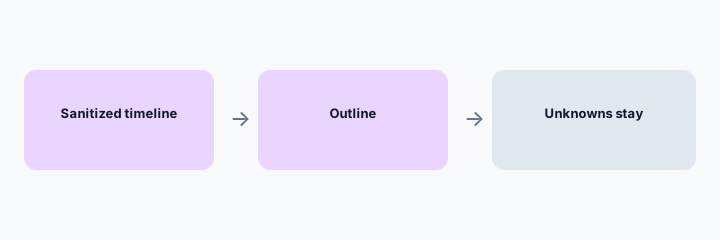
Primary workflow from the Saturday brief:
Project Incident ops. Upload a sanitized timeline. Draft postmortem outline + Unknowns.
2. Runbook drafts from steps you already trust
What it is: Paste a runbook that is out of date. Ask for a cleaned draft that keeps every step you did not mark optional. A human who has done the task edits it. Claude does not get production access from this page’s workflow.
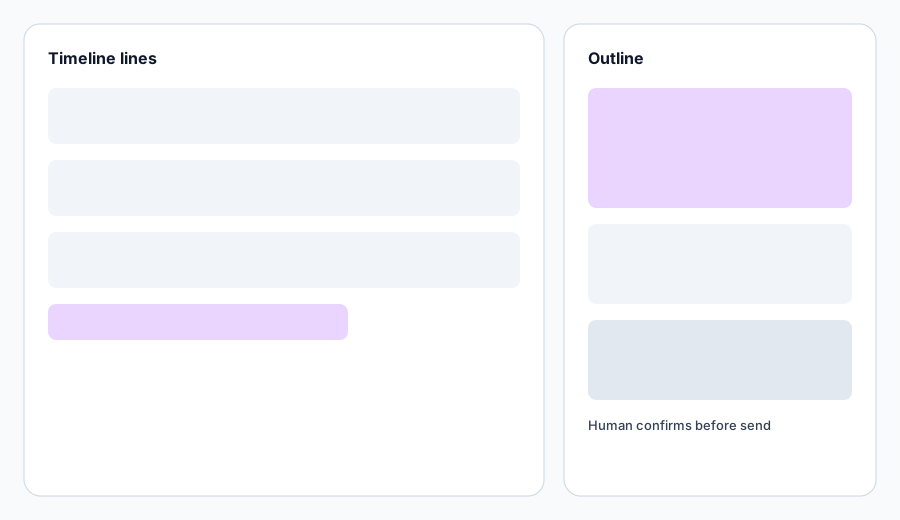
Runbook check:
Paste a sanitized runbook. Ask: which steps are underspecified? Do not fill gaps with guessed commands. Mark them Unknown.
3. Unknowns are the point
What it is: A useful outline has a section called Unknowns: missing logs, decisions nobody recorded, customer impact not counted. If the draft has zero Unknowns on a messy incident, it is too confident. Send it back.
Confidence check:
Read the outline and highlight every sentence that is not tied to a timeline line. Those sentences are either deleted or moved to Unknowns.
4. Vs ChatGPT, Gemini, and the pager
What it is: ChatGPT for incident ops is the same writing job on Team GPTs if that is the company standard. Gemini for support is for support macros, not incident command. PagerDuty and Datadog stay the systems of record for pages and graphs. Claude for ops is the broader ops guide; this page is only incidents.
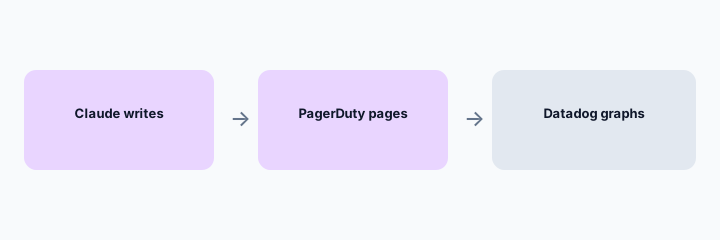
Boundary check:
List what Claude may draft (runbook, outline, status draft) and what it may not (page, suppress, customer send). Pin that in the Project instructions.
Pricing context (October 2026)
Claude plan prices change and depend on individual, Team, or Enterprise. This page does not invent a seat price. Check Anthropic’s current pricing and your admin. The incident workflow works on any plan that has Projects; if your plan does not, use a single chat and paste the same rules at the top. October 2026.
Uncertainty: Context limits, retention, and whether your company allows incident text in a third-party chat are policy questions. Confirm with security before you upload a timeline, even a sanitized one.
When it is useful (honest take)
Useful when the writing is the bottleneck and the timeline is already sanitized. Less useful during the first minutes of an incident, when the job is to page and look at graphs, not to outline a postmortem.
Paying for Claude and a few other AI tools? The $9 AI toolkit spreadsheet lists every AI subscription you have, what each one costs, and how fast it pays for itself, so you can see which ones are worth the money.
Want someone to do it for you? AI toolkit audit — $19
Related options (educational)
| Need | Better home | Why |
|---|---|---|
| Postmortem and runbook prose | Claude Project (this page) | Outline plus Unknowns |
| Company standard is ChatGPT Team | ChatGPT for incident ops | Custom GPT with the same rule: no invented cause |
| Page and triage | PagerDuty AI | Human confirms before suppress or page |
| Telemetry questions | Datadog Bits | Queries, not the postmortem |
FAQ
Can Claude find the root cause?
Only if it is already in the timeline you uploaded. Otherwise the honest output is Unknown. Do not ask it to invent one.
Is this the Claude product review?
No. That is the Claude review. This is the incident role guide. Claude for ops is the broader ops guide.
What may I upload?
A sanitized timeline. No secrets, no customer lists, no credentials. Follow your company rule.
ChatGPT instead?
If Team GPTs are the company standard, use that role guide. The rule is the same.
Optional next step (if seats overlap)
If several AI seats would cover the same analytics, support, or incident jobs, optional help mapping overlap: $19 AI toolkit audit or $9 AI toolkit spreadsheet. Email Audit $19 or Toolkit spreadsheet $9.
Checkout is live via Stripe. After you pay, we email delivery (spreadsheet) or intake next steps (audit).