Role · Ops & automation · ChatGPT · Oct 2026
ChatGPT for incident ops (Oct 2026): Team GPTs for recurring incident cadences
Incident writing on ChatGPT Team. A Custom GPT named Incident draft, with instructions that forbid invented root cause. Pair with Claude for incident ops and the ChatGPT review.
What this page covers
This page is for teams whose company standard is ChatGPT Team and who want a repeating incident cadence: runbook tidy-up, timeline to outline, status draft. It is not a pager and not a place for secrets. If Claude Projects are the standard, use the Claude incident guide instead. Do not run both on the same timeline or the drafts will disagree.
Major features (with how someone uses them)
Examples at a glance: each feature has a concrete ops example plus a short Try this.
1. Custom GPT Incident draft (primary)
What it is: Build a Team Custom GPT. Name it Incident draft. Instructions, in short: use only the paste; never invent a root cause; if impact, owner, or cause is missing, write Unknown; do not draft a customer email unless asked, and even then mark it unsent. Share it with the on-call group, not the whole internet.
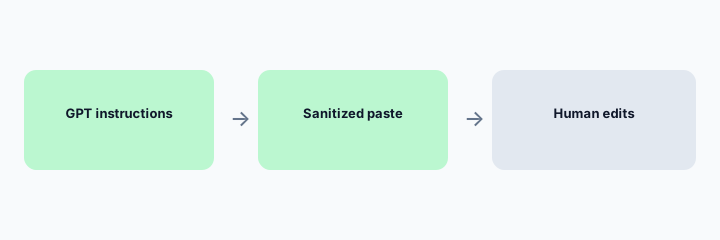
Primary workflow from the Saturday brief:
Custom GPT Incident draft. Instructions: never invent root cause. Run on a sanitized paste.
2. The cadence, not a one-off chat
What it is: The point of a Custom GPT is the same rules every time: weekly runbook pass, post-incident outline within a day, status draft only from the timeline. A fresh chat forgets the rule and starts inventing. Pin the GPT.
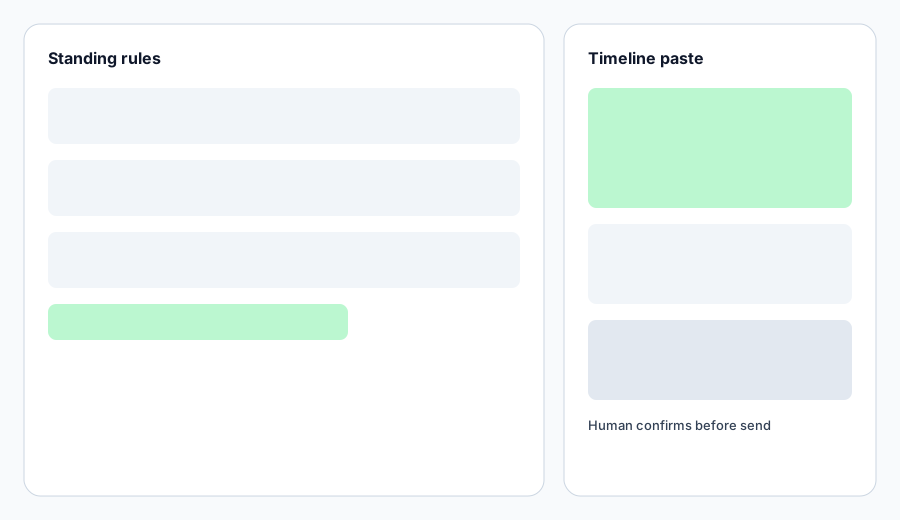
Cadence check:
Write the three times you will open Incident draft this month. If you cannot name an owner for the edit, do not create the GPT yet.
3. Human review before the review meeting
What it is: Someone who was on the incident reads the outline before it is shared. They delete any sentence that sounds like a cause and is not in the paste. They do not “improve” Unknowns into guesses.
Review check:
Highlight every cause-shaped sentence. Keep it only if you can point to a line in the paste.
4. Vs Claude and vs PagerDuty
What it is: Same writing job on Claude if that is the standard. ChatGPT for ops is the broader ops guide. Paging stays in PagerDuty. Do not put API keys in the GPT’s knowledge files.
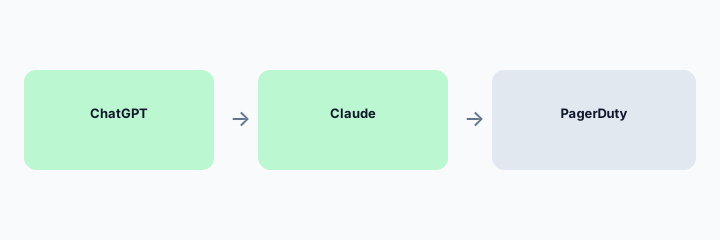
Standard check:
Write which product is the company standard for incident prose. Use only that one for the next three incidents.
Pricing context (October 2026)
ChatGPT Team and Enterprise prices change. This page does not invent a seat price. Custom GPTs require the plan your admin has enabled. Check OpenAI’s current pricing and your workspace. October 2026. Consumer chats are a poor place for incident text even when sanitized; prefer the company workspace.
Uncertainty: Retention, training settings, and whether incident text is allowed are your admin’s settings. Confirm before the first paste.
When it is useful (honest take)
Useful when ChatGPT Team is already standard and you want the same incident instructions every time. Less useful in the first minutes of an incident, and less useful if another model is the company standard.
Paying for ChatGPT and a few other AI tools? The $9 AI toolkit spreadsheet lists every AI subscription you have, what each one costs, and how fast it pays for itself, so you can see which ones are worth the money.
Want someone to do it for you? AI toolkit audit — $19
Related options (educational)
| Need | Better home | Why |
|---|---|---|
| ChatGPT is the company writing tool | Incident draft GPT (this page) | No invented root cause |
| Claude is the company writing tool | Claude for incident ops | Project plus Unknowns |
| Paging | PagerDuty AI | Not a chatbot |
| Support macros, not incidents | Gemini for support | Different job |
FAQ
What goes in the instructions?
Never invent a root cause. Use only the paste. Label gaps Unknown. Do not send customer mail.
Can it see PagerDuty?
Not unless you connect something your admin approved. This guide uses a sanitized paste on purpose.
Is this the ChatGPT review?
No. See the ChatGPT review and ChatGPT for ops. This page is only the incident cadence.
Claude or ChatGPT?
The one your company already standardizes. Do not use both on the same timeline.
Optional next step (if seats overlap)
If several AI seats would cover the same analytics, support, or incident jobs, optional help mapping overlap: $19 AI toolkit audit or $9 AI toolkit spreadsheet. Email Audit $19 or Toolkit spreadsheet $9.
Checkout is live via Stripe. After you pay, we email delivery (spreadsheet) or intake next steps (audit).