How-to · Support · Zoho Desk · Oct 19, 2026
Have Zoho Desk AI draft help articles, and run a QA pass before customers ever see them
Zoho Desk AI can draft help articles from the tickets you already resolve. A draft that skips a step still confuses customers if it goes live unchecked. This page shows how to draft from repeat work and QA before enablement. Triage labels are a different job — see ServiceNow ITSM triage labels if that is what you need. Terms: ITSM means IT service management, the IT help desk for incidents and requests; QA means a quality check done by a person.
Who this is for
Support leads and knowledge owners on Zoho Desk who want AI drafts without publishing unchecked articles. The job here is help-article QA before enablement, not triage labels.
How to do it
This is a how-to, not a ranking of helpdesks. Per the Zoho Desk AI review, Zoho Desk AI covers triage labels and help-article drafts with a QA-before-enablement pattern. The ground rule: no AI-drafted article is visible to customers until a person checks it against a real fix.
1. Pick five repeat tickets
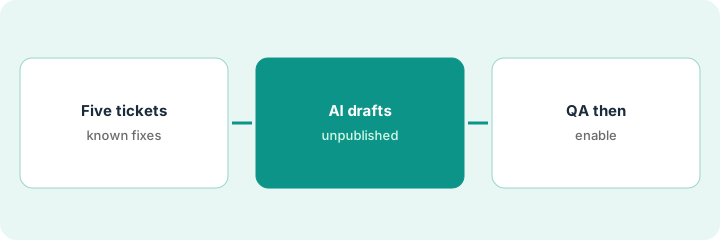
What it is: Choose five issues that already have a known fix and show up often enough to deserve an article.
- Pull the last 30 days of tags or categories.
- Pick issues with a clear resolution note.
- Skip one-off legal or refund edge cases.
- Name a knowledge owner for the batch.
- Keep triage-label work on a separate project.
The lead picks password reset, SSO failure, invoice PDF download, seat invite, and API key rotate — each with at least twenty tickets last month.
List five issue titles and the ticket IDs you will use as source truth.
2. Let AI draft the help articles
What it is: For each issue, let Zoho Desk AI draft an article from the resolved tickets, and leave it unpublished.
- Generate one draft per issue.
- Keep drafts in a staging or unpublished state.
- Do not enable public visibility yet.
- Attach the source ticket IDs in an internal note.
- Reject drafts that invent product names you do not ship.
AI drafts a four-step reset article. It invents a “backup codes” step the product does not have. The draft stays unpublished.
Generate unpublished drafts only and paste source ticket IDs into an internal note.
3. QA each article against the real fix before enable
What it is: A knowledge owner performs the fix once while reading the draft, corrects every miss, and only then enables the article.
- Follow the draft exactly on a test account.
- Rewrite or delete any step that fails.
- Have a second agent skim for tone and policy.
- Enable only articles that passed.
- Revisit after two weeks of deflection metrics.
The owner deletes the backup-codes step, adds the real SSO deep link, and enables the article. Four of five drafts ship; one is rewritten from scratch.
Perform the fix yourself once before any customer sees the article.
Pricing context (October 2026)
This how-to isn’t a price sheet. Per the Zoho Desk AI review, Zoho publishes Desk plans on zoho.com/desk/pricing; this page does not invent exact per-seat or AI prices (checked Oct 19, 2026). Dated October 2026.
Checked Oct 19, 2026 on the vendor’s own pricing page: Zoho Desk’s pricing page lists Desk plans; this page does not invent exact per-seat or AI prices. This page quotes no Zoho Desk dollar figure; confirm what your contract includes with Zoho Desk or your admin.
Uncertainty: The only prices this site sells here are the optional $9 AI toolkit spreadsheet and $19 AI toolkit audit.
When this helps (honest take)
Useful when you already resolve repeat tickets in Zoho Desk and need drafts gated by QA before customers see them.
Not useful when you wanted triage automation only, or nobody will re-test articles before publish.
Related options (educational)
| Need | Where to look | Why |
|---|---|---|
| Zoho Desk AI | Zoho Desk AI | Primary path |
| Support stack map | Stack map: support ops | Where Zoho Desk fits |
| ServiceNow triage labels | ServiceNow ITSM triage labels | A different job (labels) |
| Zendesk macro QA | Zendesk macro QA sample | Related desk QA pattern |
FAQ
Is this about triage labels?
No. Triage labels are a different job. This routine is help-article QA before enablement.
How much does Zoho Desk AI cost?
Confirm on Zoho’s public Desk pricing. This page does not invent seat or AI prices.
Optional next step
If you want a one-page toolkit map for the tools you already pay for, use the optional $9 AI toolkit spreadsheet. If you want a short review of seat waste and unused tools, use the optional $19 AI toolkit audit. Neither is required to follow this how-to.