How-to · Finance · Xero AI · Oct 11, 2026
Build a bank reconciliation QA checklist AI may draft vs bookkeeper-owned fields in Xero
A “bank reconciliation QA checklist” here splits lines AI may draft suggestions for from fields only a bookkeeper (or controller) may own in Xero. This is not bookkeeping, audit, or tax advice. Terms: ERP means enterprise resource planning, the core finance and operations system; QA means a quality check done by a person.
Who this is for
Bookkeepers and lean finance teams whose general ledger / bank reconciliation system of record is already Xero and who want AI help without handing reconcile-complete to a model. If FreshBooks is the invoicing home for a simpler stack, see FreshBooks AI. If NetSuite is ERP system of record, see NetSuite AI.
How to do it
This page is a how-to. It is not a ranking of accounting AI. Product detail and dated packaging notes live on Xero AI. Confirm AI features on your Xero plan before you pilot.
1. Step 1 — Write the checklist split
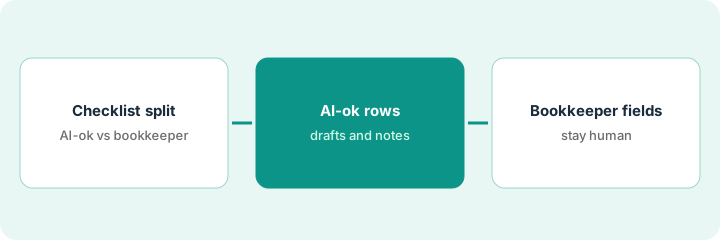
What it is: One checklist with two columns: AI may draft | Bookkeeper owns.
- Include: match suggestions, narrative on bank lines, suggested contact — vs final match accept, general ledger code on ambiguous spends, transfer/clearing treatment, reconcile complete.
- Align to your existing month-end checklist; do not invent a second close process.
- Name the bookkeeper of record.
- Ban AI “finishing” reconcile without a human click.
AI may draft: suggested match for repeating SaaS charge to known contact. Bookkeeper owns: accept match, code for new merchant, payroll clearing, mark statement reconciled. Close still owned by bookkeeper.
Two-column doc from your last bank reconciliation session. Every click you made lands in one column. Ambiguous → bookkeeper-owned by default.
2. Step 2 — Mark AI-ok rows
What it is: From unreconciled lines, mark which merchant patterns are safe for draft suggestions.
- AI-ok: high-frequency known vendors with stable general ledger history.
- Not AI-ok: first-time merchants, owner draws, tax payments, loan activity, anything you would ask a partner about.
- Sample 20 lines before trusting drafts in live rec.
- Prompt rule: Unknown beats a guessed general ledger.
Known: Amazon Web Services, Google Workspace, known contractor ACH (US bank transfer). Not AI-ok: new “ACME HOLDINGS” wire, owner transfer, state tax payment. Sample log shows 1 wrong contact suggestion — prompt tightened.
Tag 20 open lines AI-ok / Not. Only run drafts on AI-ok. Record misses.
3. Step 3 — Protect bookkeeper-owned fields
What it is: Operationalize the human-only fields so AI never “completes” them.
- Written rule: reconcile complete = human only.
- Ambiguous general ledger / clearing = human only.
- Week-one review with controller or external bookkeeper if you use one.
- Do not bolt on NetSuite AI for the same Xero bank reconciliation job.
Settings/process note in the close folder: “AI may suggest; bookkeeper accepts; only bookkeeper marks reconciled.” Spot check: five accepted matches, zero AI-only reconciles. FreshBooks not added for the same bank feed.
Add a close sign-off line: Bookkeeper initials | Statement ending balance matched Y/N | AI used only on AI-ok list Y/N.
Pricing context (October 2026)
This how-to is not a price sheet. Plan notes live on Xero AI. Recheck xero.com/pricing and your Xero admin before you budget. Related paths: FreshBooks AI, NetSuite AI. Dated October 2026.
Checked Oct 11, 2026 on the vendor’s own pricing page: Xero’s US pricing page lists Early at $27, Growing at $59 and Established at $97 per month after an introductory discount for the first three months, with no per-user license fees. Payroll (Xero Payroll, powered by Gusto) is listed as optional at $36 a month plus $6 per employee or contractor. The page also promotes JAX, Xero’s AI assistant.
Uncertainty: Xero’s AI-labeled bank and bookkeeping assists vary by region and plan. If an invoice and a review disagree, trust the invoice. Do not paste a marketing list price you did not pay. The only prices this site sells here are the optional $9 AI toolkit spreadsheet and $19 AI toolkit audit.
When this helps (honest take)
Useful when Xero is system of record, the split is written, and a bookkeeper owns reconcile complete.
Not useful when nobody owns the books, you want AI to close the period alone, or NetSuite is already the ERP system of record for the same bank activity.
Related options (educational)
| Need | Where to look | Why |
|---|---|---|
| Xero AI | Xero AI | Primary path on this page |
| FreshBooks categories | FreshBooks AI | Small business invoicing home |
| NetSuite controller gates | NetSuite AI | ERP job map |
| Close checklist pattern | Close checklist from books | Live how-to |
| Before another seat | Three checks before an AI seat · Find unused AI seats | Live how-tos |
Related reviews: Xero AI · FreshBooks AI · NetSuite AI. Free: seat-waste calculator if multiple books AI seats reconcile the same feed.
FAQ
Can AI mark the bank statement reconciled?
Not in this pattern. That click stays bookkeeper-owned.
Is this audit advice?
No. It is an ops checklist split. Your CPA (certified public accountant)/auditor requirements still apply.
Where do dated prices live?
On the Xero AI review plus the vendor site. This October 2026 how-to does not invent list prices. Our Oct 11, 2026 check of the vendor’s own pricing page is summarized in the pricing section above.
Does Xero charge per user?
Its US pricing page said “No per-user license fees” on Oct 11, 2026. Plan limits (such as invoices on Early) matter more than seat counts for this checklist.
Optional next step
Free reviews stay free. Neither offer is required to use this page. If Xero and another books AI seat already draft the same bank reconciliation lines, optional help: $9 AI toolkit spreadsheet or $19 AI toolkit audit when you want a written memo.