How-to · Field service · Workiz · Oct 16, 2026
Turn on Workiz Genius Answering, and have the owner approve every AI-booked job
Workiz Genius Answering can book jobs from phone calls. AI-booked jobs that skip owner review still land outside your service area or pricebook. This page shows how to set rules, enable Genius Answering, and have the owner approve every AI-booked job.
Who this is for
Field-service owners turning on Workiz Genius Answering. For Service Fusion ZyraTalk booking checks — a different job — see Service Fusion ZyraTalk booking manager.
How to do it
This is a how-to, not a ranking. Per the Workiz AI review, Genius Answering and related Genius tools need owner approval on AI-booked jobs. Genius add-ons are quote-led on materials we checked.
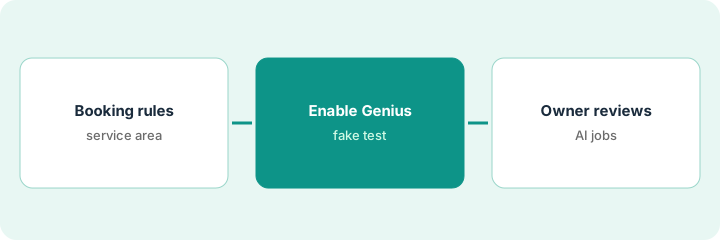
1. Set booking rules and service area
What it is: Write which jobs Genius may book, where, and at what lead time.
- Define service ZIP codes and job types.
- Set earliest arrival and emergency handoff.
- Point price quotes at your pricebook.
- Name the owner who approves AI bookings.
Genius may book maintenance in three ZIPs only. Installs stay with a person.
Initial the rules before enabling answering.
2. Enable Genius Answering
What it is: Turn on Genius Answering with the approved rules; test with a fake caller only.
- Enable for the scoped job types.
- Place one test call with fake customer data.
- Confirm the job card fields.
- Keep real payments off the test.
Fake HVAC tune-up books into the right ZIP with the right duration.
Save the test job id in the pilot folder.
3. Owner reviews first week of AI-booked jobs
What it is: Every AI-booked job in week one gets owner review before technicians run it (or same-day review for after-hours).
- Owner reviews each AI booking.
- Cancel or rebook out-of-area jobs.
- Tighten rules where Genius guessed wrong.
- Expand scope only after a clean week.
Eleven AI bookings; two outside the ZIP were cancelled. Owner keeps Genius on with tighter geo rules.
Log: job, AI vs manual, owner decision, date.
Pricing context (October 2026)
This how-to isn't a price sheet. Per the Workiz AI review, Workiz plans and Genius add-ons are quote-oriented on the pages we checked — confirm Genius Answering on your quote. Dated October 2026.
Checked Oct 16, 2026 on the vendor’s own pricing page: Workiz plans and Genius add-ons are quote-oriented on the pages we and the review checked. Confirm Genius Answering on your written quote. This page quotes no Workiz Genius dollar figure; confirm what your contract includes with Workiz Genius or your admin.
Uncertainty: The only prices this site sells here are the optional $9 AI toolkit spreadsheet and $19 AI toolkit audit.
When this helps (honest take)
Useful when you want after-hours booking with an owner on every AI job card.
Not useful when you run Service Fusion with ZyraTalk instead — use that how-to.
Related options (educational)
| Need | Where to look | Why |
|---|---|---|
| Workiz AI | Workiz AI | Primary path |
| Service Fusion ZyraTalk | ZyraTalk booking manager | A different job |
| Service Fusion AI | Service Fusion AI | Related field service |
| Field service stack map | Stack map: field service ops | Where Workiz fits |
FAQ
How is this different from Service Fusion ZyraTalk?
A different job: this page is Workiz Genius Answering with owner job approval. ZyraTalk is Service Fusion's answering/booking path with manager checks.
Can tests use a real customer card?
No. Use fake customer data for the connect test.
Where do Workiz Genius prices live?
Confirm on your written quote; public pages we checked were quote-led. Our Oct 16, 2026 check of the vendor’s own pricing page is summarized in the pricing section above.
How is this different from Service Fusion ZyraTalk?
A different job: this page is Workiz Genius Answering with owner job approval. ZyraTalk is Service Fusion’s path with manager checks.
Optional next step
If you want a one-page toolkit map for the tools you already pay for, use the optional $9 AI toolkit spreadsheet. If you want a short review of seat waste and unused tools, use the optional $19 AI toolkit audit. Neither is required to follow this how-to.