How-to · Field service · Service Fusion · Oct 16, 2026
Let Service Fusion's ZyraTalk book jobs, and have a manager check every AI estimate and booking
Service Fusion's ZyraTalk can answer and book jobs; Notes+ (Early Access) cleans note text. AI bookings and estimates that skip a manager still misquote the pricebook. This page shows how to scope after-hours answering, check estimates, and review each AI-booked job the next morning.
Who this is for
Trade contractor office managers using Service Fusion with ZyraTalk. For Workiz Genius Answering — a different job — see Workiz Genius Answering owner approve.
How to do it
This is a how-to, not a ranking. Per the Service Fusion AI review, ZyraTalk answers/books calls; Notes+ is Early Access; ServiceCall.ai is an add-on. A manager checks estimates and bookings.
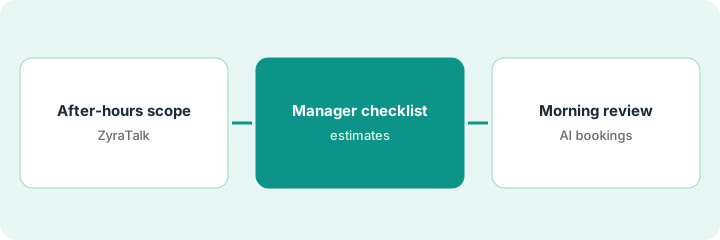
1. Scope ZyraTalk to after-hours
What it is: Turn on ZyraTalk for after-hours (or overflow) only until the process is stable.
- Define after-hours window.
- Limit job types ZyraTalk may book.
- Hand off emergencies to on-call.
- Label Notes+ as Early Access if you use it.
ZyraTalk books drain cleaning after 6 p.m. Water-heater replacements stay on-call only.
Write the hours and allowed job types on the wall sheet.
2. Manager checklist for estimates
What it is: When ZyraTalk or related tools draft an estimate, a manager checks every line against the pricebook.
- Compare labor and parts to the pricebook.
- Reject lines that invent discounts.
- Confirm Notes+ rewrites before customers see them.
- Do not send estimates unreviewed.
Manager cuts an invented after-hours fee that was not on the pricebook. Estimate resends the same hour.
Checklist: pricebook match, tax, arrival window, manager initials.
3. Review each AI-booked job next morning
What it is: Every morning, a manager reviews overnight AI bookings before dispatch finalizes.
- Open each AI-booked job.
- Fix address, job type, and parts flags.
- Cancel bad bookings before techs roll.
- Tighten ZyraTalk rules weekly.
Four overnight bookings; one wrong ZIP cancelled before 8 a.m. dispatch.
Log: date, AI bookings, cancels, rule tweaks.
Pricing context (October 2026)
This how-to isn't a price sheet. Per the Service Fusion AI review and Service Fusion's pricing page (checked Oct 16, 2026), Starter is about $245 per month ($208 annual), Plus about $382 ($325 annual), and Pro about $627 ($533 annual), unlimited users; ServiceCall.ai and GPS are add-ons. Dated October 2026.
Checked Oct 16, 2026 on the vendor’s own pricing page: Service Fusion’s pricing page lists Starter $245 per month ($208 billed annually), Plus $382 ($325 annual), and Pro $627 ($533 annual), each with unlimited users. ServiceCall.ai and GPS are add-ons; Notes+ is Early Access.
Uncertainty: The only prices this site sells here are the optional $9 AI toolkit spreadsheet and $19 AI toolkit audit.
When this helps (honest take)
Useful when you want after-hours booking with a morning manager review.
Not useful when you run Workiz Genius Answering instead — use that how-to.
Related options (educational)
| Need | Where to look | Why |
|---|---|---|
| Service Fusion AI | Service Fusion AI | Primary path |
| Workiz Genius Answering | Workiz Genius owner approve | A different job |
| Workiz AI | Workiz AI | Related field service |
| Field service stack map | Stack map: field service ops | Where Service Fusion fits |
FAQ
What is Notes+ status?
Per our review, Notes+ is Early Access and described as free for customers — confirm in your mobile app.
How is this different from Workiz Genius?
A different job: this page is Service Fusion ZyraTalk with manager estimate/booking checks. Workiz is Genius Answering with owner job approval.
Where do Service Fusion prices live?
Starter/Plus/Pro figures above; get add-ons in writing. Our Oct 16, 2026 check of the vendor’s own pricing page is summarized in the pricing section above.
What is Notes+ status?
Per our review, Notes+ is Early Access and described as free for customers — confirm in your mobile app.
Optional next step
If you want a one-page toolkit map for the tools you already pay for, use the optional $9 AI toolkit spreadsheet. If you want a short review of seat waste and unused tools, use the optional $19 AI toolkit audit. Neither is required to follow this how-to.