How-to · HR / Finance · Workday AI · Oct 11, 2026
Outline a Workday HCM pilot with HR/finance-owned gates
A “Workday HCM pilot” here means a short list of jobs AI may draft inside Workday-related workflows, with HR and finance gates named before publish. This is not employment-law, benefits, or payroll advice. Terms: HCM means human capital management, the core HR suite.
Who this is for
HR system and people-finance leads whose HCM system of record is already Workday (or a formal Workday pilot) and who need AI draft boundaries. If BambooHR is HR system of record, see BambooHR AI. If Lattice is the performance home, see Lattice AI. Not a Rippling onboarding FAQ guide — different system of record and job list.
How to do it
This page is a how-to. It is not a ranking of HCM AI. Product detail and dated packaging notes live on Workday AI. Confirm which AI features exist on your Workday contract and modules before you pilot.

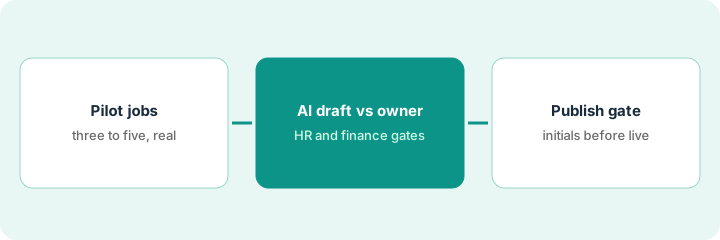
1. Step 1 — Name pilot jobs
What it is: Pick three to five HCM jobs for a time-boxed pilot — from real tickets, not a feature wishlist.
- Examples: draft internal how-to for a self-service transaction, summarize open onboarding tasks for an HR business partner, rewrite a process FAQ from an existing written procedure, draft a change-communication outline.
- Exclude: pay changes, equity, leave-law determinations, terminations language without counsel.
- Name HR owner + finance owner when the job touches pay/cost.
- Write non-goals on the pilot one-pager.
Pilot jobs: (1) draft employee self-service how-to from written procedure, (2) weekly onboarding task summary for HR business partner, (3) rewrite benefits enrollment FAQ from approved PDF. Non-goals: no AI pay-rate changes, no AI termination letters. Window: three weeks.
List ten candidate jobs from last month’s HR system tickets. Keep three. Strike anything counsel would own.
2. Step 2 — Split AI draft vs HR/finance-owned
What it is: For each pilot job, mark what AI may draft vs what HR/finance must author or approve.
- AI draft: wording from pasted written procedure; task list summaries from Workday exports you sanitize.
- HR-owned: policy truth, eligibility language, anything published to employees.
- Finance-owned: cost-center impacts, payroll-adjacent figures — if present, Unknown unless finance pastes source.
- Never invent headcount, comp ratios, or legal claims.
Employee self-service how-to: AI drafts clicks from written procedure → HR edits → publish. Onboarding summary: AI drafts from export → HR business partner edits names/dates. Benefits FAQ: AI drafts only sentences present in the PDF; finance flags any premium numbers as finance-owned.
Table: Job | AI may draft | HR owns | Finance owns | Counsel flag. Empty finance/HR cells → do not pilot that job.
3. Step 3 — Publish only behind the gate
What it is: Nothing employee-facing goes live without the named gate.
- HR (and finance when required) initials a publish checklist.
- Date-stamp content; schedule revisit when Workday config changes.
- Keep drafts in a staging doc — not production help — until cleared.
- Do not stand up BambooHR AI for the same Workday employee self-service FAQ if Workday remains system of record.
Publish checklist: Source written procedure link | HR initials | Finance initials (if $) | Live URL. Two FAQs published; one left draft with Unknown premiums. Lattice not used to publish HCM policy.
Refuse any “just post the AI draft” request without initials. Log exceptions.
Pricing context (October 2026)
This how-to is not a price sheet. Plan notes live on Workday AI. Recheck Workday commercial terms and your instance’s enabled features before you budget. Related paths: BambooHR AI, Lattice AI. Dated October 2026.
Checked Oct 11, 2026 on the vendor’s own pricing page: Workday shows no public price list (its old /pricing address returned a “page not found” on Oct 11, 2026). Workday’s midsize HR and payroll page describes Workday GO as designed and priced for companies under 3,500 employees but lists no figure. This page quotes no Workday dollar amount; your contract decides which AI features you have.
Uncertainty: Workday AI packaging is specific to your contract and modules. If an invoice and a review disagree, trust the invoice. Do not paste a marketing list price you did not pay. The only prices this site sells here are the optional $9 AI toolkit spreadsheet and $19 AI toolkit audit.
When this helps (honest take)
Useful when Workday is HCM system of record, pilot jobs are few, and HR/finance gates are named.
Not useful when you want AI to decide pay or legal outcomes, or BambooHR/Rippling is already the HR system of record for the same jobs.
Related options (educational)
| Need | Where to look | Why |
|---|---|---|
| Workday AI | Workday AI | Primary path on this page |
| BambooHR onboarding FAQ split | BambooHR AI | When BambooHR is system of record |
| Lattice coaching prompts | Lattice AI | Performance coaching drafts |
| People stack map | Stack map for people ops | Job | Tool | Owner |
| Before another seat | Three checks before an AI seat · Find unused AI seats | Live how-tos |
Related reviews: Workday AI · BambooHR AI · Lattice AI. Free: seat-waste calculator if multiple HCM AI seats draft the same employee FAQ.
FAQ
Is this HR or payroll advice?
No. It is a pilot design pattern. Sensitive answers need HR/finance/counsel per your policy.
Can AI publish straight to the employee help center?
Not in this pattern. Publish only after the named gate.
Where do dated prices live?
On the Workday AI review plus your Workday commercial terms. This October 2026 how-to does not invent list prices. Our Oct 11, 2026 check of the vendor’s own pricing page is summarized in the pricing section above.
Can I see Workday AI pricing online?
Not as a list price. On Oct 11, 2026 Workday’s site described packages but showed no figures. Your Workday account team or contract is the source.
Optional next step
Free reviews stay free. Neither offer is required to use this page. If Workday and another HCM AI seat already draft the same employee jobs, optional help: $9 AI toolkit spreadsheet or $19 AI toolkit audit when you want a written memo.