How-to · Revenue cycle · Waystar · Oct 20, 2026
Turn on one Waystar autonomous claim-resubmission rule, and have a named billing supervisor own it
Waystar’s AltitudeAI can interpret payer responses, choose a next action, and automatically resubmit eligible denied claims. Autonomous resubmission without a category allow-list will chase claims that won’t pay and annoy payers. This page shows how to turn on one rule for one denial reason and keep a named billing supervisor as its owner.
Who this is for
Revenue cycle management (RCM) directors and billing supervisors at hospitals and large physician groups on Waystar. The job here is one autonomous-resubmit rule with a named owner. For scoping Cedar’s Kora billing voice agents to a short list of patient call types — a different job on the patient side of billing — see Cedar Kora billing voice agent scope check.
How to do it
This is a how-to, not a ranking of revenue-cycle tools. Per the Waystar AI review, Waystar’s 26 August 2026 announcement added autonomous claim resubmission, conversational revenue-cycle analytics, expanded agentic clinical documentation integrity (CDI), and a patient financial concierge. The review asks buyers to confirm which agentic capabilities are generally available versus showcase or preview. Waystar’s note that payers ultimately pay many initially denied claims after rework is an industry framing, not a promise for your payer mix. The ground rule: the billing supervisor allow-lists every category that may auto-resubmit.

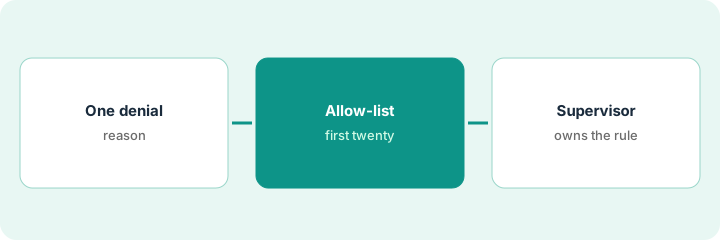
1. Pick one denial reason
What it is: Choose a single denial category where the fix is routine and the payer response is clear, and confirm with Waystar that autonomous resubmission is available to you.
- Ask your Waystar team whether autonomous resubmission is generally available for your setup or still showcase.
- Pull last quarter’s denials by reason and payer.
- Pick a high-volume, routine category, such as a missing or wrong modifier on one payer.
- Exclude anything that needs clinical documentation or an appeal letter.
- Name the billing supervisor who will own the rule.
A billing supervisor at a 400-bed hospital pulls last quarter’s denials and picks one routine category on one commercial payer. Clinical-documentation denials and appeals stay manual.
Write the denial reason, payer, last quarter’s volume, and the owner’s name before turning anything on.
2. Write the resubmit rule and approve the first twenty
What it is: Allow-list that one category. For the first twenty claims the agent marks eligible, the supervisor checks each payer response and the chosen next action before it goes.
- Allow-list one category only.
- Require human OK on the first twenty resubmits in that category.
- Check the payer response, the chosen next action, and any remark code.
- Block the category if the agent keeps choosing the wrong next action.
- Write the rule in plain words in the team’s procedures.
Of the first twenty, eighteen are correct. Two use the wrong remark code. The supervisor fixes the configuration, re-checks the next ten, and only then lets the category resubmit without a person.
Approve the first twenty autonomous resubmits in your one category by hand, and write down every wrong next action.
3. Supervisor signs off and checks results in conversational analytics
What it is: After the trial, the supervisor signs the rule as its owner and uses conversational analytics to check how the resubmits did, exporting the underlying claims before changing anything.
- Sign and date the rule; keep it in the procedures.
- Ask conversational analytics how resubmits in the category performed.
- Export the underlying claims and confirm the answer before acting.
- Sample resubmits monthly.
- Add a second category only after a clean month.
An analyst asks conversational analytics how the category did. It reports most resubmits paid. She exports the claim list and finds a handful still denied for a separate edit the payer added, which is a different category. The supervisor keeps the rule as is and logs the new edit.
Ask one question in conversational analytics about your rule’s results, then export the claims and confirm before changing any workflow.
Pricing context (October 2026)
This how-to isn’t a price sheet. Per the Waystar AI review, Waystar does not publish a price list for AltitudeAI modules. When we checked on Oct 20, 2026, waystar.com/pricing returned not found. Treat it as quote-only and ask which agentic capabilities are generally available and how they are packaged with your current Waystar suite. Dated October 2026.
Checked Oct 20, 2026 on the vendor’s own site: Waystar publishes no AltitudeAI price list; waystar.com/pricing returned not found and Waystar’s site lists no prices. This page quotes no Waystar dollar figure; ask Waystar for a written quote and see our review for what is known.
Uncertainty: The only prices this site sells here are the optional $9 AI toolkit spreadsheet and $19 AI toolkit audit.
When this helps (honest take)
Useful when you already run Waystar for claims, denial rework eats staff time, and a billing supervisor will own every allow-listed category.
Not useful when autonomous resubmission is still showcase for you, you want every category on at once, or your gap is ambient notes in the EHR.
Related options (educational)
| Need | Where to look | Why |
|---|---|---|
| Autonomous claim resubmission | Waystar AI | Primary path; quote only |
| Patient billing voice agents | Cedar Kora billing voice agent scope check | A different job |
| Choosing between RCM tools | Waystar vs Akasa | Side-by-side explainer |
| Where RCM fits | Stack map: healthcare ops | Broader map |
FAQ
Will autonomous resubmission fix all denials?
No. Per our review, Waystar targets eligible rejects and denials. Allow-list categories and sample results.
Is it generally available?
Confirm with your Waystar team. Our review asks buyers to check generally available versus showcase or preview status.
How much does Waystar AltitudeAI cost?
Waystar does not publish AltitudeAI prices. Treat it as quote-only (checked Oct 20, 2026).
Optional next step
If you want a one-page toolkit map for the tools you already pay for, use the optional $9 AI toolkit spreadsheet. If you want a short review of seat waste and unused tools, use the optional $19 AI toolkit audit. Neither is required to follow this how-to.