How-to · Insurance agencies · Vertafore · Oct 20, 2026
Let Vertafore’s Velocity Reconciliation agent match one month of commissions, and have the agency accountant sign off on every match
Vertafore’s Reconciliation Agent reads carrier statements, matches each transaction to client and policy data, and surfaces exceptions. Vertafore cites high accuracy from early users, but commission is the agency’s income, and a wrong match is real money. This page shows how to run one month and keep posting behind the agency accountant’s sign-off.
Who this is for
Agency accountants and finance leads at independent agencies on AMS360 or Sagitta who reconcile direct bill statements by hand and want to try the agent without auto-posting anything. The job here is commission reconciliation and the accountant’s sign-off. For checking quotes and issued policies in Applied Epic and approving carrier messages — a different job — see Applied Epic quote comparison account manager approval.
How to do it
This is a how-to, not a ranking of agency systems. Per the Vertafore AI review, the Reconciliation and Email agents were released in AgencyOne on 30 June 2026, Policy Intake is available with AMS360 (early access for Sagitta), and Policy Check is available in AMS360 as of 15 October 2026. Vertafore describes every agent as recommending and a person approving. The ground rule: nothing posts until the accountant has checked every exception and a sample of matched lines.

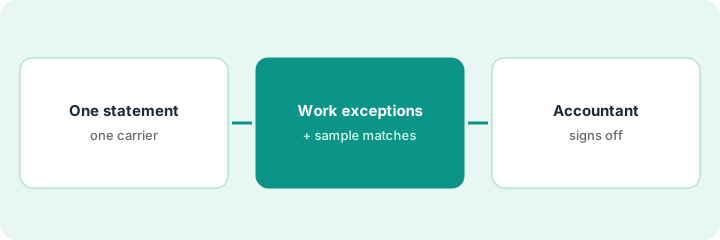
1. Pick one carrier statement
What it is: Start with one month of direct bill from one carrier, ideally your largest, so the volume is real but the scope is clear.
- Confirm with Vertafore that this carrier’s statement format is supported.
- Pull last month’s statement and the hand reconciliation your team already did, so you have a known answer.
- Write the cases the accountant always reviews: commission rate changes, cancelled mid-term policies, producer changes, and any line over an amount you set.
- Name the accountant who signs off and the person who contacts the carrier about disputes.
- Keep Document Intelligence and Policy Intake out of this test; one agent at a time.
An accountant at a commercial-lines agency picks last month’s direct bill statement from the agency’s largest carrier, because her team already reconciled it by hand. She writes four always-review cases at the top of the worksheet.
Write your always-review cases (rate change, cancelled mid-term, producer change, large line) before the agent runs.
2. Run Reconciliation and check every exception
What it is: Let the Reconciliation Agent match the statement against client and policy data in AMS360, then work the exceptions it surfaces one by one.
- Review every flagged exception before touching matched lines.
- Sort exceptions: timing difference, rate change, policy or producer mismatch, or carrier error.
- Compare against your hand reconciliation from last month to spot differences.
- Draft any carrier dispute, but do not send it until the accountant reads it.
- Count how many exceptions were real so you can track the agent over time.
The agent matches most lines and flags nine. Five are timing differences, two are producer changes on transferred accounts, one is a commission rate the carrier lowered without notice, and one is a policy number typo on the statement. The accountant emails the carrier about the rate change.
Put every exception in a sheet with four columns: line, reason, accountant decision, carrier follow-up. Leave none blank.
3. Accountant samples matches and signs off before posting
What it is: A matched line can still be wrong. The accountant checks a sample of matches and every always-review case, then signs off before commissions post.
- Check at least ten matched lines, plus every line that hits an always-review case.
- Reverse any wrong match and note why it happened.
- Sign and date the reconciliation before posting.
- Keep the signed sheet with the month’s records.
- Widen to a second carrier only after two clean months.
In a sample of ten matched lines, one paid commission on a policy that was cancelled mid-term. The accountant reverses it, adds it to the carrier email, and signs off on the rest. Commissions post the next morning.
Before posting, have the accountant check ten matched lines plus every always-review case, and sign the sheet with the date.
Pricing context (October 2026)
This how-to isn’t a price sheet. Per the Vertafore AI review, Vertafore does not publish prices for AMS360, Sagitta, or the Velocity AI agents. When we checked on Oct 20, 2026, vertafore.com/pricing returned not found and product pages offer demos. Treat it as quote-only and ask whether the Reconciliation Agent is included in your subscription. Dated October 2026.
Checked Oct 20, 2026 on the vendor’s own site: Vertafore publishes no prices; vertafore.com/pricing returned not found and Vertafore’s site lists no prices. This page quotes no Vertafore dollar figure; ask Vertafore for a written quote and see our review for what is known.
Uncertainty: The only prices this site sells here are the optional $9 AI toolkit spreadsheet and $19 AI toolkit audit.
When this helps (honest take)
Useful when your agency reconciles direct bill statements by hand in AMS360 or Sagitta and an accountant will read every exception before posting.
Not useful when your agency runs Applied Epic, you want commissions to post without a person, or your carrier’s statement format is not supported.
Related options (educational)
| Need | Where to look | Why |
|---|---|---|
| Commission reconciliation in AMS360 | Vertafore AI | Primary path; quote only |
| Quote and policy checks in Applied Epic | Applied Epic quote comparison account manager approval | A different job |
| Choosing between agency systems | Applied vs Vertafore | Side-by-side explainer |
| Invoices that are not carrier statements | Stampli | Different document type |
FAQ
Does the Reconciliation Agent post commissions on its own?
Vertafore describes it as matching transactions and surfacing exceptions for human review. Keep posting behind the accountant’s sign-off either way.
Are Vertafore’s accuracy figures independent?
No. Per our review, the time-saved and accuracy figures are Vertafore’s early-user claims, not our measurement.
How much does the Reconciliation Agent cost?
Vertafore does not publish prices. Treat it as quote-only (checked Oct 20, 2026).
Optional next step
If you want a one-page toolkit map for the tools you already pay for, use the optional $9 AI toolkit spreadsheet. If you want a short review of seat waste and unused tools, use the optional $19 AI toolkit audit. Neither is required to follow this how-to.