How-to · Insurance agencies · Applied Epic · Oct 20, 2026
Use Applied Epic’s quote comparison and policy checking on one renewal, and have the account manager approve every carrier message
Applied says Epic Conductor, launched 29 September 2026, compares quotes side by side and checks every issued policy against what was quoted. That saves re-keying, but a flag is a lead, not a conclusion. This page shows how to run one renewal through it and keep every carrier message and policy change behind a named account manager.
Who this is for
Account managers and CSRs at independent agencies that run Applied Epic and want to try Epic Conductor on real renewal work without letting anything reach a carrier or client unchecked. The job here is quote comparison, policy checking, and approving the carrier messages that follow. For matching a month of carrier commissions in AMS360 or Sagitta and having the agency accountant sign off — a different job — see Vertafore Velocity Reconciliation accountant sign-off.
How to do it
This is a how-to, not a ranking of agency systems. Per the Applied Epic AI review, Epic Conductor groups natural-language search, document extraction, quote comparison and policy checking, financial automation, and Connected Trading. Applied does not say which features are generally available for which editions, and its AI agents are with a small number of customers today. The ground rule: the account manager reads every flag against the documents and approves every carrier message and policy change.

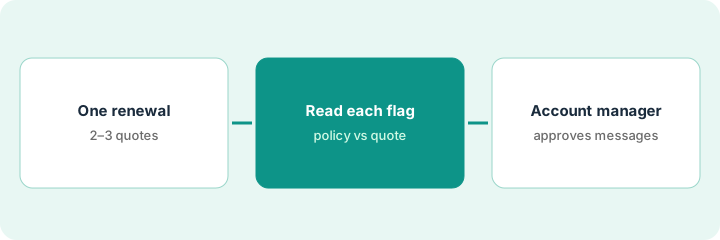
1. Pick one renewal with two or three quotes
What it is: Choose a single commercial renewal where the client has two or three quotes back, and write down what the client actually asked for before the AI sees anything.
- Pick an account the account manager knows well, not the most complex one in the book.
- Write the client’s requested limits, deductibles, and required endorsements on one page (from the client’s email or the contract that drives them).
- Confirm with your Applied representative that quote comparison and policy checking are turned on for your agency.
- Name the account manager who approves every carrier message on this renewal.
- Agree that nobody pastes client policy numbers or claims history into an outside chat tool.
An account manager picks a contractor’s package renewal with three carrier quotes. She writes down the client’s requests: general liability at the same limit, a waiver of subrogation the client’s main contract requires, and no higher deductible than last year.
Write the client’s requested limits, deductibles, and required endorsements on one page before you open the quote comparison.
2. Run quote comparison and the policy check, then read every flag
What it is: Let Epic Conductor line the quotes up side by side, then run the AI policy check when the issued policy comes back. The account manager compares every flag with the policy and the quote.
- Read the side-by-side comparison against your one-page client request, not against last year’s policy alone.
- When the carrier issues the policy, open each flagged coverage gap or missing endorsement.
- Sort each flag: real error, change the client approved, or wording with no effect on coverage.
- Note client approvals in Epic so the next person sees why a difference is intentional.
- Use the action log to see what extraction wrote into Epic.
The comparison shows one quote with a higher deductible, which the client rules out. After binding, the policy check flags three items: a missing waiver of subrogation (real), a deductible change the client approved by email (intentional), and an endorsement wording difference with no effect on coverage. Only the first needs the carrier.
List every flag from the policy check in three columns: real error, client-approved change, no effect. Do not contact the carrier until each row is sorted.
3. Account manager approves every carrier message and policy change
What it is: Any message to the carrier and any change to the policy record goes out only after the account manager approves it. Applied says its agents stop for approval before contacting a carrier; keep a named person approving anyway.
- Draft the carrier request for each real error and have the account manager read it before it sends.
- Approve policy changes in Epic one at a time; no bulk accept.
- Ask the carrier for every correction in writing and attach it to the policy.
- Tell the producer before anything about coverage reaches the client.
- After the renewal, note how many flags were real so you can decide whether to widen use.
The account manager approves one endorsement request to the carrier asking for the waiver of subrogation, attaches the carrier’s confirmation when it arrives, and logs the client-approved deductible note. The producer tells the client the renewal is complete only after the endorsement is on file.
Before any carrier message sends, have the account manager read it, check it against the policy and the quote, and write her initials and the date in Epic.
Pricing context (October 2026)
This how-to isn’t a price sheet. Per the Applied Epic AI review, Applied does not publish prices for Applied Epic or Epic Conductor; its site offers demos and contact forms. When we checked Applied’s site on Oct 20, 2026, it still showed no prices. Treat it as quote-only and ask whether the AI features are included in your subscription, priced separately, or limited to certain editions. Dated October 2026.
Checked Oct 20, 2026 on the vendor’s own site: Applied publishes no prices for Applied Epic or Epic Conductor; our direct fetch of Applied’s site was blocked, so we read it through a reader tool and found no price list. This page quotes no Applied dollar figure; ask Applied for a written quote and see our review for what is known.
Uncertainty: The only prices this site sells here are the optional $9 AI toolkit spreadsheet and $19 AI toolkit audit.
When this helps (honest take)
Useful when your agency runs Applied Epic, account managers spend hours checking issued policies against quotes, and someone will approve every carrier message by name.
Not useful when your agency runs AMS360 or Sagitta, you want the AI to contact carriers on its own, or you expected published prices for Epic Conductor.
Related options (educational)
| Need | Where to look | Why |
|---|---|---|
| Quote comparison and policy checking in Epic | Applied Epic AI | Primary path; quote only |
| Commission reconciliation in AMS360 | Vertafore Velocity Reconciliation accountant sign-off | A different job |
| Choosing between agency systems | Applied vs Vertafore | Side-by-side explainer |
| Where agency AI fits | Stack map: insurance ops | Broader map |
FAQ
Is Epic Conductor available to every Epic agency?
Applied does not list a rollout date or editions. Ask your Applied representative which features your agency can use today.
Can Applied’s AI contact a carrier on its own?
Per Applied’s CEO, as reported by trade press on 8 Oct 2026, its agents stop for approval before communicating with a carrier or changing a policy. Keep a named account manager approving those steps anyway.
How much does Epic Conductor cost?
Applied does not publish prices. Treat it as quote-only (checked Oct 20, 2026).
Optional next step
If you want a one-page toolkit map for the tools you already pay for, use the optional $9 AI toolkit spreadsheet. If you want a short review of seat waste and unused tools, use the optional $19 AI toolkit audit. Neither is required to follow this how-to.