How-to · Insurance claims · Tractable · Oct 20, 2026
Use Tractable photo estimates at FNOL, and have the appraiser approve every estimate and total-loss call
Tractable turns damage photos into a pre-filled estimate and an instant classification at first notice of loss (FNOL): total loss, repairable, or cash settlement. A photo can’t show hidden damage, and an early total-loss call is hard to reverse. This page shows how to test the estimates and keep every estimate and total-loss call with a staff appraiser.
Who this is for
Auto claims leaders, staff appraisers, total-loss teams, and subrogation specialists at insurers using or testing Tractable. The job here is appraiser approval on photo estimates and total-loss calls. For writing and owning a CCC Estimate – STP straight-through rule — a different job — see CCC Estimate – STP rule supervisor ownership.
How to do it
This is a how-to, not a ranking of estimating tools. Per the Tractable AI review, Tractable pre-fills estimates from photos, classifies claims at FNOL, reviews claims for consistency and possible errors or fraud, and automates review of inbound subrogation packets. Each estimate carries a certainty level that accounts for visibility, image quality, and damage severity. The ground rule: a staff appraiser approves every estimate and total-loss call, and the SIU lead, not the model, decides whether anything is fraud.

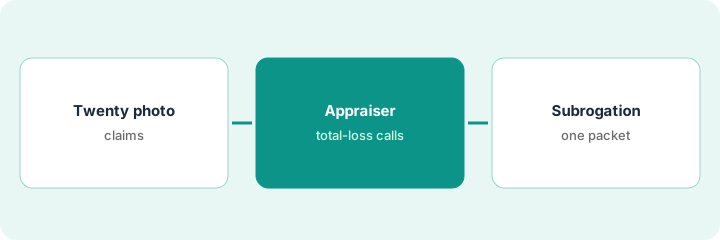
1. Run twenty photo claims and compare with the appraiser
What it is: Send photos from twenty closed claims through Tractable and compare each AI estimate line by line with the appraiser’s estimate and the final repair bill.
- Pick closed claims with known final bills, including some with supplements.
- Compare part and labour lines, not only totals.
- Record repair-vs-replace differences.
- Note hidden damage the photos could not show.
- Do not use the estimate on a live claim until the comparison is done.
A staff appraiser compares twenty AI estimates with final bills. Fifteen are close, three miss supplements for hidden damage behind the front bumper, and two price a repair where the shop replaced the part. She records each gap by line.
Fill a sheet for twenty closed claims: AI line, appraiser line, final bill line, gap reason.
2. Appraiser approves every total-loss call
What it is: Instant classification can mark a claim total loss, repairable, or cash settlement from the customer’s photos. Keep a person on every total-loss call and every case near your total-loss threshold.
- Review a week of FNOL classifications against the appraiser’s later decision.
- Route every claim near the total-loss threshold to an appraiser.
- Check every cash-settlement offer before it reaches a customer.
- Write down which vehicles always see an appraiser first.
- Sample claims that passed claim review without a person; send any concern to the SIU lead.
A team lead reviews fifty FNOL classifications. Most match; four borderline older vehicles marked repairable came in above the threshold once opened. She keeps a person on every borderline case and checks every cash-settlement offer first.
For one week, compare every Tractable total-loss or cash-settlement call with the appraiser’s decision before any offer goes out.
3. Use subrogation packet review on one file
What it is: Tractable reviews inbound subrogation packets and speeds up contention reports. A contention report goes to another insurer, so every disputed line must be one your specialist would defend.
- Pick one inbound subrogation demand with photos.
- Run Tractable’s packet review.
- Check every disputed line against the photos and local labour rates.
- Edit any line you would not defend in arbitration.
- Have the subrogation specialist sign the report by name.
A subrogation specialist runs one inbound demand through packet review. The draft contention report disputes a labour rate that is normal in that state and a part the photos clearly show as damaged. She removes both disputes, keeps the rest, and signs the report.
On one subrogation file, check every disputed line in Tractable’s draft against the photos and local labour rates, and sign the report yourself.
Pricing context (October 2026)
This how-to isn’t a price sheet. Per the Tractable AI review, Tractable does not publish prices; insurer tools are sold through its sales team. When we checked on Oct 20, 2026, tractable.ai/pricing returned not found. Treat it as quote-only and ask whether insurer tools are priced per claim, per estimate, or per year. Dated October 2026.
Checked Oct 20, 2026 on the vendor’s own site: Tractable publishes no prices; tractable.ai/pricing returned not found and Tractable’s site lists no prices. This page quotes no Tractable dollar figure; ask Tractable for a written quote and see our review for what is known.
Uncertainty: The only prices this site sells here are the optional $9 AI toolkit spreadsheet and $19 AI toolkit audit.
When this helps (honest take)
Useful when you handle enough auto physical damage claims that photo estimating saves appraiser time, and appraisers will compare AI estimates with final bills.
Not useful when your estimating already runs inside a network with its own photo AI, or you want total-loss calls made without a person.
Related options (educational)
| Need | Where to look | Why |
|---|---|---|
| Photo estimates and FNOL classification | Tractable AI | Primary path; quote only |
| Straight-through rule ownership | CCC Estimate – STP rule supervisor ownership | A different job |
| Choosing between the two | Tractable vs CCC | Side-by-side explainer |
| Where auto claims AI fits | Stack map: insurance ops | Broader map |
FAQ
Can Tractable see hidden damage?
No photo can. Compare AI estimates with final bills on your own closed claims to see where hidden damage shows up.
Does a Tractable fraud flag mean fraud?
No. Per our review, a possible-fraud flag is a reason to look. The SIU lead decides.
How much does Tractable cost?
Tractable does not publish prices. Treat it as quote-only (checked Oct 20, 2026).
Optional next step
If you want a one-page toolkit map for the tools you already pay for, use the optional $9 AI toolkit spreadsheet. If you want a short review of seat waste and unused tools, use the optional $19 AI toolkit audit. Neither is required to follow this how-to.