How-to · Time tracking · Toggl Track AI · Oct 11, 2026
Propose tags and a weekly insight format in Toggl Track
“Tags and a weekly insight format” here means a small, enforceable tag set plus a repeatable weekly readout — not AI inventing billable hours or client-ready claims. Humans still own billable truth.
Who this is for
Ops and studio leads whose time system of record is already Toggl Track and who need tag discipline plus a weekly insight pattern before trusting AI summaries. If Harvest is the home, see Harvest AI for client-week narrative drafts. Not invoice, tax, or employment advice.
How to do it
This page is a how-to. It is not a ranking of time-tracking AI products. Product detail and dated packaging notes live on Toggl Track AI. Confirm AI/report features on your Toggl plan before you pilot.

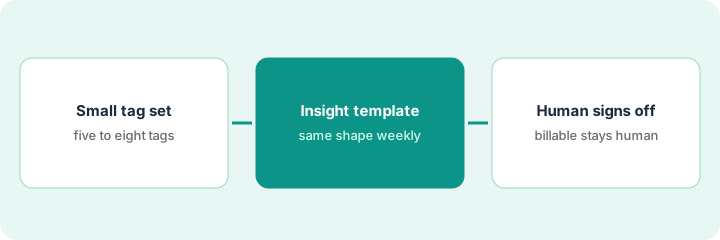
1. Step 1 — Propose a small tag set
What it is: Design ≤8 tags the team will actually use — AI may propose, humans lock.
- Prefer tags that answer decisions (Billable, Internal, Sales-support, Rework, Wait-on-client) over vanity taxonomy.
- Kill duplicate synonyms (“Admin” vs “Internal-admin”).
- Document one-line definitions in a pinned doc.
- Do not invent historical tags for years of old entries in week one — forward-only is fine.
Proposed tags: Billable · Internal · Rework · Wait-client · Sales-support · Learning. AI suggested 20 industry tags — rejected. Definitions written in a one-pager. Owners: project lead.
Ask AI: “Propose ≤8 tags for a 12-person services team; merge synonyms; define each in one line.” Edit ruthlessly. Publish the final eight only.
2. Step 2 — Define the weekly insight template
What it is: Fix the weekly questions before making charts or AI copy.
- Template fields: Total hours | % Billable | Three largest projects | Rework hours | Wait-client hours | One Unknown | One decision.
- AI may draft answers from tagged exports — may not invent missing projects or $ amounts.
- Keep the template identical for four weeks so trends mean something.
- Separate “insight for the team” from “invoice for the client.”
Week: 312h total · 68% billable · Top projects A/B/C · Rework 14h · Wait-client 22h · Unknown: whether Project C scope change is approved · Decision: freeze new internal tags until next month.
Create a doc with the seven fields. Fill one week manually first. Only then let AI draft from a sanitized export into the same fields.
3. Step 3 — Human owns billable truth
What it is: Finance or the project manager signs off before insights affect invoices, utilization targets, or client email.
- Reconcile AI draft hours to Toggl reports.
- Strip invented utilization targets and rates.
- Share the insight internally; client narratives follow your existing approval path.
- Do not add Harvest AI for the same weekly insight if Toggl remains system of record.
The project manager corrects billable % after a mis-tag. Removes “we’re at 85% utilization target” (AI invented the target). Posts insight to #studio-ops. Invoices still export from Toggl/billing as usual.
Sign-off line on the doc: Reviewer | Date | Matches Toggl report Y/N. No Y → do not forward.
Pricing context (October 2026)
This how-to is not a price sheet. Plan notes live on Toggl Track AI. Recheck toggl.com/track pricing and your account before you budget. Related path: Harvest AI. Dated October 2026.
Checked Oct 11, 2026 on the vendor’s own pricing page: Toggl’s pricing page (Annual tab, “Save 33.3%”) lists Free at $0 for a limited number of users, Starter at $9 and Premium at $16 per user per month; the Monthly tab lists Starter at $12 and Premium at $24. Enterprise is contact-sales. Add-ons include Time Off Pro at $2 per user per month.
Uncertainty: AI insights and report assists vary by Toggl plan and rollout. If an invoice and a review disagree, trust the invoice. Do not paste a marketing list price you did not pay. The only prices this site sells here are the optional $9 AI toolkit spreadsheet and $19 AI toolkit audit.
When this helps (honest take)
Useful when the team will honor ≤8 tags and a human owns billable truth.
Not useful when everyone invents personal tags, you want AI to set invoice amounts, or Harvest is already system of record for the same job.
Related options (educational)
| Need | Where to look | Why |
|---|---|---|
| Toggl Track AI / insights | Toggl Track AI | Primary path on this page |
| Harvest client week summary | Harvest AI | When Harvest is system of record |
| Finance stack inventory | Stack map for finance ops | Job | Tool | Owner |
| Before another seat | Three checks before an AI seat · Find unused AI seats | Live how-tos |
Related reviews: Toggl Track AI · Harvest AI. Free: seat-waste calculator if two time-AI seats own the same weekly insight.
FAQ
Can AI create tags automatically on every entry?
Only if a human reviewed the tag set first. Unreviewed auto-tags recreate synonym chaos.
Does the weekly insight replace invoices?
No. Invoices and billable truth stay with your billing process and human review.
Where do dated prices live?
On the Toggl Track AI review plus the vendor site. This October 2026 how-to does not invent list prices. Our Oct 11, 2026 check of the vendor’s own pricing page is summarized in the pricing section above.
Do I need Premium for this routine?
Not to start. Tags and a weekly report work on the plan you have; the Oct 11, 2026 pricing page lists profitability analysis, scheduled reports and timesheet approvals under Premium, so check those only if your insight needs them.
Optional next step
Free reviews stay free. Neither offer is required to use this page. If Toggl and another time-AI seat already produce the same weekly insight, optional help: $9 AI toolkit spreadsheet or $19 AI toolkit audit when you want a written memo.