How-to · Meetings · Coaching · tl;dv · Oct 5, 2026
Keep the coaching clips. Drop the second transcript pile
tl;dv’s job on this site is timestamped clips and light CRM handoff — not a second Fireflies-style notes archive. If you bought it for “notes too,” you may be paying for two piles.
Who this is for
Sales managers and CS leads who already review calls with clips. Ops leads who inherited both a notetaker and a clip tool on the same calls.
How to do it
This page is a how-to. It is not a ranking of call tools. Product detail and dated pricing live on the reviews linked below.

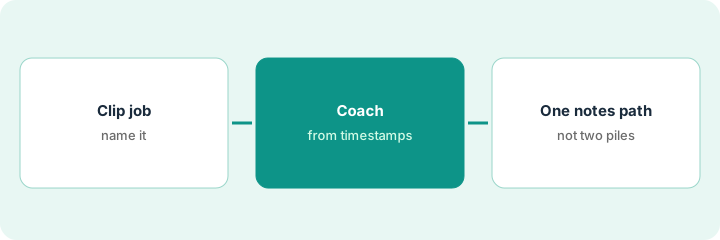
1. Step 1 — Name clip-and-CRM as the job
What it is: Read tl;dv. Write one sentence: “We pay tl;dv so managers can share 2–3 moments and push a few fields — not so we have another transcript search.”
The sales wiki now says: “tl;dv is for sharing two or three call moments and pushing a few fields. Transcript search lives in one notes tool.”
If nobody shared a clip last week, the seat is not doing the clip job yet — fix usage or cancel; do not add a third tool.
2. Step 2 — Coach from a few timestamps
What it is: In the weekly call review, require clip links instead of “watch the whole thing.” Keep CRM fields to the ones humans confirm.
Each rep brings one short clip of an objection they fumbled, plus the question they want coached. Nobody is assigned a full recording.
Agenda line: “Each rep brings one clip ≤90 seconds + the coaching question.” No full-recording homework.
3. Step 3 — Give owners-and-dates to a notes tool (or Companion)
What it is: If you still need owners and dates for internal meetings, pick one notes path: Fireflies, Otter, Fathom, Granola, or Zoom AI Companion. Do not keep a second transcript pile “in case.”
Gong and Chorus are a different job (conversation intelligence) — see Gong / Chorus if that is already your coaching system of record.
Internal weeklies had tl;dv and Fireflies both writing transcripts. Fireflies keeps the owner list; tl;dv stays on external calls for clips.
On overlapping calls, disable notes archive features you do not open in tl;dv (or remove the other notetaker) so only one product owns transcripts.
Pricing context (October 2026)
This how-to is not a price sheet. Public list prices for tl;dv, Gong, Chorus, Fireflies, Otter, Fathom, Granola, and Zoom AI Companion live on those reviews. Recheck each vendor’s site before you budget. Dated October 2026.
Uncertainty: Free tiers, CRM connectors, seat minimums, and recording limits change. If an invoice and a review disagree, trust the invoice. Do not paste a marketing list price you did not pay. The only prices this site sells here are the optional $9 AI toolkit spreadsheet and $19 AI toolkit audit.
When this helps (honest take)
Useful when managers actually coach from moments.
Not useful when you only needed owners and dates — buy or keep a notes tool, not a clip library.
Related options (educational)
| Need | Where to look | Why |
|---|---|---|
| Coaching clips and a few CRM fields | tl;dv | Timestamped moments managers share |
| Conversation intelligence system of record | Gong or Chorus | A different, heavier coaching job |
| Owners and dates for internal meetings | Fireflies, Otter, or Fathom | One notes archive, not two |
| No bot in the room | Granola | Device-side notes |
| Notes stay inside Zoom | Zoom AI Companion | You already pay Zoom |
Related reviews: tl;dv · Gong · Fireflies. Related how-to: Cancel the second notetaker.
FAQ
Is tl;dv a notes tool or a clip tool?
On this site its job is timestamped clips and light CRM handoff, not a second full notes archive.
What if nobody shared a clip last week?
The seat is not doing the clip job yet. Fix usage or cancel — do not add a third tool.
Where do Gong and Chorus fit?
They are a different, heavier conversation intelligence job. Read those reviews if one is already your coaching system of record.
Where do dated prices live?
On the linked reviews and the vendor sites. This October 2026 how-to does not invent list prices.
Optional next step
Free reviews stay free. Neither offer is required to use this page. If coaching and notetaker seats overlap on the same calls, optional help: $9 AI toolkit spreadsheet (seats, spend, owner, cancel-by, overlap) or $19 AI toolkit audit when you want a written memo.