How-to · Ecommerce · Nosto · Oct 17, 2026
Review Nosto AI Reveals suggestions, and have the merchandiser approve every change
Nosto's Huginn surfaces AI Reveals suggestions — segments, facet clean-ups, synonyms, bundles — ready for you to review and activate. A queue like that is easy to accept in bulk. This page shows how to read each suggestion, check it with the Data Analyst agent, and have the merchandiser approve every change one at a time.
Who this is for
Ecommerce merchandisers and managers on Nosto who see AI Reveals suggestions and want a weekly routine for deciding which ones go live. For Algolia search rules — a related but different job — see Algolia search rule owner.
How to do it
This is a how-to, not a ranking of personalisation tools. Per the Nosto AI review, AI Reveals suggestions do not go live until someone activates them, and Ask Huginn's Data Analyst answers questions about store data. Nosto's help centre says Ask Huginn needs your consent to use generative AI and acceptance of its terms on first use, and the Data Analyst has documented limits (fixed periods, a capped number of products and orders, and some modules not yet supported).

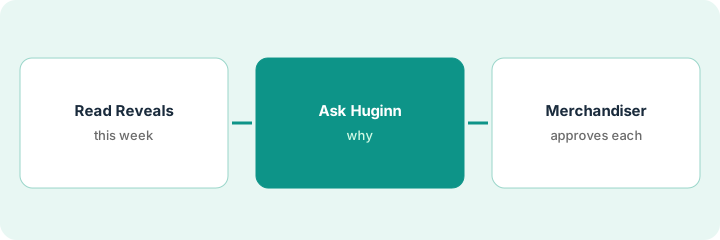
1. Read this week's AI Reveals
What it is: Open the AI Reveals list and sort the suggestions by type: segments, facet clean-ups, synonyms, bundles, and recommendation titles.
- List every suggestion with its type and what it would change.
- Mark any that touch what every shopper sees (facets, synonyms).
- Mark any tied to discounts or bundles that affect margin.
- Name the merchandiser who decides this week.
This week's list has 11 suggestions: three facet merges, four synonyms, two bundles, and two new segments. One facet merge would combine 'navy' and 'blue'.
Copy the list into a sheet with columns for type, change, risk note, and decision.
2. Ask Huginn's Data Analyst why
What it is: For each high-impact suggestion, ask the Data Analyst a question that tests it, and note the metric and period it used.
- Accept Nosto's generative-AI consent and Ask Huginn terms if prompted.
- Ask about views, sales, or conversion for the products involved.
- Remember product questions use fixed periods (1, 3, 7, 14, or 30 days) and very large catalogs are sampled.
- Check two or three answers in the Nosto dashboard before acting.
- Do not paste customer names or order exports into the chat.
Huginn shows navy items sell well when shoppers filter by 'navy' specifically. The merchandiser checks the dashboard, which agrees, and decides not to merge the colours.
Write the question, the metric, the period, and the answer next to each suggestion in your sheet.
3. Merchandiser approves or rejects each change
What it is: The merchandiser activates only the suggestions that survived the check, one at a time, and records each decision.
- Approve or reject each suggestion individually — no bulk accept.
- Add an owner and review date for any new rule or synonym.
- Check bundles keep a fallback product so they stay live.
- Re-check the affected pages the next day.
- Keep rejected suggestions in the sheet with the reason.
The merchandiser approves two synonyms, one bundle, and one segment, rejects the colour merge, and holds the rest for next week with notes.
Book a weekly 30-minute AI Reveals review with the merchandiser as owner.
Pricing context (October 2026)
This how-to isn't a price sheet. Per the Nosto AI review, Nosto publishes no prices: pricing is a base platform fee plus a fee based on your store's volume, and its pricing page says AI is built into every module at no extra cost. Treat it as quote-only. Dated October 2026.
Checked Oct 17, 2026 on the vendor’s own pricing page: Nosto shows no public list price. Nosto’s pricing page describes a base platform fee plus a fee based on your store’s volume, and says AI is built into every module at no extra cost. This page quotes no Nosto dollar figure; confirm what your contract includes with Nosto or your admin.
Uncertainty: The only prices this site sells here are the optional $9 AI toolkit spreadsheet and $19 AI toolkit audit.
When this helps (honest take)
Useful when you already use Nosto, AI Reveals suggestions are piling up, and one merchandiser can review them weekly.
Not useful when nobody has time to check suggestions, or you only need search rules — see the Algolia how-to.
Related options (educational)
| Need | Where to look | Why |
|---|---|---|
| Nosto AI features | Nosto AI | Primary path |
| Algolia search rules | Algolia search rule owner | Search-first option |
| Rebuy upsell offers | Rebuy Smart Cart offer approval | Cart offers |
| Ecommerce stack map | Stack map: ecommerce ops | Where Nosto fits |
FAQ
Do I need to accept anything to use Ask Huginn?
Yes. Nosto's help centre says Ask Huginn requires consent to use generative AI within Nosto and acceptance of the Ask Huginn terms on first use.
What are the Data Analyst's limits?
Per Nosto's help centre: fixed periods for product questions, sampling in large catalogs, a cap on how many recent orders it reads, and some modules not yet supported.
Where do Nosto prices live?
Nosto publishes no prices; ask for a quote based on your volume and modules. Our Oct 17, 2026 check of the vendor’s own pricing page is summarized in the pricing section above.
Which Huginn agents does my account have?
Nosto’s help centre and agentic page list different agents, and its FAQ mentions beta and early access. Ask your success manager.
Optional next step
If you want a one-page toolkit map for the tools you already pay for, use the optional $9 AI toolkit spreadsheet. If you want a short review of seat waste and unused tools, use the optional $19 AI toolkit audit. Neither is required to follow this how-to.