How-to · BI · Metabase Metabot · Oct 19, 2026
Point Metabot at verified content, and check every generated SQL answer before it lands in a dashboard
Metabase Metabot answers natural-language questions with SQL generation and fixes, and can be limited to verified content. A wrong join still becomes a dashboard if nobody reads the SQL. This page shows how to stay on verified content and check SQL before save.
Who this is for
Self-hosted or Cloud BI teams on Metabase who want natural-language questions without unchecked SQL in dashboards. The job here is verified-content limits plus SQL checks.
How to do it
This is a how-to, not a ranking of BI assistants. Per the Metabase Metabot review, Metabot covers natural-language questions, SQL generation and fixes, verified-content limits, and self-hosted vs Cloud AI providers. The ground rule: no Metabot answer is saved to a dashboard until an analyst reads the SQL.
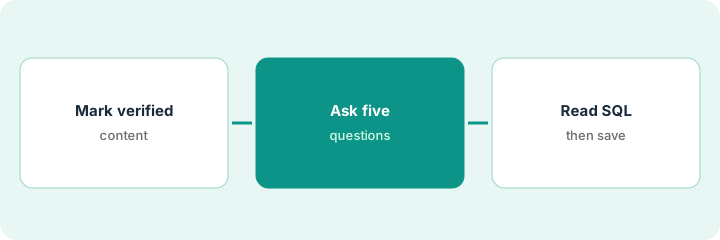
1. Mark verified models and questions
What it is: Mark the models and questions Metabot may use as verified, and keep everything else out of scope.
- Agree who may mark verified.
- Verify only curated models with known grain.
- Document self-hosted vs Cloud AI provider choice for your deploy.
- Tell the team unverified content is off-limits for Metabot answers that will be saved.
- Revisit the verified set monthly.
The lead verifies the finance mart questions and leaves exploratory sandbox questions unverified.
Publish a verified list before anyone asks Metabot for dashboard-bound answers.
2. Ask five real questions
What it is: Ask five questions stakeholders already ask weekly, staying inside verified content.
- Use questions with known answers.
- Avoid “build me a dashboard” as the first prompt.
- Save chat transcripts for review.
- If Metabot leaves verified content, stop and reset.
- Keep Power BI or Tableau comparisons as a later evaluation, not this routine.
Analysts ask five bookings and churn questions that leadership already charts by hand.
Ask five questions with known answers and keep the chat log.
3. Read the SQL each time; save only checked answers
What it is: Open the generated SQL for every answer, fix or reject, and save to a dashboard only after the check.
- Read joins, filters, and time zones.
- Reject SQL you cannot explain.
- Have a second analyst spot-check two of five.
- Save only checked questions.
- Note AI token use if you use Metabase’s AI Service.
One query double-counted refunded orders. SQL is fixed before the question is pinned.
Open the SQL for every answer before it touches a dashboard.
Pricing context (October 2026)
This how-to isn’t a price sheet. Per the Metabase Metabot review and Metabase’s pricing page (checked Oct 19, 2026), Starter is $100 per month ($1,080 per year) with 5 users included and $6 per extra user; Pro is $575 per month ($6,210 per year) with 10 users and $12 per extra user; Enterprise from $20,000 per year. Metabase AI Service is $3.75 per million tokens with 1 million included; most customers bring their own key. Dated October 2026.
Checked Oct 19, 2026 on the vendor’s own pricing page: Metabase’s pricing page lists Starter at $100 per month ($1,080 per year) with $6 per extra user; Pro at $575 per month ($6,210 per year) with $12 per extra user; Enterprise from $20,000 per year. AI Service is $3.75 per million tokens with 1 million included.
Uncertainty: The only prices this site sells here are the optional $9 AI toolkit spreadsheet and $19 AI toolkit audit.
When this helps (honest take)
Useful when you already trust Metabase models and will read SQL before saving Metabot answers.
Not useful when nobody will open SQL, or verified content is empty.
Related options (educational)
| Need | Where to look | Why |
|---|---|---|
| Metabase Metabot | Metabase Metabot | Primary path |
| Power BI vs Tableau Pulse | Power BI Copilot vs Tableau Pulse | Compare BI assistants |
| Data stack map | Stack map: data ops | Where Metabase fits |
FAQ
Must we use Metabase’s AI Service?
No. Per our review most customers bring their own provider key; Metabase’s AI Service is optional usage-based.
What are verified-content limits?
They restrict Metabot to content you marked verified so exploratory junk stays out of saved answers.
Optional next step
If you want a one-page toolkit map for the tools you already pay for, use the optional $9 AI toolkit spreadsheet. If you want a short review of seat waste and unused tools, use the optional $19 AI toolkit audit. Neither is required to follow this how-to.