How-to · Apple device management · Jamf · Oct 19, 2026
Ask Jamf’s AI Assistant to explain a policy or script, and have the Apple admin check it before changing anything
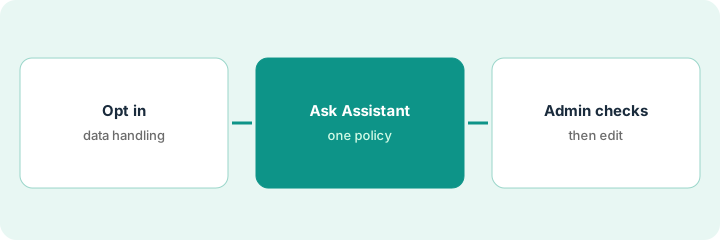
Jamf’s AI Assistant can explain policies, scripts, Blueprints, compliance benchmarks, and app risk so a new admin is not guessing. An explanation that misreads a script still becomes a bad change if nobody checks it. This page shows how to ask once and keep the Apple admin’s check before any edit.
Who this is for
Apple device admins on Jamf Pro who inherit policies and scripts they did not write. The job here is verifying an AI explanation before changing anything. Patch override approval in NinjaOne is a different job on Windows fleets.
How to do it
This is a how-to, not a ranking of MDM tools. Per the Jamf AI review, the AI Assistant covers inventory questions, policy and script explanations, Blueprint search and explanation, compliance benchmarks, and mobile app risk; it is opt-in and off by default; AI Governance is built into Jamf for Mac with no separate license. The ground rule: no policy or script changes from an explanation the admin has not checked against the real object.
1. Opt in and check data handling
What it is: Turn the AI Assistant on only after you read Jamf’s data-handling notes for your org, and confirm it is off by default until you opt in.
- Confirm who may enable the assistant in your Jamf Cloud org.
- Read Jamf’s statement that customer data is not used for model training (per our review).
- Decide which admins may ask about production policies.
- Keep write changes in Blueprints behind a change ticket regardless of the assistant.
- Note AI Governance separately if you will discover AI tools on Macs later.
The lead admin opts in for two senior admins only, leaves help-desk roles without assistant access, and links Jamf’s AI Assistant page in the runbook.
Write who is opted in and that explanations never auto-edit policies.
2. Ask about one inherited policy or script
What it is: Pick one policy or script you did not author, ask the assistant to explain what it does, and keep the real object open beside the answer.
- Name the policy or script ID in the question.
- Ask what it does, what it scopes, and what happens if it fails.
- Ask about Blueprint relationships only if that policy is managed there.
- Ignore inventory side questions until this explanation is checked.
- Save the answer outside Jamf so you can annotate it.
A new admin asks why a FileVault escrow policy scopes a Smart Group. The assistant summarizes the scope and script. The admin keeps the policy editor open.
Ask one question about one object; paste the answer next to a screenshot of the real scope.
3. Admin verifies line by line before any edit
What it is: The Apple admin compares the explanation to the script and scope, corrects mistakes in notes, and only then opens Blueprints or the policy editor under change control.
- Read every script line the explanation cites.
- Correct the notes where the assistant guessed.
- If compliance benchmarks are mentioned, open the benchmark object yourself.
- Make edits only after the check, in Blueprints when that is your process.
- Never paste the assistant’s wording into a change ticket as if it were audited truth.
The admin finds the assistant missed a second Smart Group exclusion. Notes are corrected; the change to loosen escrow waits a week.
Check every cited line against the real policy before you edit.
Pricing context (October 2026)
This how-to isn’t a price sheet. Per the Jamf AI review and Jamf’s pricing page (checked Oct 19, 2026), Jamf for Mac is $12.50 per macOS device per month and Jamf for Mobile $5.75 per mobile device per month, both billed annually with a 25-device minimum; Jamf Now starts at $4 per device per month. No separate public AI Assistant price. Dated October 2026.
Checked Oct 19, 2026 on the vendor’s own pricing page: Jamf’s pricing page lists Jamf for Mac at $12.50 per macOS device per month and Jamf for Mobile at $5.75 per mobile device per month, both billed annually with a 25-device minimum, and Jamf Now from $4 per device per month. No separate AI Assistant price.
Uncertainty: The only prices this site sells here are the optional $9 AI toolkit spreadsheet and $19 AI toolkit audit.
When this helps (honest take)
Useful when you inherit Jamf policies and need explanations checked before you change Apple fleets.
Not useful when the assistant is off and will stay off, or you wanted it to write policies without review.
Related options (educational)
| Need | Where to look | Why |
|---|---|---|
| Jamf AI features | Jamf AI | Primary path |
| IT stack map | Stack map: IT ops | Where Jamf fits |
| NinjaOne patch overrides | NinjaOne Patch Intelligence override | Windows patch job |
FAQ
Is the AI Assistant on by default?
No. Per our review it is opt-in and off by default for Jamf Pro, Jamf Protect, and Elevate.
Is there a separate AI Assistant price?
We found none on Jamf’s pricing page Oct 19, 2026. Confirm in your quote. Our Oct 19, 2026 check of the vendor’s own pricing page is summarized in the pricing section above.
Optional next step
If you want a one-page toolkit map for the tools you already pay for, use the optional $9 AI toolkit spreadsheet. If you want a short review of seat waste and unused tools, use the optional $19 AI toolkit audit. Neither is required to follow this how-to.