How-to · Meetings & notes · Granola · Oct 5, 2026
Three steps to get editable notes when a bot in the room is a bad look
Some rooms go quiet when a notetaker bot joins. If that is your problem, do not solve it by adding a quieter bot — solve it by picking the no-bot job on purpose.
Who this is for
Founders and ops leads in candidate, customer, or exec conversations where a visible bot is off-brand or against the room’s comfort. If everyone already accepts Fireflies, you may not need this path.
How to do it
This page is a how-to. It is not a ranking of meeting bots. Product detail and dated pricing live on the reviews linked below.
1. Step 1 — Decide the room should not see a bot
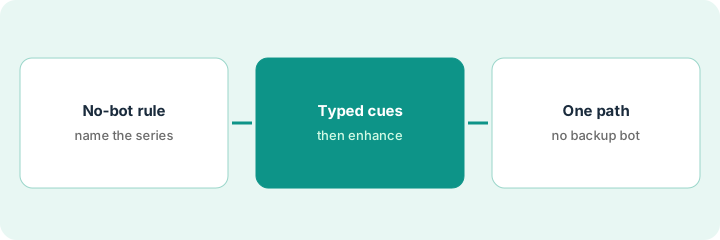
What it is: Write the rule down: which meeting types forbid bots. Share it with anyone who schedules those meetings.
Candidate interviews and board prep are tagged no-bot. Customer standups are not. Whoever schedules now knows which invites stay clean.
Add a calendar emoji or tag no-bot on those series so scheduling tools stop inviting bots by habit.
2. Step 2 — Capture with typed cues + enhanced notes
What it is: Follow the pattern in the Granola review: your typed notes are the starting point; enhanced notes help you edit afterward. You are optimizing for an editable note you own — not a video library.
During the call you type “Dana — send revised SOW — Thu” and “Open: who signs?” Afterward, enhancement fills in context, and you trim it back to owner lines before you share.
In the next no-bot meeting, type only owners, decisions, and open questions live. Afterward, run enhancement once, then rewrite actions as Owner — task — date before you share.
3. Step 3 — Do not also run a bot “for backup”
What it is: Granola + Fireflies on the same weekly meeting is the overlap this site keeps warning about. Pick Granola for the no-bot series; pick a bot tool for the series where bots are fine — not both on the same event.
If you need replayable video, Granola is the wrong job — see Fireflies, Fathom, or tl;dv for capture and clips.
Next week’s founder 1:1 has a Granola plan and a leftover bot invite. The bot invite is removed before the call starts.
Audit next week’s calendar. Any event with both a bot invite and a no-bot notes plan gets one path deleted before the meeting starts.
Pricing context (October 2026)
This how-to is not a price sheet. Public list prices for Granola, Fireflies, Fathom, tl;dv, and Zoom AI Companion live on those reviews. Recheck each vendor’s site before you budget. Dated October 2026.
Uncertainty: Free tiers, seat minimums, bot add-ons, and device requirements change. If an invoice and a review disagree, trust the invoice. Do not paste a marketing list price you did not pay. The only prices this site sells here are the optional $9 AI toolkit spreadsheet and $19 AI toolkit audit.
When this helps (honest take)
Useful when the constraint is the room, not the feature list.
Not useful when you need a searchable archive other people replay — that is a recording job.
Related options (educational)
| Need | Where to look | Why |
|---|---|---|
| No bot in the room | Granola | Typed notes you own and edit |
| Replayable recording, bot is fine | Fireflies or Fathom | A recording job, not a no-bot job |
| Coaching clips | tl;dv | Timestamped moments, not full notes |
| Notes stay inside Zoom | Zoom AI Companion | You already pay Zoom |
Related reviews: Granola · Fireflies · Zoom AI Companion. Related how-to: Three steps to take the best meeting notes ever.
FAQ
Why not just use a quieter bot?
A quieter bot is still a bot in the room. If the room is the problem, pick the no-bot job on purpose.
Should we keep a bot running as backup?
No. Granola plus a bot on the same event is paying twice for one job. One path per meeting series.
What if we need replayable video?
That is a recording job. Read the Fireflies, Fathom, or tl;dv reviews instead.
Where do dated prices live?
On the linked reviews and the vendor sites. This October 2026 how-to does not invent list prices.
Optional next step
Free reviews stay free. Neither offer is required to use this page. If a no-bot tool and a bot tool already overlap on the card, optional help: $9 AI toolkit spreadsheet (seats, spend, owner, cancel-by, overlap) or $19 AI toolkit audit when you want a written memo.