How-to · Practice operations · eClinicalWorks · Oct 21, 2026
Use eClinicalWorks Image AI on inbound faxes, and have staff confirm every patient match and routing
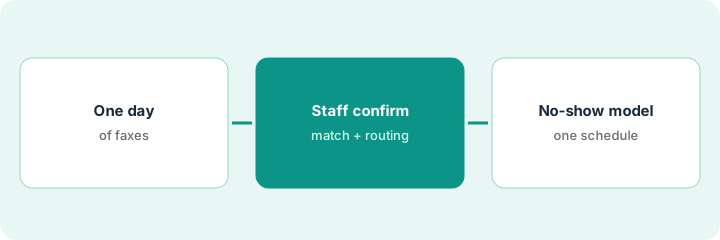
eClinicalWorks’ Image AI manages inbound faxes, matches them to patients, and interprets their purpose — “subject to provider confirmation,” in eCW’s words. A fax attached to the wrong chart is a privacy problem and a clinical one. This page shows how to run Image AI on one day of faxes while staff confirm every patient match and routing, and then try eCW’s no-show prediction on one schedule.
Who this is for
Practice managers, referral coordinators, and front-office leads at practices and health centers on eClinicalWorks. The job here is the fax inbox and the schedule, not ambient notes. This is an operations how-to, not medical advice. For Sunoh.ai ambient drafts and the healow Genie contact center, see the eClinicalWorks AI review.
How to do it
This is a how-to, not a ranking of EHRs. Per the eClinicalWorks AI review, eCW’s AI-powered EHR page lists Image AI for the fax inbox, an AI Assistant across the EMR and practice management, Sunoh.ai ambient notes, healowIQ, the healow Genie AI contact center, and a no-show prediction model. eCW says the no-show model predicts no-shows “with up to 90% accuracy” — its claim. The ground rule: a named staff member confirms every Image AI patient match and destination, eCW’s provider confirmation stays on, and the clinician who receives a result decides what happens with it.

1. Route one day of inbound faxes through Image AI
What it is: Pick one normal weekday and let Image AI match and label every inbound fax. Nothing is filed without a person looking at it.
- Pick a typical weekday, not a holiday or month-end.
- Name the referral coordinator as the person who reviews the day.
- For each fax, log the patient Image AI picked and the purpose it assigned: referral, lab result, records request, prior auth.
- Keep provider confirmation on for every match.
- Count faxes by purpose at the end of the day.
The coordinator logs one day of 64 faxes. Image AI labels most as referrals, lab results, or records requests. She notes two that look like referrals but are marketing faxes, and one lab result labeled as a referral.
Pick one weekday, name the reviewer, and log the patient and purpose Image AI assigns to every inbound fax before anything is filed.
2. Staff confirm every patient match and routing with a second identifier
What it is: For each fax, a staff member checks the patient match against a second identifier and confirms where it goes. Clinical results go to the ordering clinician, who decides what to do with them.
- Check name plus date of birth plus one more identifier (address, phone, or medical record number).
- Flag patients with the same name and birth year for manual matching.
- Confirm the destination: ordering clinician, referral queue, records, billing.
- Send lab and imaging results to the ordering clinician, who reviews and signs off on them.
- Log every wrong match or wrong destination.
Over two weeks the front-office lead finds two faxes attached to patients with the same name and birth year, and one lab result routed to the referral queue. She keeps provider confirmation on, adds a second-identifier check for same-name patients, and routes results to the ordering clinician.
For two weeks, have staff confirm every Image AI match with a second identifier and every destination before filing, and log each miss.
3. Add no-show prediction to one schedule, and measure first
What it is: eCW’s healow no-show prediction flags visits likely to be missed. A prediction is a probability, not a fact, so try it on one schedule before changing booking rules.
- Pick one provider’s schedule.
- Double-book only the twenty visits the model flags as most likely to no-show, over two weeks.
- Count shows and no-shows for those twenty.
- Note days that ran long because flagged patients arrived.
- Have the practice manager decide whether to widen the rule.
The front-office lead double-books twenty flagged visits over two weeks. Twelve no-show and eight arrive, and those days run long. She narrows double-booking to two visit types and rechecks next month.
Double-book only twenty flagged visits for two weeks, count shows and no-shows, and have the practice manager decide before widening.
Pricing context (October 2026)
This how-to isn’t a price sheet. Per the eClinicalWorks AI review, eCW publishes some prices and keeps others quote-only. We rechecked eCW’s pricing page and Sunoh.ai’s pricing page on Oct 21, 2026 (below). We found no public price for healow Genie, healowIQ, or the AI API Workbench — treat those as quote-only, and ask whether Image AI and no-show prediction are included in your EHR subscription. Dated October 2026.
Checked Oct 21, 2026 on the vendor’s own site: eCW’s pricing page lists EHR Only at $499/mo per provider and EHR with Practice Management at $599/mo per provider, both with no start-up costs, and RCM as a Service at 2.9% of practice collections. Sunoh.ai’s pricing page (sunoh.ai/pricing) says Sunoh starts at $149 per user per month “for a limited time.” We found no public price for healow Genie, healowIQ, or the AI API Workbench.
Uncertainty: The only prices this site sells here are the optional $9 AI toolkit spreadsheet and $19 AI toolkit audit.
When this helps (honest take)
Useful when your practice already runs eClinicalWorks, the fax inbox takes hours a day, and a named staff member will confirm every match before anything is filed.
Not useful when nobody will check matches for the first weeks, same-name patients are common and you have no second identifier on faxes, or your gap is clinical documentation.
Related options (educational)
| Need | Where to look | Why |
|---|---|---|
| Fax matching, no-show prediction, Genie, Sunoh | eClinicalWorks AI | Primary path; EHR prices public |
| One AI note format with provider sign-off | AdvancedMD one-format trial | A different job |
| Inbound phone triage routing | Phreesia VoiceAI triage routing check | A different job |
| Where practice operations fit | Stack map: healthcare ops | Broader map |
FAQ
What does Image AI do?
Per our review, eCW says Image AI manages inbound faxes, matches them to patients, and interprets their purpose, subject to provider confirmation.
Should we turn off provider confirmation?
Not until you know your error rate. Keep it on, and add a second-identifier check for patients with the same name and birth year.
How much does eClinicalWorks cost?
eCW’s pricing page lists EHR Only at $499 per provider per month and EHR with Practice Management at $599 per provider per month (checked Oct 21, 2026). Genie, healowIQ, and the AI API Workbench are quote-only.
Optional next step
If you want a one-page toolkit map for the tools you already pay for, use the optional $9 AI toolkit spreadsheet. If you want a short review of seat waste and unused tools, use the optional $19 AI toolkit audit. Neither is required to follow this how-to.