How-to · Supply chain planning · Blue Yonder · Oct 21, 2026
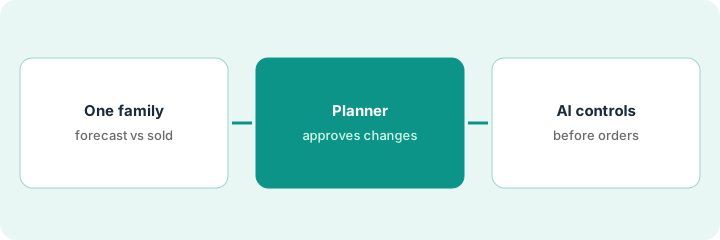
Read Blue Yonder’s AI demand forecast explanations, and have a named planner approve every plan change
Blue Yonder’s demand planning shows what it calls a “glass box” view of the factors behind each forecast, and since ICON 2026 it explains in plain language what changed and why, with an audit trail of every change, override, and approval. A forecast with a tidy explanation can still be wrong for reasons the model never saw. This page shows how to read those explanations on one product family while a named planner approves every plan change.
Who this is for
Demand planners, supply planners, and supply chain leads at companies that run Blue Yonder or are comparing planning suites. The job here is planning — forecasts and the plan they feed. For piloting Manhattan Active’s Wave Coordinator agent in a warehouse — a different job on the execution side — see Manhattan Active Wave Coordinator approval.
How to do it
This is a how-to, not a ranking of planning software. Per the Blue Yonder AI review, Blue Yonder Demand Planning combines statistical methods, machine learning, and AI for forecasts; Demand and Supply Insight-Driven Planning (ICON 2026) explains what changed in a forecast and why; domain agents coordinated by an Orchestrator can act on your systems with “governed actions, logged and reversible”; and the Inventory Ops agent gained an agentic ordering workflow. Blue Yonder’s accuracy figures are its claims. The ground rule: a named planner approves every forecast override and plan change before it is published, and a buyer approves every purchase order.

1. Pick one product family, and compare the forecast with what sold
What it is: Start with one product family and check last month’s AI forecast against actual units before any explanation shapes the next plan.
- Pick one product family with steady sales and a few promotions.
- Pull last month’s AI forecast and actual units for its ten biggest items.
- Mark every item off by more than 20%.
- Note known causes the model may not have seen: a lost listing, an unloaded promotion, a stockout.
- Name the planner who owns this family.
The planner compares ten items. Seven are within 20%. Two were overforecast because a retailer listing ended, and one was underforecast because a promotion was never loaded into the system. She records all three causes before reading any explanation.
Compare last month’s AI forecast with actual units for the ten biggest items in one product family and note every item off by more than 20%, with the cause if known.
2. Read each explanation; the named planner approves every plan change
What it is: For each forecast change in the family, the planner reads Blue Yonder’s plain-language explanation, checks it against what she knows, and approves, overrides, or holds the change before the plan is published.
- Open the explanation for every forecast change above your threshold.
- Check the causal factors against known events.
- Override where the explanation misses something, and write the reason.
- Approve the plan change only after every flagged item is settled.
- Use the audit trail to confirm each approval is recorded under her name.
The planner reads twelve explanations. Nine match known events. Two credit a weather pattern for a rise that was really a competitor stockout, and one misses a promotion ending. She overrides three forecasts with written reasons and approves the plan.
For one planning cycle, have the named planner read the explanation for every forecast change above your threshold and record approve, override, or hold before the plan is published.
3. Set responsible-AI controls before the Inventory Ops agent drafts orders
What it is: Before any agent drafts purchase orders, write down which agent actions wait for a named person, and keep a buyer approving every order for the first weeks.
- List every action Blue Yonder’s agents could take in your warehouse, transportation, or order systems.
- Mark which actions wait for a named approver.
- Ask Blue Yonder to show how each hold and reversal works.
- Have the buyer approve every purchase order the Inventory Ops agent drafts for two weeks.
- Update ordering rules from the buyer’s change reasons before automating anything.
For two weeks the buyer approves every drafted purchase order. Most are right. Four order too far ahead of a slow month, and one picks a supplier with a longer lead time. She adjusts the ordering rules before anyone discusses automation.
Write the list of agent actions that wait for a named approver, and have the buyer approve every Inventory Ops purchase order for two weeks.
Pricing context (October 2026)
This how-to isn’t a price sheet. Per the Blue Yonder AI review, Blue Yonder does not publish prices. When we checked on Oct 21, 2026, blueyonder.com/pricing returned not found and the site lists no prices. Treat it as quote-only and ask which domain agents and Orchestrator features your subscription includes. Dated October 2026.
Checked Oct 21, 2026 on the vendor’s own site: Blue Yonder publishes no prices; blueyonder.com/pricing returned not found and Blue Yonder’s site lists no prices. This page quotes no Blue Yonder dollar figure; ask Blue Yonder for a written quote and see our review for what is known.
Uncertainty: The only prices this site sells here are the optional $9 AI toolkit spreadsheet and $19 AI toolkit audit.
When this helps (honest take)
Useful when your company runs Blue Yonder planning, planners spend time explaining forecast swings, and a named planner will approve every plan change.
Not useful when nobody will read explanations before publishing, you want agents ordering from day one, or your gap is warehouse execution.
Related options (educational)
| Need | Where to look | Why |
|---|---|---|
| Forecast explanations, agents, Inventory Ops | Blue Yonder AI | Primary path; quote only |
| Warehouse agent actions with manager approval | Manhattan Active Wave Coordinator approval | A different job |
| Choosing between planning and execution suites | Blue Yonder vs Manhattan | Side-by-side explainer |
| Where supply chain tools fit | Stack map: logistics ops | Broader map |
FAQ
What does Blue Yonder’s forecast explanation show?
Per our review, a “glass box” view of the causal factors behind each forecast and, since ICON 2026, a plain-language account of what changed and why, with an audit trail of changes, overrides, and approvals.
Can Blue Yonder agents act without a person?
Per our review, Blue Yonder says agents take governed actions that are logged and reversible. Decide in writing which actions wait for a named approver before go-live.
How much does Blue Yonder cost?
Blue Yonder publishes no prices. Treat it as quote-only (checked Oct 21, 2026).
Optional next step
If you want a one-page toolkit map for the tools you already pay for, use the optional $9 AI toolkit spreadsheet. If you want a short review of seat waste and unused tools, use the optional $19 AI toolkit audit. Neither is required to follow this how-to.