Tool · Ops & automation · Wrike · Oct 2026
Wrike AI review (Oct 2026): PMO work management assists for ops
Wrike AI for PMO/ops work management — status drafts, risk notes, and request intake with human QA. Not a migration pitch for AI alone.
What Wrike AI covers here
This page is for PMO and ops teams already on Wrike (or evaluating it as work management) who want AI drafts for status, risk, and intake — with a PM edit gate. We focus on honest drafts from existing notes, and when Smartsheet AI, Asana Intelligence, or monday.com AI is the better home. Feature names and packaging change — verify live on Wrike.
Major features (with how someone uses them)
Examples at a glance: each feature has a concrete PMO/ops example plus a short Try this.
1. Status + risk drafts for PMs (primary)
What it is: From a project status paste (milestones, blockers, owners), draft risk bullets and a status update a PM edits before send. Never invent dates or green/yellow/red without evidence in the paste.

Primary SoT workflow:
From a project status paste: draft risk bullets and a status update a PM edits before send.
2. Request intake assists
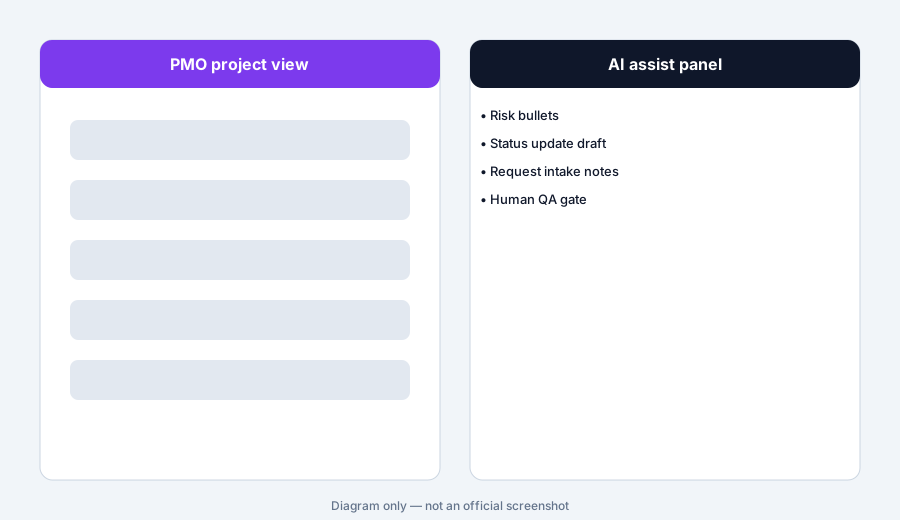
What it is: Propose intake fields and a short triage summary from a request form paste. Flag missing priority, owner, or due window as Unknown — do not invent SLA.
Intake honesty:
From a one-paragraph request: list required intake fields, draft a triage summary, and mark Unknown for priority/due if not stated. No invented SLAs.
3. Stakeholder update drafts
What it is: Turn working notes into a stakeholder-safe update (wins, risks, asks). Prefer short bullets. Strip internal blame language. PM owns send.
Stakeholder tone:
Rewrite this internal note into 5 stakeholder bullets: wins, risks, asks. Remove blame. Mark Unknown if a date is missing. Do not invent green status.
4. Vs Smartsheet / Asana / monday
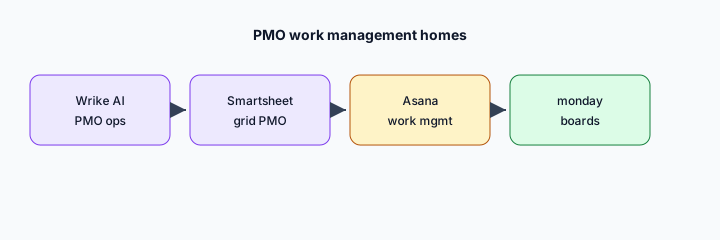
What it is: Stay in the PMO tool you already pay for. Wrike for Wrike-standardized PMO; Smartsheet AI for grid-heavy finance/PMO; Asana/monday when those are SoR. Soft $19/$9 below only if Wrike AI and chat seats overlap on the same status jobs.
Home-for-the-job:
List 6 recurring PMO/ops jobs this quarter. Assign each to Wrike, Smartsheet, Asana, monday, or Jira — one sentence why. Do not invent a tool you do not use.
Pricing context (October 2026)
Wrike publishes plans and packaging on its public site (start from wrike.com and Wrike’s pricing pages). This page is dated October 2026 and is not a price sheet — we do not invent exact per-seat or AI add-on prices.
Uncertainty: Which tiers include which AI surfaces, seat minimums, and regional availability change. Always verify on live Wrike pages and your admin before budgeting.
When Wrike AI is useful (honest take)
Useful when Wrike is already the PMO/work-management SoR, projects have enough notes for honest drafts, and PMs will edit before stakeholder send. Less useful when status lives only in Slack and Wrike is empty, or when you hoped AI alone would replace a missing RAID log discipline.
Paying for Wrike AI and a few other AI tools? The $9 AI toolkit spreadsheet lists every AI subscription you have, what each one costs, and how fast it pays for itself, so you can see which ones are worth the money.
Want someone to do it for you? AI toolkit audit — $19
Related options (educational)
| Need | Better home | Why |
|---|---|---|
| Wrike already SoR | Wrike AI (this page) | Status/risk/intake drafts with PM QA |
| Grid-heavy finance/PMO | Smartsheet AI | Grid ops for trackers |
| Asana work management | Asana Intelligence | Fields/summaries in Asana |
| monday boards | monday.com AI | Stay in monday |
| Issue SoR in Jira | Jira AI | Issue hygiene, not PMO status packs |
FAQ
What is Wrike AI?
AI assists inside Wrike for PMO/ops — status and risk drafts a PM should edit. Verify live feature names on Wrike’s site.
How much does it cost?
Confirm on Wrike’s public pricing — this Oct 2026 page does not invent exact prices.
Should AI invent risk or status?
No. Drafts only. Mark Unknown when notes are blank. PM confirms before send.
Wrike vs Smartsheet / Asana / monday?
Stay in the PMO tool you already pay for. See related reviews linked above.
Optional next step (if seats overlap)
If Wrike AI would sit beside chat and other work-management AI seats on the same ops jobs, optional help mapping overlap: $19 AI toolkit audit or $9 AI toolkit spreadsheet. Email Audit $19 or Toolkit spreadsheet $9.
Checkout is live via Stripe. After you pay, we email delivery (spreadsheet) or intake next steps (audit).