Compare · Ops & automation · Nov 2026
Rippling vs Gusto (Nov 2026): Rippling from $8 per employee plus a base fee (quote only) vs Gusto Simple $49 + $6, Plus $80 + $12, Premium $180 + $22 per person — how each prices payroll and HR
Gusto publishes its prices: Simple at $49 a month plus $6 per person, Plus at $80 plus $12, and Premium at $180 plus $22, month-to-month. Rippling says plans start at $8 per employee per month with a monthly base fee, and the real total comes from a custom quote for the products you pick. Write your headcount, states, and must-have products first, then price both for the same list. This page is not a ranking.
What this comparison covers
This page is for founders, office managers, and finance or ops leads at small and mid-sized companies choosing a payroll and HR platform. A named person owns payroll runs, tax filings, and who has admin access, whichever tool you pick.
Facts come from the Rippling pricing page and the Gusto pricing page, both read on 9 November 2026. Rippling does not publish a full price list, so we quote its own FAQ and say where a quote is needed.
The main difference is how you get a number. Gusto shows three plans with a monthly base and a per-person fee, so you can price it in a minute. Rippling is modular: you choose products (payroll, benefits, time, devices, IT and more), most priced per employee per month, and its page asks for a quote.
Ground rules: one owner for payroll and tax settings; nobody changes pay rates or bank details without a second person checking. This page is not a ranking. See the Rippling review and the Gusto review for each tool on its own.
| Rippling | Gusto | |
|---|---|---|
| Public price | “Plans start at $8 per employee per month, with a monthly base fee”; the total comes from a custom quote | Simple $49 a month + $6 per person; Plus $80 + $12 per person; Premium $180 + $22 per person |
| How pricing is built | Modular: you pick products, most priced per employee per month, some with a base fee | Three plans plus optional add-ons (for example next-day pay, priority support, compliance) |
| Multi-state payroll | Part of the quoted product set | Simple covers one state; Plus and Premium add multi-state payroll |
| Contract | Terms set in the quote | Month-to-month; cancel any time |
| Contractors | Counted in the quote form (employees + contractors) | US contractors billed at the per-person price only in months you pay them |
| How to get a number | Fill in the quote form (company size bands from 1-10 to 1001+) | Read it off the pricing page |

Major features (with how someone uses them)
Examples at a glance: each feature has a concrete example from a real job plus a short Try this you can run this week.
1. Price both for the same list
What it is: Gusto lists Simple at $49 a month plus $6 per person, Plus at $80 plus $12, and Premium at $180 plus $22 (Gusto pricing). Rippling says plans start at $8 per employee per month with a monthly base fee, and your total depends on the products and services you choose (Rippling pricing).
A 20-person company on Gusto Plus would pay $80 + 20 × $12 = $320 a month before add-ons. You cannot do the same sum for Rippling without its base fee and the per-product prices, so the quote is the only fair comparison.
Price your real team:
Write your headcount (employees and contractors), the states you pay people in, and the products you actually need (payroll only, or payroll plus benefits, time tracking, devices, or IT). Price Gusto from its public page and request one Rippling quote for the same list, then compare the two monthly totals.
2. Plans vs modules
What it is: Gusto packages features into three plans and sells extras as add-ons, such as next-day pay ($15 a month + $3 per person on Simple), priority support ($30 a month + $3 per person), and business compliance ($85 a month per state on an annual contract) (Gusto pricing). Rippling’s page says most products are priced per employee per month and some add a base fee, so you pay only for the products you add (Rippling pricing).
Modular pricing helps when you need a few specific products and want to add more later. Plans help when you want a known bill. Either way, list the products you will use in the first year.
List year-one products:
Write the products you will use in the next 12 months (payroll, benefits, time tracking, devices, IT, expense). Mark each as must-have or later, and ask for quotes on the must-haves only.
3. Multi-state payroll and contractors
What it is: Gusto Simple runs payroll in one state; Plus and Premium add multi-state payroll. US contractors are billed at the per-person price only in months you pay them, and global contractor payments carry no monthly per-contractor fee (Gusto pricing). Rippling’s quote form asks for employees plus contractors together (Rippling pricing).
If you hire your first person in a second state, Gusto moves you off Simple. Ask Rippling how contractors are counted in your quote.
Map states and contractors:
Write every state where you pay someone and how many contractors you pay each month. Check which Gusto plan covers those states and ask Rippling how contractors are counted.
4. Contract and switching
What it is: Gusto says it is month-to-month with no long-term contract; upgrades take effect immediately and downgrades start the next billing period (Gusto pricing). Rippling’s terms are set in your quote (Rippling pricing).
Moving payroll mid-year means carrying over tax filings already made. Ask each vendor who handles the data transfer and what it costs.
Ask the switching questions:
Ask each vendor three things in writing: the contract length, who moves your year-to-date payroll and tax data, and what happens to your price at renewal.
5. Benefits administration
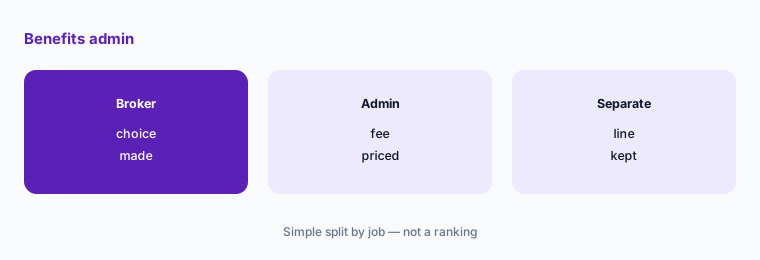
What it is: Gusto says health insurance administration costs nothing extra when Gusto is your broker; keeping your own broker inside Gusto is $6 a month per eligible employee (Gusto pricing). Rippling lists benefits as one of the products you can add to a quote (Rippling pricing).
Benefits often cost more to run than payroll itself. Price benefits administration as its own line, not as part of the plan name.
Price benefits on their own:
Decide whether you keep your current broker. Ask each vendor for the monthly benefits administration cost with that choice, and put it on its own line next to payroll.
6. One owner for payroll access
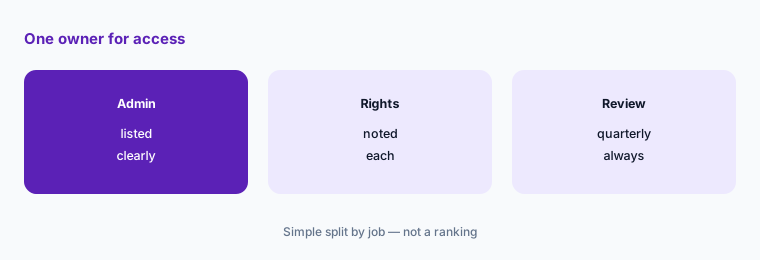
What it is: Both tools keep running payroll, tax filings, and bank transfers on whatever settings and admins were set up (Rippling pricing; Gusto pricing).
A wrong bank account or a former employee who still has admin access costs more than any plan difference. A named owner and a second approver matter more than the logo.
List payroll admins:
Write every person with admin access, what they can change, and who checks bank or pay-rate changes. Remove anyone who no longer needs access.
Pricing context (November 2026)
Rippling (pricing page, read 9 Nov 2026): “Plans start at $8 per employee per month, with a monthly base fee.” Most products are priced per employee per month; some add a base fee; the total comes from a custom quote. No full price list is public.
Gusto (pricing page, read 9 Nov 2026): Simple $49 a month + $6 per person (one state); Plus $80 + $12 per person (multi-state, time tracking, next-day pay); Premium $180 + $22 per person (named advisor, HR guidance, business compliance, same-day and instant pay). Month-to-month; add-ons priced separately.
For each tool on its own see the Rippling review and the Gusto review.
Uncertainty: Rippling publishes only a starting price of $8 per employee per month plus an unstated base fee, so any total for Rippling needs a quote. Gusto’s plan prices and add-ons are as displayed on 9 November 2026 and may change; some add-ons vary by state. Confirm both on the live pages before you sign.
When it’s useful (honest take)
Gusto tends to fit when you want a price you can read off the page, month-to-month terms, and payroll plus core HR for a small team. Rippling tends to fit when you want to combine payroll with other products such as devices or IT in one system and are happy to work from a quote.
Neither helps if nobody owns payroll settings and admin access. Keep a written owner and a second approver for pay and bank changes.
Still choosing between Rippling and Gusto? The $19 AI toolkit audit gives you a written plan for which tools to keep using and which to drop across your whole AI stack, including this pair.
Prefer to do it yourself? Spreadsheet — $9
Related options (educational)
| Need | Better home | Why |
|---|---|---|
| Rippling on its own | Rippling review | See that page |
| Gusto on its own | Gusto review | See that page |
| HR system for growing teams | BambooHR review | See that review for current plans |
| Enterprise HR and finance | Workday review | See that review for current plans |
FAQ
Is Rippling more expensive than Gusto?
It depends on your headcount and products. Gusto listed Simple at $49 a month plus $6 per person and Plus at $80 plus $12. Rippling said plans start at $8 per employee per month plus a monthly base fee, with the total from a custom quote. Price both for the same list. This page is not a ranking.
Does Rippling publish its prices?
Only a starting point. On 9 November 2026 its pricing page said plans start at $8 per employee per month with a monthly base fee, and asked for a quote for the full price.
Does Gusto require a contract?
No. Gusto’s pricing page said it is month-to-month and you can cancel any time.
Which Gusto plan do I need for more than one state?
Plus or Premium. Gusto listed Simple as payroll in one state, and Plus and Premium with multi-state payroll.
Who should own payroll access?
One named person who tracks every admin, what they can change, and who approves bank and pay-rate changes, and reviews it each quarter.
Optional next step (if seats overlap)
If you already pay for separate payroll, benefits, and HR tools, list which ones a single platform would replace before you switch. Map the overlap with the $19 AI toolkit audit or the $9 AI toolkit spreadsheet. Email Audit $19 or Toolkit spreadsheet $9.
Checkout is live via Stripe. After you pay, we email delivery (spreadsheet) or intake next steps (audit).