Compare · Ops & automation · Nov 2026
Paylocity vs Paycom (Nov 2026): neither publishes prices — Paylocity bundles HR, finance and IT tools, Paycom builds on a required core with employee-run payroll; how to get two quotes you can actually compare
Neither Paylocity nor Paycom publishes prices: both quote after a sales call. Paylocity sells HR and payroll plus finance and IT tools (expenses, AP automation, access management) and lists global payroll for 100+ countries. Paycom starts every client on a required “Core” and adds tools from there, with Beti, where employees check their own payroll before it runs. Send both the same one-page scope so the quotes match. This page is not a ranking.
What this comparison covers
This page is for HR, payroll, and finance leads at US companies, usually somewhere between 20 and a few thousand employees, who are choosing between Paylocity and Paycom or replacing one of them. One named person owns the requirements list, both sales conversations, and the final contract.
Facts come from the Paylocity home page, the Paylocity pricing page, the Paycom home page, and the Paycom pricing page, read on 10 November 2026. Neither page shows a price, so this page gives none.
Both cover payroll, time, benefits, recruiting, and talent. The differences are in how they package it: Paylocity reaches into finance and IT work, while Paycom stresses one database and employees doing their own payroll checks.
Ground rules: payroll errors hit people’s paychecks, so plan a parallel payroll run before switching. This page is not a ranking. For smaller teams see Rippling vs Gusto.
| Area | Paylocity (as displayed) | Paycom (as displayed) |
|---|---|---|
| Pricing | Quote only: “Get Pricing” for HR, Finance, and IT | Quote only: a required “Core” set plus optional tools toward “Complete” |
| Payroll | Automated and custom payroll, 30+ payroll audits with alerts, tax filing, on-demand pay, global payroll for 100+ countries | Beti employee-run payroll, payroll tax management, payroll card, daily pay, general ledger |
| AI | Ignite AI | IWant command-driven AI search |
| Beyond HR | Finance (expenses, corporate cards, AP automation, procurement, headcount planning) and IT (access and asset management) | Expense management, mileage tracking, asset management |
| Company sizes named | Small 1-99, midsize 100-499, enterprise 500+ employees | Small, medium, and enterprise businesses |
Major features (with how someone uses them)
Examples at a glance: each feature has a concrete example from a real job plus a short Try this you can run this week.
1. Start with one scope for both quotes
What it is: Paylocity’s pricing page says you get a solution that matches your needs and is priced for your budget, with a “Get Pricing” request across HR, Finance, and IT (Paylocity pricing). Paycom’s pricing page says pricing depends on the tools you need, and its “Core” is the minimum used by all clients (Paycom pricing).
With no list prices, the only fair comparison is two quotes for the same scope. Without a written scope, each rep will quote a different bundle.
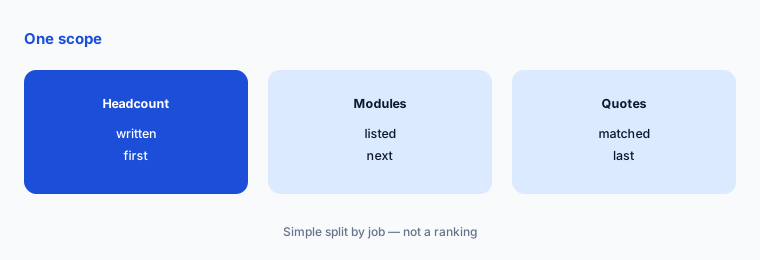
Write one scope:
Write your headcount, the number of states (and countries) you pay people in, and the modules you need on day one: payroll, time, benefits, recruiting, performance, expenses. Send that same one-page list to both vendors so the two quotes cover the same scope.
2. How each packages its modules
What it is: Paycom shows “Core vs. Complete” for each area. For payroll, Core includes Beti automated payroll, general ledger, and payroll tax management and filing; Complete adds items such as the payroll card, daily pay, expense management, and garnishment administration (Paycom pricing). Paylocity groups its products into HR and payroll, workforce management, talent, benefits, employee experience, finance, and IT (Paylocity pricing).
Ask each vendor which of your required modules are in its base price and which are add-ons. An add-on you need on day one belongs in the comparison.
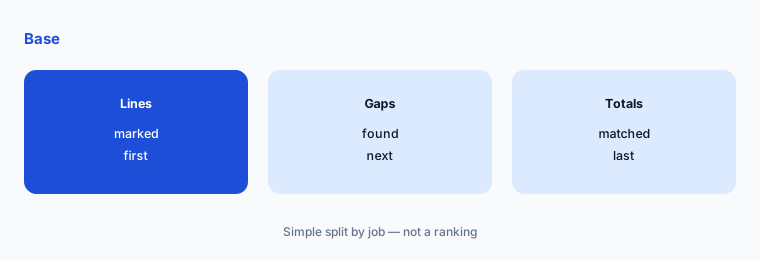
Mark base and add-on:
On each quote, mark every module as included or add-on, and list anything from your scope that is missing. Ask for a revised quote until both cover the same list.
3. Payroll: audits and global pay, or employee-run checks
What it is: Paylocity lists automated and custom payroll workflows, 30+ payroll audits with automatic alerts, tax filings, on-demand pay, wage garnishment services, and global payroll support for 100+ countries (Paylocity pricing). Paycom says Beti builds payroll automatically and lets employees find and fix errors before it runs, and cites a commissioned Forrester study for a 90% cut in time spent on payroll (Paycom).
The 90% figure comes from a vendor-commissioned study of a composite organization. Test the workflow on your own pay rules instead of relying on it.
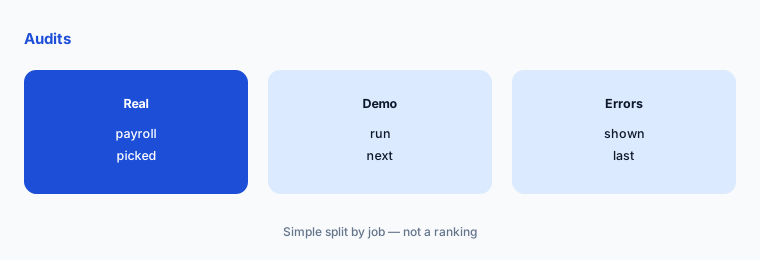
Demo your hardest payroll:
Pick 20 employees from last month’s payroll that include overtime, a garnishment, and a multi-state worker. Ask each vendor to run them in a demo and show how a mistake would be caught.
4. AI features: Ignite AI and IWant
What it is: Paylocity promotes Ignite AI to automate manual processes and reduce risk, and lists AI-powered expense reports and touchless AP invoice capture (Paylocity; Paylocity pricing). Paycom’s IWant is a command-driven AI search that answers questions from employee profiles, applicant data, company policies, and dashboards (Paycom).
AI search is only as good as the data behind it. Ask who can see what through the AI, and test it with a question a manager should not be able to answer about someone else’s team.
Ask your top five questions:
Write the five HR questions you answer most often. In each demo, have the AI answer them, then ask one question a manager should not see answered and note what happens.
5. Beyond payroll: finance, IT, and expenses
What it is: Paylocity lists finance tools (expense management, corporate cards, AP automation with 2- and 3-way PO matching, guided procurement, headcount planning) and IT tools (access management with SSO and MFA, and device asset management) (Paylocity pricing). Paycom lists expense management, a mileage tool, and asset management alongside HR and payroll, all in what it calls a single database (Paycom).
If you already pay for expenses, AP, or device management elsewhere, these modules could replace a contract, or duplicate one. List those tools before the demo.
List what it could replace:
Write every finance and IT tool you pay for that overlaps these modules (expenses, AP, corporate cards, device management), with annual cost and renewal date, and compare that with each quote.
6. Service model and switching
What it is: Paycom says every client gets a dedicated service team, with no phone trees or ticket systems (Paycom). Paylocity lists support across small business (1-99 employees), midsize (100-499), and enterprise (500+), plus a marketplace of hundreds of integrations with API, EDI, and SFTP support (Paylocity pricing; Paylocity).
Service promises are hard to compare from a website. Ask each vendor for two references at your size and ask those references how payroll problems were handled.
Call two references:
Ask each vendor for two customers at your headcount. Ask them how long setup took, how a payroll error was fixed, and whether they would sign again.
Pricing context (November 2026)
Paylocity (pricing page, read 10 Nov 2026): no prices shown; a “Get Pricing” request across HR, Finance, and IT products, priced to your needs.
Paycom (pricing page, read 10 Nov 2026): no prices shown; a required “Core” for every client plus optional tools in each area (payroll, talent acquisition, time and labor, talent management, HR management), quoted after a meeting request.
Compare the two only on written quotes for the same scope, including setup fees, add-ons, and contract length.
Uncertainty: Neither Paylocity nor Paycom published prices on 10 November 2026, so this page lists none. Product details are as described on their own sites that day; ROI and time-saving figures are from vendor-commissioned studies and were not tested here. Confirm scope, fees, and term in writing.
When it’s useful (honest take)
Useful when you have a written list of headcount, states, and required modules, and one person runs both sales processes and checks the quotes line by line.
A poor fit for this page if you have under about 20 employees or pay only contractors; see Rippling vs Gusto or Deel vs Remote. Plan a parallel payroll run before any switch.
Still choosing between Paylocity and Paycom? The $19 AI toolkit audit gives you a written plan for which tools to keep using and which to drop across your whole AI stack, including this pair.
Prefer to do it yourself? Spreadsheet — $9
Related options (educational)
| Need | Better home | Why |
|---|---|---|
| Payroll for smaller teams | Rippling vs Gusto | See that page |
| HR software plans | BambooHR pricing | See that page |
| Larger HR suites | Workday alternatives | See that page |
| Paying people abroad | Deel vs Remote | See that page |
FAQ
Is Paylocity or Paycom cheaper?
Neither publishes prices. On 10 November 2026 both pricing pages asked for a meeting or pricing request. The only fair comparison is two written quotes for the same headcount and modules.
How does Paycom pricing work?
Paycom’s pricing page says pricing depends on the tools you need, with a required “Core” used by all clients and optional tools added on top in payroll, talent, time, and HR areas.
What is the difference between Paylocity and Paycom?
Paylocity adds finance tools (expenses, AP automation, procurement) and IT tools (access and asset management) and lists global payroll for 100+ countries. Paycom stresses a single database, Beti employee-run payroll, and a dedicated service team.
Do Paylocity and Paycom have AI features?
Yes. Paylocity promotes Ignite AI and AI-powered expense and AP capture. Paycom offers IWant, a command-driven AI search across employee, applicant, and policy data.
Who should own the Paylocity or Paycom decision?
One named person in HR or finance who writes the scope, runs both demos, checks every quote line, and plans a parallel payroll run before the switch.
Optional next step (if seats overlap)
If you pay for payroll, HR, expense, and AP tools separately, list where they overlap before signing an all-in-one contract. Map the overlap with the $19 AI toolkit audit or the $9 AI toolkit spreadsheet. Email Audit $19 or Toolkit spreadsheet $9.
Checkout is live via Stripe. After you pay, we email delivery (spreadsheet) or intake next steps (audit).