Tool · Ops & automation · Incident.io · Oct 2026
Incident.io review (Oct 2026): incident updates and postmortem drafts for ops responders
Incident.io when the incident record, on-call, and status page already live there. Draft the customer update and the postmortem outline. A human still sets severity and hits send. Pairs with PagerDuty AI for paging and Claude for incident ops when the draft lives in a project instead.
What this Incident.io page covers
This page is for ops responders who already run incidents in Incident.io and want help writing updates without inventing impact, customer counts, or a root cause. We cover stakeholder update drafts, a timeline assembled only from what was pasted, a postmortem outline a lead edits, and when paging or observability belongs in another tool. Incident.io’s AI feature names and plan packaging change. Confirm what your workspace actually shows before you tell the team a button exists.
Major features (with how someone uses them)
Examples at a glance: each feature has a concrete ops example plus a short Try this.
1. Stakeholder update a human sends (primary)
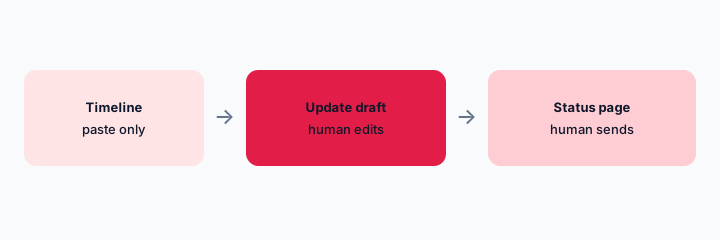
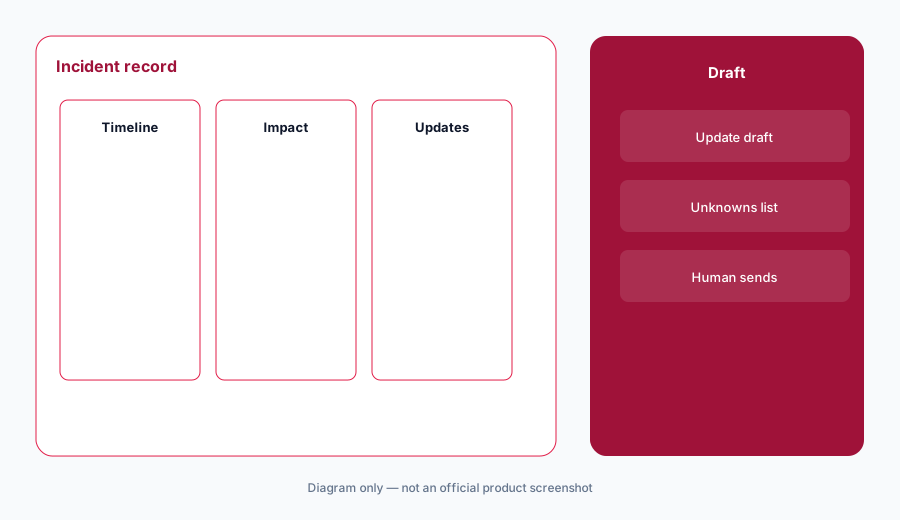
What it is: From a sanitized timeline, draft an internal update and a shorter status-page line. Do not invent customer impact, duration, or a root cause that nobody has confirmed. The human who owns the incident sends both.
Primary workflow:
From a sanitized incident timeline: draft an internal update and a status-page line. Mark Unknown wherever the timeline is silent. Do not invent root cause.
2. Timeline only from pasted facts
What it is: Turn chat lines and alert titles you paste into a chronological list. If a time or owner is missing, leave the gap. Do not backfill a story that makes the incident look cleaner.
Timeline check:
Paste the notes you actually have. Ask for a timeline. Delete any row that is not in the paste.
3. Postmortem outline, not a verdict
What it is: A postmortem outline is headings, a timeline, what changed, and open questions. It is not a completed root-cause document. Action items need an owner a human names. If you do not know the owner, write Unknown.
Outline check:
Draft a postmortem outline from the same timeline. Every action item needs a human owner or the word Unknown.
4. Versus PagerDuty and Datadog
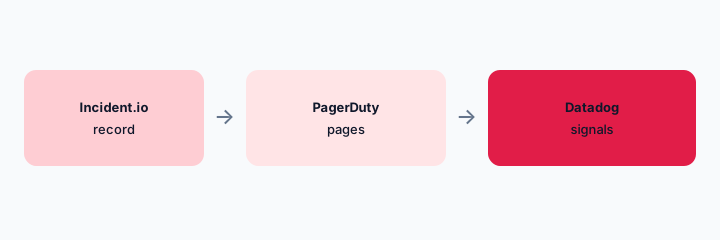
What it is: Keep paging on PagerDuty AI if that is where alerts fire. Keep signal investigation on Datadog Bits if that is where the graphs live. Incident.io is the record and the status update. The side-by-side is Incident.io vs PagerDuty. A general writing project is Claude for incident ops, not a second incident tool.
Home for the job:
List six incident jobs this quarter. Assign each to Incident.io, PagerDuty, or Datadog — one sentence why. Do not invent a tool you do not use.
Pricing context (October 2026)
Incident.io publishes plans on its own site. This October 2026 page is not a price sheet. We did not open a public price table for this review, so we do not state a per-seat number.
If AI assists are bundled, add-on, or absent on your plan, that is an admin check, not something this page can settle.
Uncertainty: Regional availability, on-call add-ons, and which AI controls exist in your workspace change. Read the live Incident.io pages and your admin before you budget.
When it’s useful (honest take)
Useful when Incident.io is already the incident record and a human edits updates before they reach customers or a status page. Less useful when you hoped a draft would decide severity, name a root cause, or replace the pager. Less useful if the team’s record actually lives in PagerDuty or a doc, and Incident.io would be a second place to type the same timeline.
Paying for Incident.io and a few other AI tools? The $9 AI toolkit spreadsheet lists every AI subscription you have, what each one costs, and how fast it pays for itself, so you can see which ones are worth the money.
Want someone to do it for you? AI toolkit audit — $19
Related options (educational)
| Need | Better home | Why |
|---|---|---|
| Incident record and status updates | Incident.io (this page) | Human sends; no invented impact |
| Paging and on-call noise | PagerDuty AI | If PagerDuty already pages |
| Graphs and alert queries | Datadog Bits | If Datadog holds the signals |
| A writing project, not a record | Claude for incident ops | Outline from a paste, then file it in the record |
FAQ
What is Incident.io for on this page?
The incident record: timelines, stakeholder updates, and postmortem outlines. Confirm live AI packaging on your workspace. This page does not invent prices.
Should an update publish itself?
No. A human checks Unknowns and sends. Severity and customer impact stay human decisions.
How much does it cost in October 2026?
We do not state a number. Incident.io’s public pricing and your contract are the source.
When should we stay on PagerDuty instead?
When the job is paging and acknowledgment, not the customer update. See the compare page linked above.
Optional next step (if seats overlap)
If you pay for an incident record, a pager, and a separate writing seat that all draft the same update, map the overlap with the $19 AI toolkit audit or the $9 AI toolkit spreadsheet. Email Audit $19 or Toolkit spreadsheet $9.
Checkout is live via Stripe. After you pay, we email delivery (spreadsheet) or intake next steps (audit).