Tool · Ops & automation · Honeycomb · Oct 2026
Honeycomb AI review (Oct 2026): query assists for high-cardinality tracing
Honeycomb when the question is a high-cardinality trace, not a wall of dashboards. Draft the query. A human runs it. Grafana Assistant if the trusted picture is a Grafana panel. New Relic AI if New Relic holds the data.
What this page covers
This page is for ops and engineering leads who already send traces to Honeycomb and want help asking a question without dropping the high-cardinality fields that made Honeycomb the store. We did not fetch a price or a September changelog. Confirm whether an assistant is on your tenant before you teach a button name. The job is a query a human runs, a read that cites fields you can see, and a ban on invented user counts.
Major features (with how someone uses them)
Examples at a glance: each feature has a concrete ops example plus a short Try this.
1. A query that names real fields (primary)
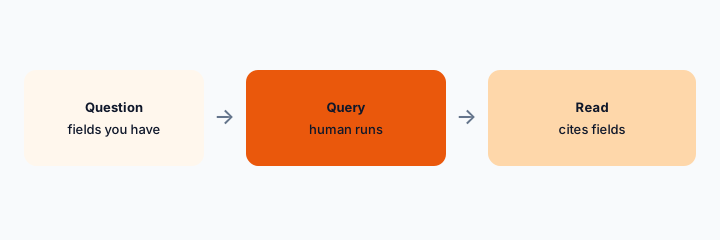
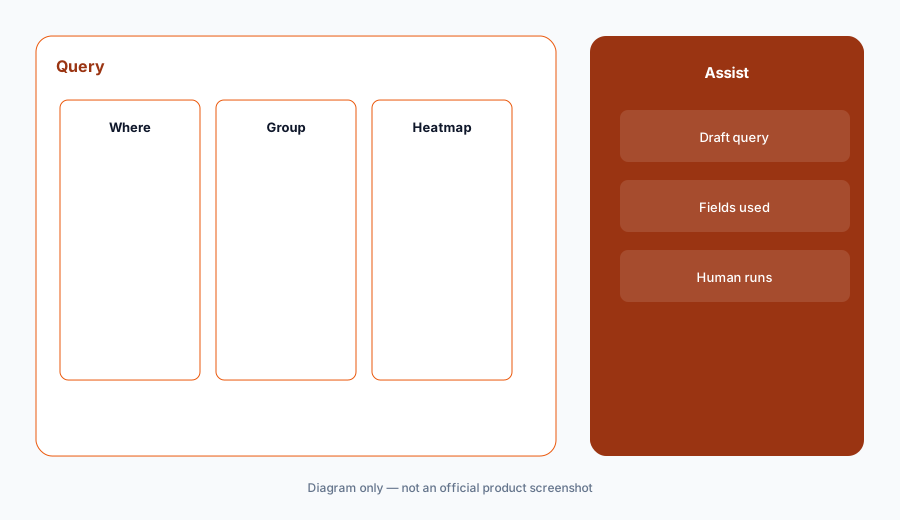
What it is: Start from fields you know exist: service, endpoint, customer tier, error. Ask for a query that breaks down slow or failing requests. If the draft invents a field your schema does not have, delete it. Run the query before you quote a number in Slack.
Primary workflow:
List the fields you are allowed to use. Draft one breakdown query. Mark any field you are unsure about as Unknown.
2. Read results without a fake cause
What it is: After the query returns, ask for what differs between slow and fast events, using only fields in the result. A difference is not a root cause. If the read names a deploy or a customer count you cannot see, strike it.
Read check:
Ask for three fields that differ between slow and fast. Delete any sentence that is not one of those fields.
3. Do not query fields you are not allowed to store
What it is: High-cardinality tools tempt people to paste user ids, emails, or raw payloads into a prompt so the query “works.” Do not. If a field is restricted, the assistant does not get a workaround. Write Unknown and ask the data owner.
Policy check:
Write the fields that are forbidden in prompts this quarter. If a draft asks for one, reject the draft.
4. Versus Grafana and Dynatrace
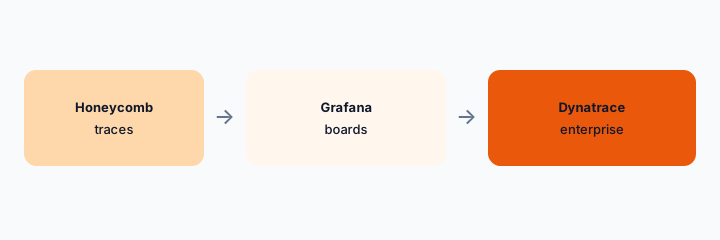
What it is: Honeycomb is the home when the trace is already there and the question needs a breakdown, not a single panel. Grafana Assistant when the staff meeting quotes a Grafana board. Dynatrace Davis when Dynatrace is the enterprise suite you already run. Do not buy a third trace store to get an assistant.
Home for the job:
Take one question from the last incident. Say whether it is a breakdown or a panel. Open only that tool.
Pricing context (October 2026)
We did not open this vendor’s public price table for this review. October 2026 is the date of the page, not a quote. Use the vendor’s live pricing page and your invoice.
If an assist is included or missing on your plan, record that from the admin screen.
Uncertainty: Names, limits, and which workspaces have the assist change. This page does not claim a dollar price or a general-availability date.
When it’s useful (honest take)
Useful when Honeycomb already holds the traces and a human runs the query before quoting a number. Less useful if you hoped an assistant would replace a schema you have not documented. Less useful beside a second trace assistant aimed at the same events.
Paying for Honeycomb AI and a few other AI tools? The $9 AI toolkit spreadsheet lists every AI subscription you have, what each one costs, and how fast it pays for itself, so you can see which ones are worth the money.
Want someone to do it for you? AI toolkit audit — $19
Related options (educational)
| Need | Better home | Why |
|---|---|---|
| Breakdowns on traces you send | Honeycomb (this page) | Human runs the query |
| A panel people already quote | Grafana Assistant | Stay with that board |
| Enterprise suite you already run | Dynatrace Davis | Do not add a second suite for chat |
| Errors that start as issues | Sentry AI | Start from the stack |
FAQ
Does Honeycomb have an assistant with this exact name?
Confirm on your tenant. This page names the job. We did not verify a button label or a price this week.
How much does it cost?
We do not say. Use Honeycomb’s pricing page and your invoice.
Can I paste customer emails to make the query better?
No. Stay inside fields your tracing policy already allows.
Honeycomb or Grafana?
Breakdowns in Honeycomb if the trace is there. Panels in Grafana if that is the board you trust.
Optional next step (if seats overlap)
If two AI seats would answer the same question, map the overlap with the $19 AI toolkit audit or the $9 AI toolkit spreadsheet. Email Audit $19 or Toolkit spreadsheet $9.
Checkout is live via Stripe. After you pay, we email delivery (spreadsheet) or intake next steps (audit).