Tool · Ops & automation · Dynatrace · Oct 2026
Dynatrace Davis review (Oct 2026): Davis assists for enterprise observability ops
Davis when Dynatrace is already the enterprise observability suite. Read the problem card. A human confirms impact before anyone is paged or a ticket is closed. Honeycomb AI if you are not on Dynatrace and the question is a trace breakdown. Grafana Assistant if Grafana is the board.
What this page covers
This page is for ops leads in organizations that already run Dynatrace and have heard the name Davis for its analytics assists. We did not fetch a price sheet or a September changelog, so we do not state a dollar figure or a ship date. Confirm which Davis surfaces your tenant shows. The job we care about is a problem note a human can check against the entities Dynatrace already knows, not a second suite and not an automatic page.
Major features (with how someone uses them)
Examples at a glance: each feature has a concrete ops example plus a short Try this.
1. A problem note that names entities (primary)
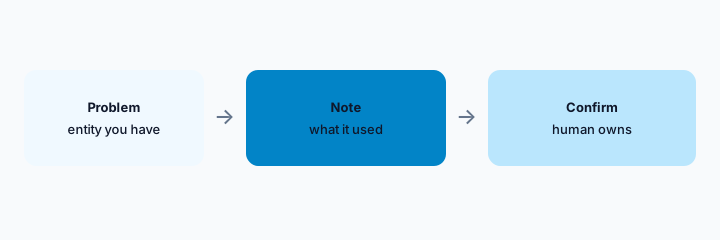
What it is: From an open problem, ask which entities and signals the note used. If it names a service your tenant does not have, the note is not ready to share. Do not close the problem from the note. Impact and customer effect stay human statements.
Primary workflow:
Open one problem. List the entities the note cites. Mark any you cannot find as Unknown.
2. Mute and close stay human
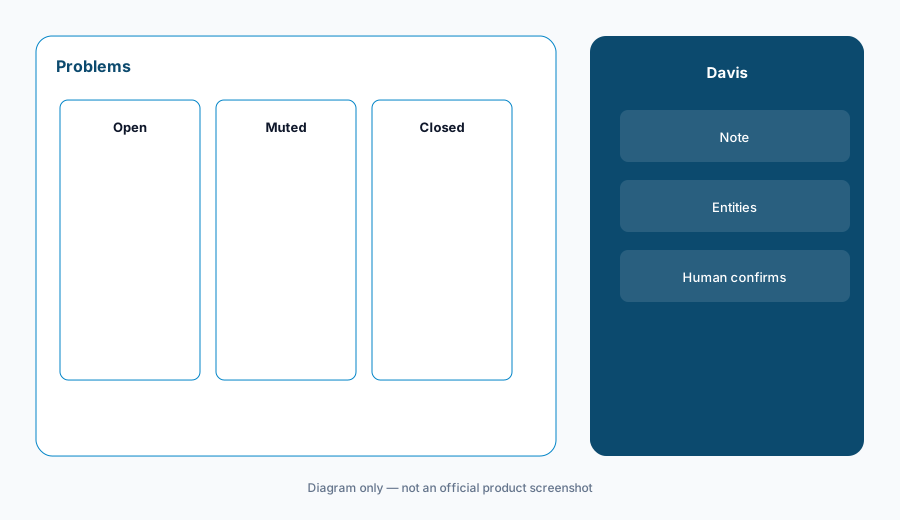
What it is: Davis-style problem grouping can reduce noise. Muting a problem or closing it is still a human action. A quiet console is not proof the customer is fine. PagerDuty AI is the paging home if pages fire there. Do not let a mute in Dynatrace silently drop a page.
Mute check:
Write three problem types that may be grouped and three that must never be auto-muted.
3. Stay inside the tenant you already pay for
What it is: Enterprise suites grow by adding a second AI seat “for the teams who do not have Dynatrace.” That second seat will not see Dynatrace entities. Either the team uses this tenant or they use their own store. Do not ask Davis about data it was not given.
Access check:
List who can open problems today. Anyone not on that list does not get a Davis answer about production.
4. Versus Honeycomb, New Relic, and PagerDuty
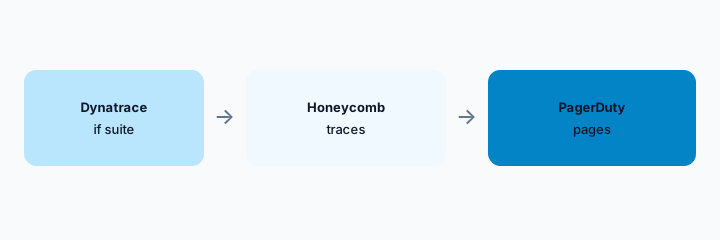
What it is: If Dynatrace is the suite, ask here. If you do not run it, do not add it for the assistant. Honeycomb AI, New Relic AI, and Grafana Assistant cover teams whose data already lives there. Paging stays on PagerDuty AI when that is the pager.
Home for the job:
Name the observability system of record. Assistant questions go there. Other assistants are overlap.
Pricing context (October 2026)
We did not open this vendor’s public price table for this review. October 2026 is the date of the page, not a quote. Use the vendor’s live pricing page and your invoice.
If an assist is included or missing on your plan, record that from the admin screen.
Uncertainty: Names, limits, and which workspaces have the assist change. This page does not claim a dollar price or a general-availability date.
When it’s useful (honest take)
Useful when Dynatrace is already the suite and a human confirms problem notes before mute, close, or customer copy. Less useful if you wanted Davis to justify buying Dynatrace from scratch. Less useful if paging is the actual job and PagerDuty already does it.
Paying for Dynatrace Davis and a few other AI tools? The $9 AI toolkit spreadsheet lists every AI subscription you have, what each one costs, and how fast it pays for itself, so you can see which ones are worth the money.
Want someone to do it for you? AI toolkit audit — $19
Related options (educational)
| Need | Better home | Why |
|---|---|---|
| You already run Dynatrace | Davis (this page) | Confirm the note against entities |
| Traces elsewhere | Honeycomb AI | Do not add a suite for chat |
| New Relic is the record | New Relic AI | Ask there |
| Paging | PagerDuty AI | Pages are a different job |
FAQ
Is Davis the current name?
Dynatrace has used Davis for this kind of assist. Confirm the label in your tenant. We did not verify a price.
How much does it cost?
We do not say. Your Dynatrace agreement is the source.
Can it close problems?
A human closes them. A note is not a close.
Should a team without Dynatrace use this?
No. Use the store they already have.
Optional next step (if seats overlap)
If two AI seats would answer the same question, map the overlap with the $19 AI toolkit audit or the $9 AI toolkit spreadsheet. Email Audit $19 or Toolkit spreadsheet $9.
Checkout is live via Stripe. After you pay, we email delivery (spreadsheet) or intake next steps (audit).