Compare guide · Ops trackers · Oct 2026
ClickUp Brain vs Asana Intelligence for ops (Oct 2026): nested work vs projects
Educational side-by-side for ops — ClickUp hierarchy vs Asana projects on the same tracker job. Not a scorecard. Companions: ClickUp Brain and Asana Intelligence.
The ops tracker job (what we compare)
This page compares how ops leads structure the same tracker when AI assists live inside ClickUp versus Asana — nested hierarchy vs project/section clarity. It is educational, not a brand ranking. Full product pages: ClickUp Brain, Asana Intelligence, and Asana AI. Also see monday.com AI vs ClickUp Brain for boards vs nested work.
How to compare fairly (with Try this)
Examples at a glance: each section has a concrete ops example plus a short Try this.
1. Same tracker content outline (primary)
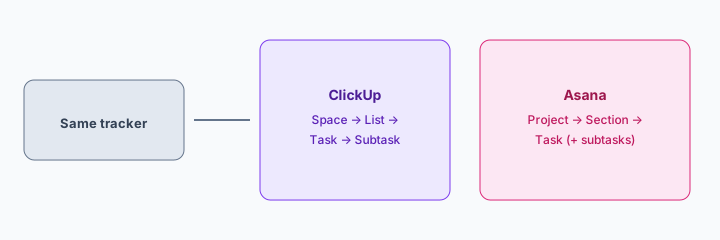
What it is: Hold the content constant. Outline the same ops tracker once in ClickUp structure and once in Asana structure, then note which fits checklist SOPs for your team. AI can help draft the outline — humans decide the home.
Primary SoT workflow:
Same ops tracker content: outline structure in ClickUp vs Asana and which fits checklist SOPs.
2. ClickUp nested hierarchy
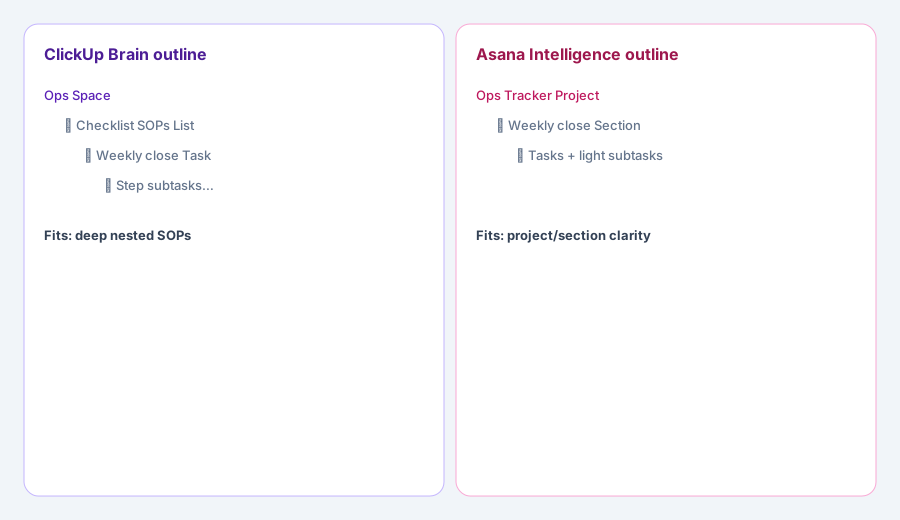
What it is: ClickUp Brain assists when work lives as Space → List → Task → Subtask. Useful when ops SOPs are deep checklists that need nested ownership. Verify live Brain packaging on ClickUp — do not invent SKUs here.
ClickUp outline only:
From your weekly close checklist (8–12 steps): propose Space/List/Task/Subtask names. Mark which steps need a human owner blank — do not invent teammate names.
3. Asana projects and sections
What it is: Asana Intelligence assists when work lives as Project → Section → Task (with light subtasks). Useful when ops prefers project framing and section lanes over deep nesting. Verify live Intelligence packaging on Asana.
Asana outline only:
From the same weekly close checklist: propose Project + Sections + tasks. List 3 places Asana sections are clearer than deep ClickUp subtasks for your team.
4. Which fits checklist SOPs
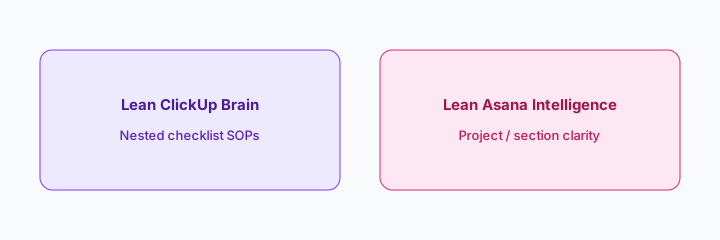
What it is: Decide fit by how people execute — not by brand ranking. Nested ClickUp often wins for long checklist SOPs; Asana projects often win when cross-functional ops needs visible project/section lanes. Stay where you already pay when either structure works.
Fit decision:
Write 4 bullets: 2 reasons your ops checklist SOPs fit ClickUp nesting, 2 reasons they fit Asana projects. Pick one home for the next quarter — do not invent a migration plan.
Pricing context (October 2026)
ClickUp and Asana publish AI packaging on public pricing pages (start from clickup.com/pricing and asana.com/pricing). This page is dated October 2026 and is not a price sheet — we do not invent exact Brain or Intelligence prices.
Uncertainty: Which tiers include Brain / Intelligence, credit limits, or admin controls change. Always verify on live vendor pages and your admin before budgeting.
When each is useful (honest take)
ClickUp Brain is useful when nested checklist SOPs are already how ops works and humans edit AI summaries before publish. Asana Intelligence is useful when Project/Section clarity is already the SoR and AI status drafts stay tied to real tasks. Less useful either way when the real problem is client proofs (see Teamwork AI), board-first monday work (see monday vs ClickUp), or when you hoped AI alone would pick a PM tool without a structure trial.
Still choosing between ClickUp Brain and Asana Intelligence? The $19 AI toolkit audit gives you a written plan for which tools to keep using and which to drop across your whole AI stack, including this pair.
Prefer to do it yourself? Spreadsheet — $9
Related options (educational)
| Need | Better home | Why |
|---|---|---|
| Nested checklist SOPs | ClickUp Brain | Hierarchy + Brain assists |
| Project / section clarity | Asana Intelligence | Projects + Intelligence assists |
| Boards vs nested work | monday vs ClickUp | Board columns vs hierarchy |
| Client projects + proofs | Teamwork AI | Agency client delivery SoR |
FAQ
ClickUp Brain or Asana Intelligence?
Lean ClickUp for nested checklist SOPs; lean Asana for Project/Section clarity. Keep the home you already pay for when you can — this is not a brand ranking.
How do I compare fairly?
Same ops tracker content in both outlines; note which fits checklist SOPs; compare edit distance to something you would publish.
How is this different from the product pages?
Those are single-product deep-dives. This page is the side-by-side for the same ops tracker job.
What does it cost?
Confirm on ClickUp and Asana public pricing — this Oct 2026 compare does not invent exact prices.
Optional next step (if seats overlap)
If several AI seats would cover the same tracker jobs across ClickUp, Asana, and other PM tools, optional help mapping overlap: $19 AI toolkit audit or $9 AI toolkit spreadsheet. Email Audit $19 or Toolkit spreadsheet $9.
Checkout is live via Stripe. After you pay, we email delivery (spreadsheet) or intake next steps (audit).