How-to · Restaurants · Yelp Host · Oct 16, 2026
Let Yelp Host take phone reservations and takeout, and have the GM check every confirmed order
Yelp Host can answer phones for reservations, waitlist, and takeout into POS. Confirmed orders that nobody reviews still ship wrong times and items. This page shows how to set rules, connect POS, and have the GM check a day's confirmations.
Who this is for
Restaurant GMs using Yelp Host for phone reservations and takeout. For Popmenu AI Answering scripts — a different job — see Popmenu AI Answering FOH approve. For Slang reservation voice — another different job — see Slang voice AI policy GM own.
How to do it
This is a how-to, not a ranking. Per the Yelp Host AI review, Yelp Host handles AI phone answering with reservations, waitlist, and takeout into POS. The review's ground rule: the GM checks confirmed orders and policy answers; tests avoid real card numbers and live guest personal data.

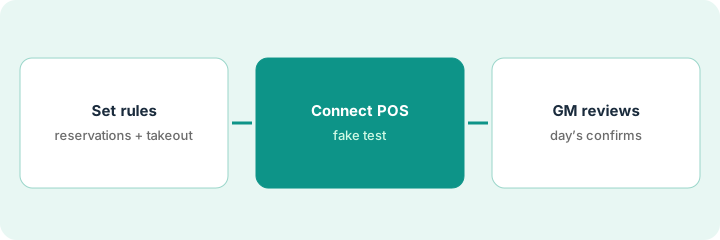
1. Set reservation and takeout rules
What it is: Write hours, party-size limits, takeout cutoffs, and what Host may promise.
- Define reservation windows and max party size.
- Set takeout lead times and item exclusions.
- Write policy answers (parking, dress, cakeage) the GM owns.
- Name who handles payment exceptions.
Host may book up to six and takeout until 8 p.m. Large parties and alcohol delivery stay with staff.
Initial the rules sheet before you connect POS.
2. Connect POS
What it is: Connect Yelp Host to your POS and verify a test takeout with fake guest data only.
- Complete the POS connection your plan supports.
- Send one fake takeout order.
- Confirm the ticket lands with the right items and time.
- Do not use real cards in the test.
Fake order for two burgers hits the kitchen printer with the right pickup time. Real cards were not used.
Save the test ticket photo in the go-live folder.
3. GM reviews a day's confirmed orders
What it is: After one service day, the GM reviews confirmations and policy answers.
- Export or review the day's confirmed reservations and takeout.
- Spot-check policy answers from recordings or summaries.
- Fix rules that caused wrong promises.
- Pause takeout or reservations if error rate is high.
GM finds two late takeout promises past the cutoff. Cutoff rule tightens; Host stays on.
Log: date, confirmations reviewed, issues, rule changes.
Pricing context (October 2026)
This how-to isn't a price sheet. Per the Yelp Host AI review, Yelp Host lists Basic about $249 and Plus about $399 per month on materials we and the review checked. Confirm on Yelp's current Host pricing. Dated October 2026.
Checked Oct 16, 2026 on the vendor’s own pricing page: Yelp Host pricing in our Yelp Host AI review lists Basic about $249 and Plus about $399 per month. Confirm on Yelp’s current Host materials (public Host URL was empty on our Oct 16, 2026 fetch).
Uncertainty: The only prices this site sells here are the optional $9 AI toolkit spreadsheet and $19 AI toolkit audit.
When this helps (honest take)
Useful when you want phone reservations and takeout into POS with a GM on daily confirmations.
Not useful when you only need website phone FAQs — see Popmenu — or reservation-system voice — see Slang.
Related options (educational)
| Need | Where to look | Why |
|---|---|---|
| Yelp Host AI | Yelp Host AI | Primary path |
| Popmenu AI Answering | Popmenu AI Answering | A different job |
| Slang reservation voice | Slang voice policy | A different job |
| Restaurant stack map | Stack map: restaurant ops | Where Yelp Host fits |
FAQ
How is this different from Popmenu or Slang?
Different jobs: Yelp Host is reservations/waitlist/takeout with GM order checks; Popmenu is AI Answering scripts; Slang is reservation-voice policies into booking platforms.
Can tests use a real guest card?
No. Use fake guest data only.
Where do Yelp Host prices live?
Basic and Plus figures in our review; confirm on Yelp's current page. Our Oct 16, 2026 check of the vendor’s own pricing page is summarized in the pricing section above.
Can tests use a real guest card?
No. Use fake guest data only.
Optional next step
If you want a one-page toolkit map for the tools you already pay for, use the optional $9 AI toolkit spreadsheet. If you want a short review of seat waste and unused tools, use the optional $19 AI toolkit audit. Neither is required to follow this how-to.