How-to · Restaurants · Slang · Oct 16, 2026
Write Slang voice AI policy answers for reservations, and have the GM own every one
Slang voice AI can answer reservation calls and book into OpenTable, SevenRooms, Yelp, or Resy. Policy answers that skip the GM still misstate dress, parties, or hours. This page shows how to list policies, connect one system, and have the GM own every answer.
Who this is for
Restaurant GMs adding Slang for reservation phone answering. For Popmenu AI Answering — a different job — see Popmenu AI Answering FOH approve. For Yelp Host confirmed orders — another different job — see Yelp Host phone order GM check.
How to do it
This is a how-to, not a ranking. Per the Slang AI review, Slang books into major reservation platforms and keeps recordings/summaries. Commercial terms are quote-only. The GM owns every policy answer.
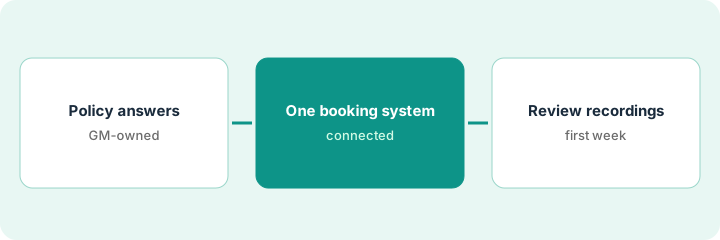
1. List policy answers
What it is: List hours, dress, parties, cancellations, and other policies Slang may say.
- Write one correct sentence per policy.
- Send comps and special requests to a person.
- Name the GM who approves.
- Keep allergen deep-dives on handoff.
Eight policies written. Large-party deposits stay with events.
GM initials each policy line.
2. Connect one reservation system
What it is: Connect Slang to one system (OpenTable, SevenRooms, Yelp, or Resy) for the pilot.
- Pick one system for week one.
- Test a fake booking with no real guest personal data.
- Confirm the reservation appears correctly.
- Do not connect every channel on day one.
They connect OpenTable only. SevenRooms waits until policies are stable.
Save the fake booking confirmation in the pilot folder.
3. GM approves, then review recordings
What it is: GM approves policies, then reviews recordings or summaries for a week.
- Approve policies in writing.
- Go live for approved topics only.
- Review recordings daily for seven days.
- Fix policy text when guests are confused.
GM pauses the dress-code answer after one wrong formal-night reply. Other policies stay on.
Log: policy, approver, recording issues, edits.
Pricing context (October 2026)
This how-to isn't a price sheet. Per the Slang AI review, Slang publishes no public list price; deals are quote-only. Dated October 2026.
Checked Oct 16, 2026 on the vendor’s own pricing page: Slang shows no public list price. Slang’s site routes to sales; commercial terms are quote-only. This page quotes no Slang dollar figure; confirm what your contract includes with Slang or your admin.
Uncertainty: The only prices this site sells here are the optional $9 AI toolkit spreadsheet and $19 AI toolkit audit.
When this helps (honest take)
Useful when you need reservation-phone policies with a GM owner and one connected booking system.
Not useful when you need website phone FAQs (Popmenu) or Host takeout into POS (Yelp Host).
Related options (educational)
| Need | Where to look | Why |
|---|---|---|
| Slang AI | Slang AI | Primary path |
| Popmenu AI Answering | Popmenu AI Answering | A different job |
| Yelp Host phone orders | Yelp Host GM check | A different job |
| SevenRooms AI | SevenRooms AI | Related Voice AI |
FAQ
How is this different from Popmenu or Yelp Host?
Different jobs: Slang is reservation-voice policies into booking systems; Popmenu is AI Answering scripts; Yelp Host is reservations/waitlist/takeout with GM order checks.
Does Slang publish prices?
No public list price on the pages we and the review checked. Our Oct 16, 2026 check of the vendor’s own pricing page is summarized in the pricing section above.
Can tests use live guest personal data?
No. Use fake bookings only for the connect test.
How is this different from Popmenu or Yelp Host?
Different jobs: Slang is reservation-voice policies; Popmenu is AI Answering scripts; Yelp Host is takeout/reservations into POS.
Optional next step
If you want a one-page toolkit map for the tools you already pay for, use the optional $9 AI toolkit spreadsheet. If you want a short review of seat waste and unused tools, use the optional $19 AI toolkit audit. Neither is required to follow this how-to.