How-to · Hotels · SiteMinder · Oct 15, 2026
Write SiteMinder Dynamic Revenue Plus rate rules, and have the revenue or distribution manager approve each
SiteMinder Dynamic Revenue Plus pricing controls and AI summaries in Insights can guide distribution rates. Rules still need the revenue or distribution manager. This page shows how to read last month's summary, draft two rate rules, and approve them before go-live. DirectBooker is coming soon — leave it out of this routine.
Who this is for
Hotel revenue or distribution managers on SiteMinder who want Dynamic Revenue Plus rules with a named approver. DirectBooker stays out while it is coming soon.
How to do it
This is a how-to, not a ranking of channel managers. Per the SiteMinder AI review, Dynamic Revenue Plus and AI summaries in Insights are in scope; DirectBooker is coming soon. The revenue or distribution manager approves every rate rule. Usage fees apply to several products.

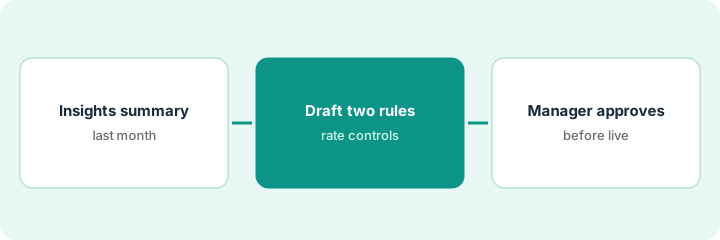
1. Step 1 — Read last month's Insights summary
What it is: Read the AI summary in Insights for last month and write two themes worth a rule — not a dozen.
- Open last month's Insights summary.
- Note two themes with stable patterns.
- Ignore one-off spikes without an event story.
- Name the manager who approves rules.
Themes: Friday BAR too low versus pickup; long-stay midweek weak. Those two become candidate rules.
Write the two themes in one sentence each before drafting rules.
2. Step 2 — Draft two rate rules
What it is: Draft two Dynamic Revenue Plus rate rules with clear triggers, actions, and floors.
- Draft rule A and rule B in plain language.
- Include floor/ceiling or occupancy triggers you already trust.
- Keep both rules off until approved.
- Do not include DirectBooker steps.
Rule A: if Friday occupancy projection exceeds a set level by Wednesday, raise BAR one step inside the ceiling. Rule B: midweek long-stay discount only above a minimum length of stay.
If you cannot explain a rule in two sentences, split it or delete it.
3. Step 3 — Manager approves before they go live
What it is: The revenue or distribution manager approves each rule in writing, then watches the first week.
- Manager reads each rule and a sample outcome.
- Approve, edit, or reject.
- Turn on only approved rules.
- Review results after seven days.
- Still leave DirectBooker out (coming soon).
Rule A approved. Rule B edited to raise the minimum length of stay. DirectBooker not referenced anywhere in the live config.
Log “Rule / Approved by / Date / Review date.”
Pricing context (October 2026)
This how-to isn't a price sheet. Per the SiteMinder AI review, plan prices are not shown; usage fees apply to several products. Dated October 2026.
Checked Oct 15, 2026 on the vendor’s own pricing page: SiteMinder shows no public plan dollar figures on SiteMinder’s pricing page; usage fees apply to several products. Confirm what Dynamic Revenue Plus costs in your contract. This page quotes no SiteMinder dollar figure; confirm what your contract includes with SiteMinder or your admin.
Uncertainty: DirectBooker is coming soon per our review — leave it out or label clearly. The only prices this site sells here are the optional $9 AI toolkit spreadsheet and $19 AI toolkit audit.
When this helps (honest take)
Useful when you already trust Insights enough to draft two rules and have a manager who will own them.
Not useful when rules go live without approval, or DirectBooker is treated as available today.
Related options (educational)
| Need | Where to look | Why |
|---|---|---|
| SiteMinder AI | SiteMinder AI | Primary path |
| Little Hotelier (SiteMinder) | Little Hotelier AI | Related small-hotel path |
| Little Hotelier descriptions | Little Hotelier descriptions | Same day's how-to |
| Cloudbeds Autopilot | Cloudbeds RMS Autopilot | Related limits job |
| Hospitality stack map | Stack map: hospitality ops | Where SiteMinder fits |
FAQ
What about DirectBooker?
Coming soon per our review. Leave it out of this routine.
How many rules in week one?
Two is enough. Add more only after a quiet week.
Where do SiteMinder prices live?
No public plan dollars on the page we checked; usage fees may apply — confirm your contract. Our Oct 15, 2026 check of the vendor’s own pricing page is summarized in the pricing section above.
What about DirectBooker?
Per our review, DirectBooker is coming soon. Leave it out of this routine, or label it clearly as not yet available.
Optional next step
If you want a one-page toolkit map for the tools you already pay for, use the optional $9 AI toolkit spreadsheet. If you want a short review of seat waste and unused tools, use the optional $19 AI toolkit audit. Neither is required to follow this how-to.