How-to · Hotels · Little Hotelier · Oct 15, 2026
Let Little Hotelier draft your room descriptions, then approve every word before it goes to channels
Little Hotelier can draft AI-written room descriptions and support Guest Engagement for small properties. Words that reach channels still need the owner. This page shows how to pick one room type, draft with AI, and approve every word before publishing.
Who this is for
Owners of B&Bs and guesthouses (about 1–30 rooms) on Little Hotelier who want faster description drafts without wrong facts on channels. The job here is one room type with owner approval.
How to do it
This is a how-to, not a ranking of small-hotel platforms. Per the Little Hotelier AI review, Little Hotelier (a SiteMinder company) includes AI-written descriptions and Guest Engagement. The review's ground rule: the owner approves every rate and every AI-written description.

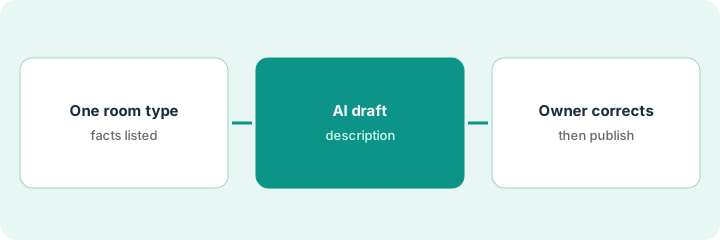
1. Step 1 — Pick one room type
What it is: Choose one room type and list the facts the description must get right.
- Pick one room type with a tired description.
- List bed size, occupancy, bathroom type, view, and amenities that are true today.
- Note anything that must not be promised (pets, rollaways, views blocked by season).
- Name the owner who approves publish.
The owner picks the Garden Double. Facts: queen bed, shower only, garden view, no kitchenette. Seasonally the garden is dark after 5 p.m. in winter — that stays out of the summer-facing draft.
Write a fact list before you open the AI draft. The draft is checked against that list, not against memory.
2. Step 2 — AI description draft
What it is: Generate the AI description and compare every claim to your fact list.
- Generate the draft for that room type.
- Highlight every factual claim.
- Strike anything not on the fact list.
- Keep marketing tone only after facts are correct.
The draft claims a bathtub and “sea glimpse.” Neither is true. Both lines are removed before the owner sees it.
Make two columns: “Draft said / Fact list says.” Do not publish until the left column is empty of errors.
3. Step 3 — Owner corrects facts and approves before publishing
What it is: The owner corrects remaining facts and approves before the text goes to the booking engine or channels.
- Owner reads the corrected draft aloud.
- Owner approves in writing.
- Publish only after approval.
- Repeat for the next room type only after one quiet week.
- Re-approve if amenities change.
Owner approves the Garden Double copy on Tuesday. Channels update Wednesday. Sea View Triple waits until next week.
Save the approved text and the date. If housekeeping removes an amenity, pull the listing the same day.
Pricing context (October 2026)
This how-to isn't a price sheet. Per the Little Hotelier AI review, Basics and Pro are priced by a room-count calculator. Dated October 2026.
Checked Oct 20, 2026 on the vendor’s own pricing page: Little Hotelier prices Basics and Pro through a room-count calculator; at its default of 5 bookable rooms at 1 property, Little Hotelier’s pricing page showed Basics from $39 and Pro from $179 USD per month, excluding tax (Basics adds a 1% booking fee). Enter your own room count and confirm what your contract includes with Little Hotelier or your admin.
Uncertainty: The $39 and $179 figures are the calculator’s 5-room default; your amount changes with room count, currency, and add-ons. The only prices this site sells here are the optional $9 AI toolkit spreadsheet and $19 AI toolkit audit.
When this helps (honest take)
Useful when you own the copy and can check facts against the real rooms.
Not useful when amenities change often and nobody updates the listing when they do.
Related options (educational)
| Need | Where to look | Why |
|---|---|---|
| Little Hotelier AI | Little Hotelier AI | Primary path |
| vs RoomRaccoon | Little Hotelier vs RoomRaccoon | Side-by-side |
| SiteMinder rate rules | SiteMinder Dynamic Revenue rules | Related distribution job |
| RoomRaccoon co-pilot | RaccoonRev co-pilot | Same day's how-to |
| Hospitality stack map | Stack map: hospitality ops | Where it fits |
FAQ
Can Guest Engagement send the new description automatically?
Not in this routine. Descriptions publish only after owner approval.
Should we rewrite every room in one day?
No. One room type, then a quiet week, then the next.
Where do Little Hotelier prices live?
Room-count calculator; at its 5-room default on Oct 20, 2026 it showed Basics from $39 and Pro from $179 USD per month. Our Oct 20, 2026 check of the vendor’s own pricing page is summarized in the pricing section above.
Should the description go straight to channels?
No. The owner corrects facts and approves the wording before anything is published to the booking engine or channels.
Optional next step
If you want a one-page toolkit map for the tools you already pay for, use the optional $9 AI toolkit spreadsheet. If you want a short review of seat waste and unused tools, use the optional $19 AI toolkit audit. Neither is required to follow this how-to.