How-to · Internal tools · Retool AI · Oct 19, 2026
Build a thin Retool intake app with an AI Action, and keep a human approval step before anything is written back
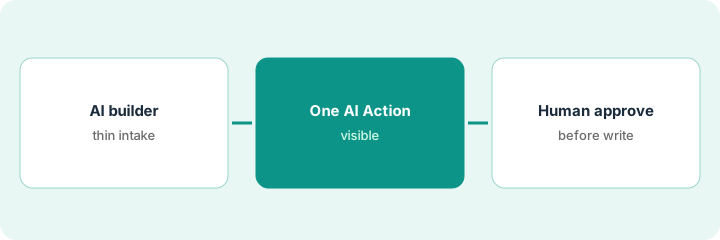
Retool’s AI app builder and AI Actions can stand up a thin intake tool fast. An AI category that writes straight to the system of record still creates bad records. This page shows how to keep a human approval step before write-back — and when that beats buying another niche seat.
Who this is for
Ops teams with messy intake or approvals who already can build in Retool. The job here is AI Action plus human approval before write-back.
How to do it
This is a how-to, not a ranking of internal-tool platforms. Per the Retool AI review, Retool offers an AI app builder, AI Actions, and Agents, with pooled AI credits on plans. The ground rule: no AI Action writes to production until a human approves the row.

1. Draft the intake app with the AI builder
What it is: Describe a thin intake form connected to your existing resources, and refine it visually before adding AI.
- Describe fields you already collect in email today.
- Connect the real database or ticket API Retool already uses.
- Keep scope to intake — not a second CRM.
- Respect SSO and permission rules already configured.
- Stop when the form creates a draft row only.
Ops describes a vendor intake form; the builder scaffolds fields for name, category, and owner. Draft rows land in a staging table.
Build until draft rows exist — no production write yet.
2. Add one AI Action (for example categorize)
What it is: Add a single AI Action that suggests a category or priority on the draft row, and show the suggestion to a human.
- Pick one Action — categorize or summarize, not both on day one.
- Show the suggestion in the screen; do not hide it.
- Log credit use for the Action.
- Keep Agents out of the first version unless you need multi-step autonomy later.
- Compare this thin app to buying another niche SaaS seat for the same intake.
The Action suggests “Marketing SaaS” vs “Infrastructure.” The reviewer sees both the suggestion and the raw text.
Add one visible AI suggestion field; do not auto-write it to production.
3. Add the approval step before write-back
What it is: Require a named approver to accept or edit the AI suggestion before the row is written to the system of record.
- Approver must click approve.
- Rejected rows stay in staging.
- Audit who approved.
- Measure how often the AI category is edited.
- Only then consider Agents for later automation.
Approvers edit 30% of categories in week one. The Action prompt is tightened; write-back stays behind approve.
Block production write-back until an approver clicks approve.
Pricing context (October 2026)
This how-to isn’t a price sheet. Per the Retool AI review and Retool’s pricing page (checked Oct 19, 2026), Free is $0; Team builders about $10 per user per month billed annually ($5 internal users); Business builders about $50 ($15 internal). Plans include pooled AI credits; Agents are billed separately by hour. Dated October 2026.
Checked Oct 19, 2026 on the vendor’s own pricing page: Retool’s pricing page lists Free at $0; Team builders about $10 per user per month billed annually ($5 internal users); Business builders about $50 ($15 internal). AI credits are pooled; Agents bill separately by hour.
Uncertainty: The only prices this site sells here are the optional $9 AI toolkit spreadsheet and $19 AI toolkit audit.
When this helps (honest take)
Useful when you can build in Retool and need AI suggestions with a human gate before write-back.
Not useful when you wanted unsupervised Agents writing to production on day one.
Related options (educational)
| Need | Where to look | Why |
|---|---|---|
| Retool AI | Retool AI | Primary path |
| IT stack map | Stack map: IT ops | Where Retool fits |
FAQ
Are Agents required?
No. Start with an AI Action and an approval step. Add Agents later if you need multi-step runs with controls.
How much does Retool cost?
Retool lists Free at $0, Team builders about $10/user/mo annual, Business about $50 (checked Oct 19, 2026). Confirm credit pools on retool.com/pricing.
Optional next step
If you want a one-page toolkit map for the tools you already pay for, use the optional $9 AI toolkit spreadsheet. If you want a short review of seat waste and unused tools, use the optional $19 AI toolkit audit. Neither is required to follow this how-to.