How-to · Restaurants · Presto · Oct 16, 2026
Turn on Presto Voice for one drive-thru lane, and have the shift manager watch every corrected order
Presto Voice can take drive-thru orders with human-oversight modes and menu or upsell controls. Corrected orders that nobody watches still train bad habits into the lane. This page shows how to pick one mode, load rules, and have the shift manager audit corrections for one peak — with fake data only in tests.
Who this is for
QSR GMs or franchise ops leads piloting Presto Voice on one lane. For Toast IQ menu drafts — a different job — see Toast IQ menu price GM approve.
How to do it
This is a how-to, not a ranking. Per the Presto AI review, Presto Voice supports drive-thru ordering, oversight modes, and menu or upsell controls. The review's ground rule: the shift manager watches corrected orders; tests never use real card numbers or live guest personal data.

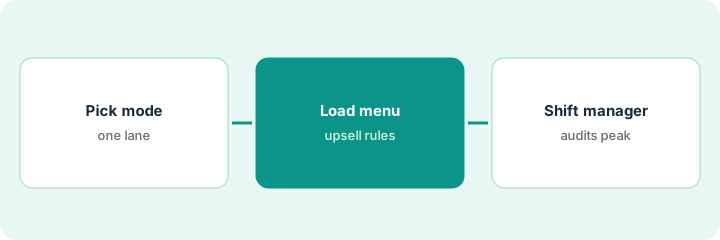
1. Pick oversight mode for one lane
What it is: Choose one lane and one oversight mode Presto offers; write who staffs corrections.
- Name the lane and daypart for the pilot.
- Pick the oversight mode your quote includes.
- Name the shift manager on duty for corrections.
- Ban real card numbers and live guest personal data in every test.
Store 12 picks lunch on lane 1 with supervised corrections. Night lane stays human-only for two weeks.
Write mode, lane, and shift manager name before go-live.
2. Load menu and upsell rules
What it is: Load the current menu and only the upsell rules the GM approved.
- Match Presto's menu to the board and POS.
- Enable only approved upsells.
- Disable experimental combos for week one.
- Confirm greetings and day-part copy with the GM.
Combo upsell for fries is on; limited-time dessert upsell stays off until the board matches.
Read five sample orders in a test lane with fake names only.
3. Shift manager audits corrected orders for one peak
What it is: During one peak, the shift manager reviews every corrected order and logs misses.
- Watch corrections live or from the queue Presto provides.
- Log wrong items, allergens, and upsell pressure.
- Pause Voice if corrections spike.
- Debrief with the GM after the peak.
Fourteen corrections in two hours; two allergen near-misses. GM pauses dessert upsells and keeps Voice on for core menu only.
Keep a peak log: corrections count, top miss types, decision.
Pricing context (October 2026)
This how-to isn't a price sheet. Per the Presto AI review, Presto publishes no public list price; commercial terms are quote-only. Dated October 2026.
Checked Oct 16, 2026 on the vendor’s own pricing page: Presto shows no public list price. Presto’s site routes to contact sales; commercial terms are quote-only. This page quotes no Presto dollar figure; confirm what your contract includes with Presto or your admin.
Uncertainty: The only prices this site sells here are the optional $9 AI toolkit spreadsheet and $19 AI toolkit audit.
When this helps (honest take)
Useful when you can staff a shift manager on corrections for a defined peak and you have a written quote for the oversight mode.
Not useful when you cannot watch corrections, or you need phone answering instead of drive-thru — see Yelp Host or Slang how-tos.
Related options (educational)
| Need | Where to look | Why |
|---|---|---|
| Presto AI | Presto AI | Primary path |
| Toast AI | Toast AI | Related POS |
| Yelp Host phone orders | Yelp Host GM check | Phone, not drive-thru |
| Restaurant stack map | Stack map: restaurant ops | Where Presto fits |
FAQ
Can we test with a real card number?
No. This routine bans real card numbers and live guest personal data in every test.
Does Presto publish prices?
No public list price on the pages we and the review checked; get a written quote. Our Oct 16, 2026 check of the vendor’s own pricing page is summarized in the pricing section above.
How is this different from Yelp Host?
A different job: this page is drive-thru Voice. Yelp Host is phone reservations and takeout.
Can we test with a real card number?
No. This routine bans real card numbers and live guest personal data in every test.
Optional next step
If you want a one-page toolkit map for the tools you already pay for, use the optional $9 AI toolkit spreadsheet. If you want a short review of seat waste and unused tools, use the optional $19 AI toolkit audit. Neither is required to follow this how-to.