How-to · Restaurants · OpenTable · Oct 16, 2026
Approve OpenTable diner Concierge answers and Pro AI review replies before guests see them
OpenTable's diner Concierge and Pro AI review replies can answer guests without a person in the loop. Answers that skip FOH review still misstate hours, dress, or tone. This page shows how to list FAQs, draft review-reply voice, and approve every guest-facing answer.
Who this is for
Restaurant FOH managers on OpenTable who want Concierge and Pro review replies under FOH ownership. For SevenRooms Voice AI and AI Table Management — a different job — see SevenRooms Voice table management approve.
How to do it
This is a how-to, not a ranking. Per the OpenTable AI review, diner Concierge Q&A and AI-assisted review responses (positioned on Pro) need operator control. The review's ground rule: FOH owns every guest-facing answer before guests see it.

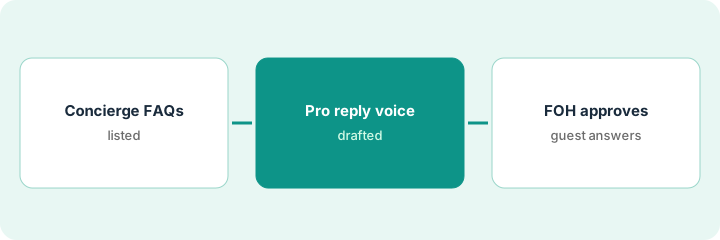
1. List Concierge FAQs
What it is: List the questions Concierge may answer and the correct short replies.
- Cover hours, parking, dress, and party limits.
- Send refund and comp questions to a person.
- Name the FOH manager who approves.
- Keep private-event details off Concierge until confirmed.
Five FAQs approved. Cakeage and large-party quotes stay with events.
Write each FAQ and the exact sentence Concierge may say.
2. Draft Pro review-reply voice
What it is: Draft the tone and sample replies for Pro AI review responses; keep them off until approved.
- Pick a calm, specific voice (thank, acknowledge, invite offline).
- Ban defensive or discount-first replies in week one.
- Save samples for FOH review.
- Confirm you are on a plan that includes AI review replies.
Three sample replies sit in draft. No automatic public post until FOH signs.
Read sample replies next to your last ten real reviews.
3. FOH approves every guest-facing answer
What it is: FOH approves Concierge FAQs and review-reply samples, then monitors the first week.
- Approve or edit each FAQ and sample.
- Turn on only approved content.
- Spot-check Concierge and review replies daily for seven days.
- Pause anything that surprises guests.
Concierge FAQs go live. Review replies stay suggest-only for three days, then FOH allows posting with a daily check.
Keep an approvals log: item, approver, date.
Pricing context (October 2026)
This how-to isn't a price sheet. Per the OpenTable AI review, OpenTable US plans include Basic about $149, Core about $299, and Pro about $499 per month plus network cover fees; AI-assisted review responses are positioned on Pro. Confirm on OpenTable's current plans page. Dated October 2026.
Checked Oct 16, 2026 on the vendor’s own pricing page: OpenTable US plans in our OpenTable AI review list Basic about $149, Core about $299, and Pro about $499 per month plus network cover fees; AI-assisted review responses are positioned on Pro. The restaurant-solutions pricing URL returned 404 on our Oct 16, 2026 fetch — confirm on OpenTable’s current plans page.
Uncertainty: The only prices this site sells here are the optional $9 AI toolkit spreadsheet and $19 AI toolkit audit.
When this helps (honest take)
Useful when you run OpenTable and FOH will own Concierge and review-reply voice.
Not useful when you need Voice AI plus table management on SevenRooms — use that how-to instead.
Related options (educational)
| Need | Where to look | Why |
|---|---|---|
| OpenTable AI | OpenTable AI | Primary path |
| SevenRooms vs OpenTable | SevenRooms vs OpenTable | Side-by-side |
| SevenRooms Voice + tables | SevenRooms Voice approve | A different job |
| Restaurant stack map | Stack map: restaurant ops | Where OpenTable fits |
FAQ
How is this different from SevenRooms Voice?
A different job: this page is OpenTable Concierge and Pro review replies. SevenRooms Voice AI and AI Table Management are covered on that how-to.
Should Concierge handle comps?
Not in this routine. Keep comps and refunds with a person.
Where do OpenTable prices live?
See the pricing section and the OpenTable AI review; cover fees vary by plan. Our Oct 16, 2026 check of the vendor’s own pricing page is summarized in the pricing section above.
How is this different from SevenRooms Voice?
A different job: this page is OpenTable Concierge and Pro review replies. SevenRooms Voice AI and AI Table Management are on that how-to.
Optional next step
If you want a one-page toolkit map for the tools you already pay for, use the optional $9 AI toolkit spreadsheet. If you want a short review of seat waste and unused tools, use the optional $19 AI toolkit audit. Neither is required to follow this how-to.