How-to · Engineering · GitLab Duo · Oct 19, 2026
Use GitLab Duo’s MR summaries and pipeline notes, and have the reviewer check them against the diff
GitLab Duo can summarize merge requests and comment on pipelines inside GitLab. A summary that skips a risky file still misleads if nobody opens the diff. This page shows reviewer checks against the diff. CodeRabbit comment triage is a different job.
Who this is for
Ops and development teams who already merge in GitLab. The job here is checking Duo MR summaries against the diff.
How to do it
This is a how-to, not a ranking of DevOps AI. Per the GitLab Duo review, Duo offers MR summaries and pipeline notes when GitLab is the system of record. The ground rule: no merge on a Duo summary alone — the reviewer checks the diff.

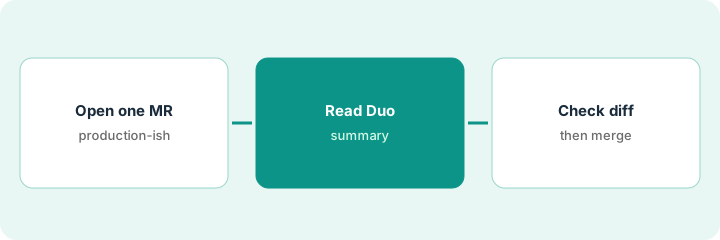
1. Open one merge request
What it is: Pick one open MR that touches production-relevant code or config.
- Prefer MRs with failing or flaky pipelines too.
- Confirm Duo features are on for your tier.
- Keep merge permissions on humans.
- Note GitLab Credits usage if your plan meters AI.
- Skip multi-MR bulk summarization on day one.
An MR updates a CI deploy job. Duo is enabled on Premium for the group.
Open one production-relevant MR before trusting summaries elsewhere.
2. Read Duo summary and pipeline notes
What it is: Read the MR summary and any pipeline notes, and list claims you must verify in the diff.
- List files and behaviors the summary asserts.
- Open failed job notes if present.
- Do not merge from the summary panel.
- Capture credits used if shown.
- Flag vague summaries for rewrite or ignore.
Duo says the MR only updates timeouts. The file list also changes the deploy image tag.
Write every summary claim you will verify in the diff.
3. Reviewer checks against the diff; then merge
What it is: The reviewer walks the diff (and failed jobs), corrects the mental model, and merges only after sign-off.
- Diff every file the summary mentioned — and every file it missed.
- Re-run failed jobs if needed.
- Approve and merge only after the check.
- Reply in the MR when Duo was wrong.
- Compare noise to CodeRabbit if both are on.
The reviewer catches the image tag change Duo underplayed, requests a changelog line, then approves.
Check the diff yourself before merge — never merge on the summary alone.
Pricing context (October 2026)
This how-to isn’t a price sheet. Per the GitLab Duo review and GitLab’s pricing page (checked Oct 19, 2026), Free is $0; Premium is $29 per user per month billed annually with included GitLab Credits (about $12 credits called out on the page); Ultimate includes a higher credit allotment (about $24). Confirm AI packing on about.gitlab.com/pricing. Dated October 2026.
Checked Oct 19, 2026 on the vendor’s own pricing page: GitLab’s pricing page lists Free at $0 and Premium at $29 per user per month billed annually with included GitLab Credits (about $12 on the page); Ultimate highlights about $24 in credits.
Uncertainty: The only prices this site sells here are the optional $9 AI toolkit spreadsheet and $19 AI toolkit audit.
When this helps (honest take)
Useful when GitLab is already your merge and pipeline home and reviewers will open the diff.
Not useful when your reviews live only on GitHub with CodeRabbit, or nobody reads diffs.
Related options (educational)
| Need | Where to look | Why |
|---|---|---|
| GitLab Duo | GitLab Duo | Primary path |
| CodeRabbit triage | CodeRabbit PR comment triage | A different job |
FAQ
Do credits cover MR summaries?
GitLab ties Duo features to plan credits. Confirm what your Premium or Ultimate allotment includes on GitLab’s pricing page.
How much is GitLab Premium?
GitLab lists Premium at $29 per user per month billed annually (checked Oct 19, 2026). Confirm on about.gitlab.com/pricing.
Optional next step
If you want a one-page toolkit map for the tools you already pay for, use the optional $9 AI toolkit spreadsheet. If you want a short review of seat waste and unused tools, use the optional $19 AI toolkit audit. Neither is required to follow this how-to.