Tool · Ops & automation · GitLab Duo · Oct 2026
GitLab Duo review (Oct 2026): code and ops assists inside GitLab
GitLab Duo for merge-request summaries and pipeline notes when GitLab is already the DevOps system of record. A human reviewer confirms. See also what’s new in GitLab (Sep 2026).
What this page covers
This page is for DevOps and ops people who already live in GitLab and want a first-pass summary of a merge request or a failed job, not a silent merge. GitLab’s docs still describe Duo add-ons (Core, Pro, Enterprise) and, on the pricing page checked 3 Oct 2026, a credit-based GitLab Duo Agent Platform. Feature names move. Confirm what your group has turned on. September 2026 changes are on the dated notes page, not repeated as if they were the whole product.

Major features (with how someone uses them)
Examples at a glance: each feature has a concrete ops example plus a short Try this.
1. MR summary and test gaps a human reviewer confirms (primary)
What it is: From a sanitized merge-request description, draft a short summary and a list of test gaps. The reviewer confirms before anyone treats it as the review. Do not invent test results that are not in the pipeline.
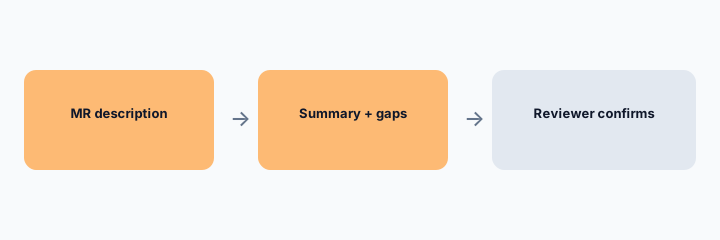
Primary workflow from the Saturday brief:
From a sanitized MR description: draft summary + test gaps a human reviewer confirms.
2. Pipeline notes, not a green check you did not run
What it is: GitLab 19.4 (17 Sep 2026) documents MCP tools that can read a job and its trace, and can retry or cancel a pipeline. That is a reading and control surface. A note about why a job failed is still a draft until someone reads the log. Write and delete tools are documented to default to “Always Ask.”
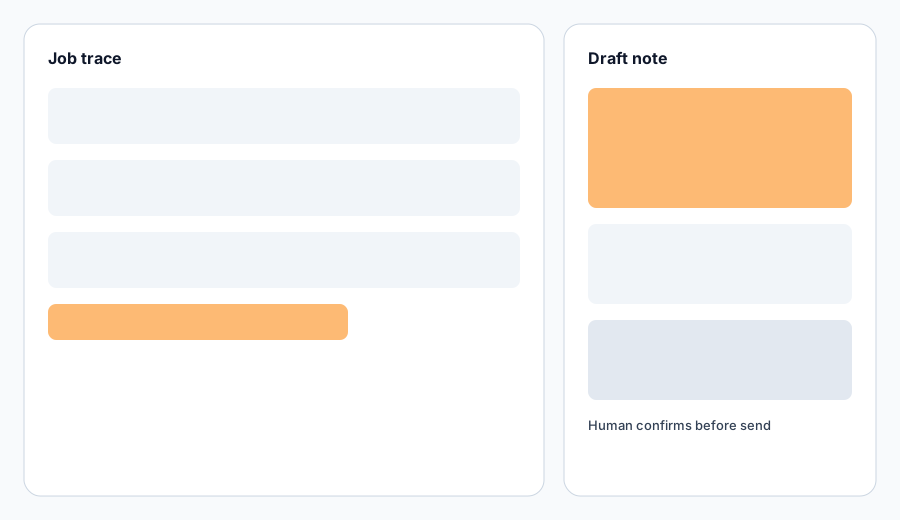
Trace check:
Paste a sanitized failed-job trace (no secrets). Ask for three likely causes that are actually in the trace, and mark anything else Unknown. Do not retry production from the draft.
3. Core, Pro, Enterprise, and credits
What it is: GitLab’s add-on docs (checked 3 Oct 2026) say Duo Core is included with Premium or Ultimate on GitLab 18.0 or later, and that Core access to Code Suggestions and agentic chat is subject to GitLab Credits. From 21 May 2026, Core users do not get non-agentic chat. Pro is purchased seats. Enterprise is purchased through sales. The pricing page also describes Duo Agent Platform as available with any plan, drawing credits. Do not assume an older per-seat Duo price is still the bill.
Packaging check:
List which Duo surfaces you can open today: chat, code review, MR trigger, credits page. Mark the rest Unknown. Do not budget a seat you cannot assign.
4. Vs a general chatbot pasted outside GitLab
What it is: A sanitized paste into Claude or ChatGPT can draft a summary when Duo is not on your plan. It will not see the pipeline unless you paste it, and it must not receive secrets. If the system of record is GitHub, do not buy Duo to summarize work that does not live in GitLab.
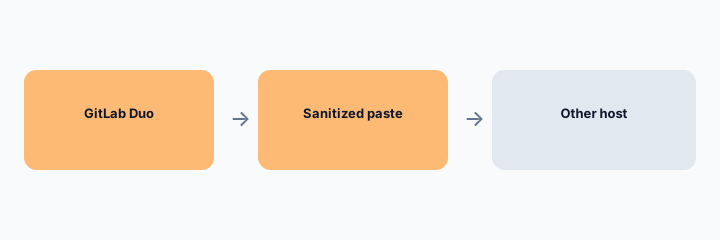
Home for the job:
List 5 review jobs this month. Assign each to GitLab Duo, another host, or a chatbot on a sanitized paste. One sentence why.
Pricing context (October 2026)
Checked 3 October 2026 on about.gitlab.com/pricing and Duo add-on docs. Free is $0 per user/month; the page says AI features on Free are via a GitLab Credits add-on. Premium is $29 per user/month, billed annually, with $12 of included GitLab Credits per user/month described as a limited-time inclusion. Ultimate lists $24 of included credits per user/month; the seat price did not render as a single number in the copy we checked, so we do not state one. On-demand credits, after included and committed credits, are listed at $1 per credit. Different models draw credits at different rates.
Uncertainty: Included-credit promotions are explicitly subject to change. Pro and Enterprise seat prices are purchased, not a single number on the page we used. Self-managed Duo Agent Platform has a minimum version (the pricing page says 18.8). Confirm in the Customers Portal.
When it is useful (honest take)
Useful when GitLab is already where merge requests and pipelines live, credits or seats are known, and a human confirms the summary. Less useful when you wanted an automatic merge, or when the work is not in GitLab.
Paying for GitLab Duo and a few other AI tools? The $9 AI toolkit spreadsheet lists every AI subscription you have, what each one costs, and how fast it pays for itself, so you can see which ones are worth the money.
Want someone to do it for you? AI toolkit audit — $19
Related options (educational)
| Need | Better home | Why |
|---|---|---|
| GitLab is the DevOps system of record | GitLab Duo (this page) | Summary and test gaps; reviewer confirms |
| Dated Sep 2026 changes | What’s new in GitLab (Sep 2026) | 19.4 notes, not the whole product review |
| No Duo on the plan | Claude or ChatGPT on a sanitized paste | No secrets; no invented pipeline status |
| Work lives in another host | That host’s review | Do not add Duo for a repo it cannot see |
FAQ
What is GitLab Duo in October 2026?
GitLab’s AI features inside GitLab: chat, agents, flows, and review help, billed with credits and optional Pro or Enterprise seats. Confirm the buttons in your group.
How much does it cost?
Premium is $29 per user/month billed annually on the public page, with included credits. On-demand credits are $1 each after included and committed credits. We do not invent a Ultimate seat price or a legacy Duo Pro price.
Can Duo merge without a reviewer?
Do not let it. 19.4 documents write tools defaulting to Always Ask, and this page’s workflow keeps a human on the summary.
Where are September 2026 changes?
On the what’s-new page, sourced from GitLab 19.4 notes dated 17 Sep 2026.
Optional next step (if seats overlap)
If several AI seats would cover the same analytics, support, or incident jobs, optional help mapping overlap: $19 AI toolkit audit or $9 AI toolkit spreadsheet. Email Audit $19 or Toolkit spreadsheet $9.
Checkout is live via Stripe. After you pay, we email delivery (spreadsheet) or intake next steps (audit).