What’s new · GitLab · Sep 2026 (checked Oct 2026)
What’s new in GitLab (Sep 2026): changes DevOps ops should notice
Dated notes for DevOps ops. GitLab 19.4’s own docs say it was released on 17 September 2026. This is not a second GitLab Duo review. Prices below are only the ones on the public pricing page, not a 19.4 price change.
What this page covers
Five items from the 19.4 release notes that change how ops and platform teams let agents touch merge requests, pipelines, and credits. Tiers in parentheses are what those notes print. We did not treat the whole 19.4 changelog as ops-relevant. Security scanners and Runner internals are real, and they are not these five.

Major features (with how someone uses them)
Examples at a glance: each feature has a concrete ops example plus a short Try this.
1. Five items from the 17 September 2026 notes (primary)
What it is: Source unless noted: GitLab 19.4 release notes, which open with “On September 17, 2026, GitLab 19.4 was released.” A press release the same day adds GitLab’s own credit-cost wording; we label that as press, not as a measurement we made.
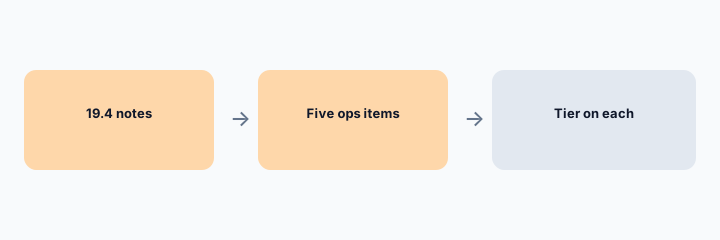
Primary workflow from the Saturday brief:
From GitLab public Sep 2026 notes, list 5 ops-relevant changes — cite sources.
2. 1 and 2. /goal in Duo CLI, and governance for MCP tools
What it is: The notes say GitLab Duo CLI’s /goal command delegates an open-ended objective to a flow that runs locally, with an independent judge and the ability to pause or redirect. It requires GitLab 19.3 or later and GitLab Duo CLI 9.17.0 or later. Tier printed on the note: Premium, Ultimate. Separately, governance for GitLab MCP server tools is on Free, Premium, and Ultimate: those tools show up next to internal Duo Agent Platform tools, read-only tools default to Always Allow, and write or delete tools default to Always Ask. Restricting external MCP servers is listed as beta on Premium and Ultimate.
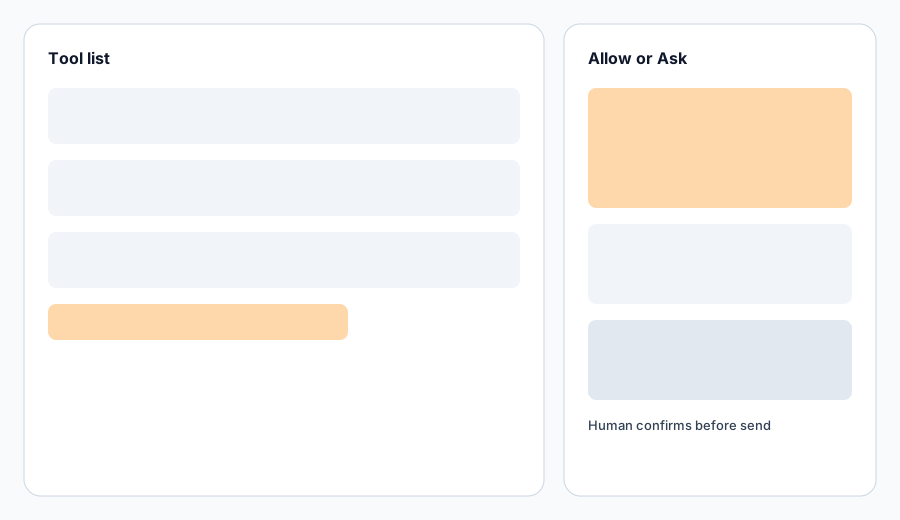
Control check:
In GitLab Duo settings, write the mode on three tools: one read, one write, one you do not recognize. Unknown tools stay Ask.
3. 3. Agents can touch merge requests; opening one can start a flow
What it is: New MCP merge request tools are listed on Free, Premium, and Ultimate, including opening or updating an MR, line-level review comments, and accepting a merge. That is capability, not permission to skip review. The notes also add a merge request trigger action, Created, so a flow can run when an MR is opened and the diff exists. That trigger is Premium, Ultimate. Configure it under AI, Triggers. You can also turn a trigger off without deleting it (Premium, Ultimate). A human reviewer still confirms summaries and test gaps; see the GitLab Duo review.
Trigger check:
List project triggers. For each, write on or off, and whether a human still approves merge.
4. 4 and 5. Developer Flow models, and credit records
What it is: The notes say the Developer Flow can use its own model selection (Premium, Ultimate), and that Duo Agent Platform supports GLM 5.3, Kimi K3, and MiniMax M3 on those tiers, including as Agentic Chat choices. GitLab’s 17 Sep 2026 press release says those hosted open-weight models get up to 4x more calls per GitLab Credit than many comparable frontier models. That 4x figure is GitLab’s claim; we did not remeasure it. The same docs add, on Premium and Ultimate: a credit usage export with a per-event CSV, a Credit caps page so caps are not GraphQL-only, and a rule that included credits are used before temporary evaluation credits. Slack invocation of Duo is listed as experimental, not generally available.
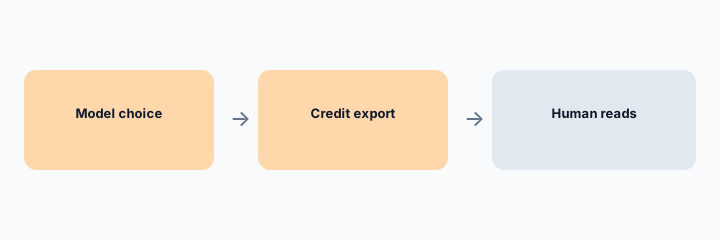
Credit check:
If you are Premium or Ultimate, open credit usage and write whether the export includes per-event rows yet. If the button is missing, your version is not 19.4 or the feature is not on. Mark Unknown rather than guessing.
Pricing context (October 2026)
19.4’s notes do not say the seat price changed on 17 Sep. For current public list context, checked 3 Oct 2026 on GitLab pricing: Free $0; Premium $29 per user/month billed annually with $12 included credits per user/month described as limited-time; on-demand credits $1 each after included and committed credits. Ultimate’s included credits are listed as $24 per user/month; we do not state an Ultimate seat price because it was not a single number in the copy we checked. See the GitLab Duo review.
Uncertainty: Tiers on the 19.4 page are GitLab.com / Self-Managed / Dedicated as printed per feature. Self-managed needs a current enough version. Included-credit promotions are explicitly changeable.
When it is useful (honest take)
Useful when platform owners need a short, tiered list from 17 Sep 2026. Less useful as a full 19.4 dump, and less useful if you are not on GitLab yet. That decision is the Duo review, not a changelog.
Paying for GitLab and a few other AI tools? The $9 AI toolkit spreadsheet lists every AI subscription you have, what each one costs, and how fast it pays for itself, so you can see which ones are worth the money.
Want someone to do it for you? AI toolkit audit — $19
Related options (educational)
| Need | Better home | Why |
|---|---|---|
| MR summaries as a job | GitLab Duo review | Human reviewer confirms |
| 17 Sep 2026 notes | This page | Five ops items, tiers included |
| Incident writing outside GitLab | Claude for incident ops | Not a pipeline |
| A full security changelog | GitLab 19.4 notes | SAST, licenses, and Runner are in the same doc and not these five |
FAQ
What is the September 2026 GitLab release?
GitLab 19.4, dated 17 September 2026 in GitLab’s release notes. Five ops-relevant items we cite: Duo CLI /goal, MCP tool governance, merge request MCP tools plus a Created trigger, Developer Flow model selection with three open-weight models, and credit export, caps, and credit order.
Is /goal on Free?
The 19.4 note prints Premium and Ultimate, and requires GitLab 19.3+ and Duo CLI 9.17.0+.
Is the 4x credit claim ours?
No. It is GitLab’s 17 Sep 2026 press release. We did not remeasure it.
What did we leave out on purpose?
Most of 19.4: SAST languages, license expressions, Runner 19.4, Geo SSH, and similar. They are in the same notes if you need them. Slack Duo is experimental there, not GA.
Optional next step (if seats overlap)
If several AI seats would cover the same analytics, support, or incident jobs, optional help mapping overlap: $19 AI toolkit audit or $9 AI toolkit spreadsheet. Email Audit $19 or Toolkit spreadsheet $9.
Checkout is live via Stripe. After you pay, we email delivery (spreadsheet) or intake next steps (audit).