How-to · Engineering · GitHub Copilot Business · Oct 19, 2026
Set up GitHub Copilot Business for a small eng+ops team, and decide AI-credit limits before anyone gets a seat
GitHub Copilot Business gives org admins seat assignment, policy controls, and AI credits for chat and agent-style usage while completions often sit outside credits. Credits still surprise budgets. This page shows admin setup and credit limits before seats spread. Sourcegraph Cody comparisons are related, not this routine.
Who this is for
Small eng and ops teams that need glue-script assists with centralized seats and policies. The job here is admin setup and credit limits before seats.
How to do it
This is a how-to, not a ranking of coding assistants. Per the GitHub Copilot Business review, Copilot Business covers IDE and CLI help with admin seat and policy controls and AI credits (commonly discussed allowance figures move — confirm on GitHub). The ground rule: no broad seats until policies and credit limits are written.

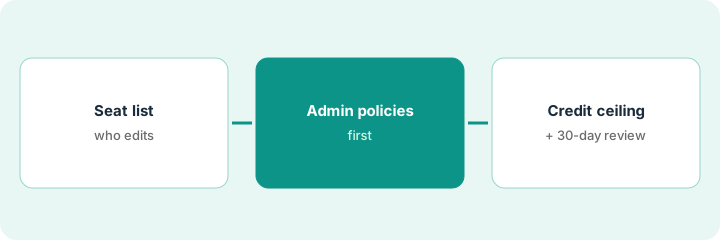
1. List who actually writes scripts
What it is: List people who edit glue repos weekly — not everyone with a GitHub login.
- Name repos that matter (infra, sync jobs, internal CLIs).
- Exclude leaders who only read code unless they truly edit.
- Compare against Cursor or Claude seats you already pay for.
- Write the seat candidate list.
- Keep Enterprise-only features out of scope if you are on Business.
Six people edit glue repos weekly. Twelve managers wanted seats “just in case.” Only the six are candidates.
Write the seat candidate list from commit history, not from title.
2. Set admin policies before assigning seats
What it is: Configure org policies (allowed models/features, public-code suggestions, and review rules) before inviting anyone.
- Disable what you do not want on day one.
- Require human review on Copilot-assisted PRs that touch production.
- Document IP/indemnity expectations at Business tier vs individual Pro.
- Assign seats only to the candidate list.
- Tell people completions vs chat/agent may bill differently against credits.
Admin disables public-code suggestions for the glue org and assigns six Business seats with a written “no auto-merge” rule.
Save policies first; assign seats second.
3. Set AI-credit limits; review usage after 30 days
What it is: Name a credit owner, set a monthly ceiling for chat/agent-style usage, and review GitHub billing after 30 days.
- Write the monthly credit ceiling.
- Name the human who watches billing.
- Start with completions-heavy use if credits are unclear.
- Review usage at day 30 and resize seats.
- Re-read GitHub’s current Copilot plans page — packaging moves.
The team caps chat/agent experiments, watches billing weekly, and removes two unused seats at day 30.
Write a credit ceiling and owner before heavy chat or agent use.
Pricing context (October 2026)
This how-to isn’t a price sheet. Per the GitHub Copilot Business review, Copilot Business was about $19 per granted seat per month in our September 2026 read. GitHub’s plans page on Oct 19, 2026 emphasizes Free at $0, Pro at $10, Pro+ at $39, Max at $100, and AI credits at $0.01 each — confirm the current Business seat price on GitHub’s Copilot plans page before you budget. Dated October 2026.
Checked Oct 19, 2026 on the vendor’s own pricing page: GitHub’s Copilot plans page on Oct 19, 2026 lists Free at $0, Pro at $10, Pro+ at $39, Max at $100, and AI credits at $0.01 each. Confirm the live Copilot Business seat price on GitHub’s plans page (our September 2026 review cited about $19 per seat).
Uncertainty: The only prices this site sells here are the optional $9 AI toolkit spreadsheet and $19 AI toolkit audit.
When this helps (honest take)
Useful when you need org-administered seats for people who really edit glue code, with credit limits first.
Not useful when everyone already has personal Pro seats without admin control, or nobody will watch credits.
Related options (educational)
| Need | Where to look | Why |
|---|---|---|
| GitHub Copilot Business | GitHub Copilot Business | Primary path |
| Cody vs Copilot | Cody vs GitHub Copilot | Compare assistants |
| Claude vs Cursor for ops scripts | Claude vs Cursor for ops scripts | Related ops scripting path |
FAQ
Do completions use AI credits?
Per our review, GitHub publicly describes completions and next-edit suggestions as not consuming AI credits, while chat/premium/agent-style usage can. Confirm on GitHub’s current docs.
How much is Copilot Business?
Our September 2026 review cited about $19 per seat per month. Confirm the live Business price on GitHub’s Copilot plans page — the Oct 19, 2026 consumer plans page led with Free/Pro/Pro+/Max figures.
Is Business still about $19?
Our September 2026 review cited about $19 per seat per month. Confirm the live Business price on GitHub’s Copilot plans page before you budget.
Optional next step
If you want a one-page toolkit map for the tools you already pay for, use the optional $9 AI toolkit spreadsheet. If you want a short review of seat waste and unused tools, use the optional $19 AI toolkit audit. Neither is required to follow this how-to.