How-to · BI · Domo AI · Oct 19, 2026
Use Domo AI Chat on a card, and name an owner for every alert an AI agent task creates
Domo AI Chat can answer questions on cards and DataSets, and AI agent tasks in Workflows can create alerts. An alert without an owner is just noise. This page shows how to use Chat on one card and assign owners before any agent task creates alerts.
Who this is for
Teams whose dashboards already live in Domo and who want Chat plus Workflow agent tasks without orphan alerts. The job here is alert ownership.
How to do it
This is a how-to, not a ranking of BI platforms. Per the Domo AI review, Domo offers AI Chat on cards and DataSets, an October 2026 chat update, data dictionaries, and AI agent tasks in Workflows, with consumption credits. The ground rule: no agent task creates alerts until each alert has a named owner.

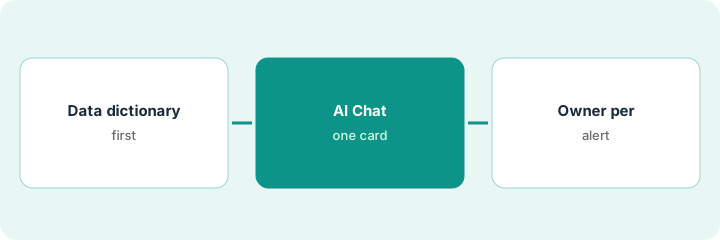
1. Fill the data dictionary first
What it is: Complete dictionary definitions for the DataSet behind the card before you trust Chat answers.
- Define metrics leaders already argue about.
- Name owners for each definition.
- Leave incomplete dictionaries out of the pilot.
- Note consumption-credit budget for Chat.
- Pick one card for the first week.
The pipeline DataSet dictionary defines “qualified opportunity” before Chat is used on the pipeline card.
Finish dictionary rows for the pilot DataSet before the first Chat question.
2. Ask AI Chat about one card
What it is: Ask Chat questions about that one card, and verify answers against the card filters and dictionary.
- Ask questions you can check on the card.
- Reject answers that ignore filters.
- Keep Chat from becoming a second conflicting dashboard.
- Log useful prompts for the team.
- Stop if dictionary gaps appear.
Chat explains why this week’s pipeline dipped; the admin checks the same filters on the card and agrees.
Ask three checkable questions on one card and verify each on the card itself.
3. Set up one Workflow agent task; assign an owner per alert
What it is: Create one AI agent task that may open alerts only when each alert route names a person.
- Write the alert condition in plain language.
- Assign a human owner and backup.
- Disable tasks that page a shared inbox with no owner.
- Review alert volume after one week.
- Expand only after ownership holds.
An agent task flags pipeline drops over 20%. The revenue operations lead owns the alert; a backup is named. No owner, no enable.
Do not enable the agent task until every alert lists an owner.
Pricing context (October 2026)
This how-to isn’t a price sheet. Per the Domo AI review, Domo uses consumption credits and does not publish a simple public seat list we could re-verify on Oct 19, 2026 (pricing URL returned an error). Ask Domo for credit rates on your contract. Dated October 2026.
Checked Oct 19, 2026 on the vendor’s own pricing page: Domo’s public pricing URL did not return a usable list on Oct 19, 2026; Domo uses consumption credits. This page quotes no Domo dollar figure; confirm what your contract includes with Domo or your admin.
Uncertainty: The only prices this site sells here are the optional $9 AI toolkit spreadsheet and $19 AI toolkit audit.
When this helps (honest take)
Useful when your dashboards already live in Domo and you will name alert owners before agent tasks run.
Not useful when dictionaries are empty, or alerts page a shared inbox with no owner.
Related options (educational)
| Need | Where to look | Why |
|---|---|---|
| Domo AI | Domo AI | Primary path |
| Data stack map | Stack map: data ops | Where Domo fits |
FAQ
Do we need the October 2026 chat update?
Per our review Domo shipped a chat update in October 2026. Confirm what your instance shows; the ownership rule stays the same.
How much does Domo AI cost?
Domo bills consumption credits; we could not load a public price list on Oct 19, 2026. Confirm with Domo.
Optional next step
If you want a one-page toolkit map for the tools you already pay for, use the optional $9 AI toolkit spreadsheet. If you want a short review of seat waste and unused tools, use the optional $19 AI toolkit audit. Neither is required to follow this how-to.