How-to · Hotels · Canary · Oct 15, 2026
Turn on Canary AI Voice for after-hours calls, and have the front office manager approve the script and answer sources
Canary AI Voice and AI Guest Messaging can cover after-hours calls when the desk is closed. Scripts and answer sources still need the front office manager. This page shows how to list call reasons, approve sources and script, and test with fake data only — never card numbers or ID images.
Who this is for
Front office managers at hotels losing after-hours reservation and hotel-info calls. The job here is one approved voice script and answer sources. For Revinate Ivy automated call review on reservation calls — a different job — see Revinate Ivy call review.
How to do it
This is a how-to, not a ranking of guest-messaging vendors. Per the Canary Technologies AI review, Canary includes AI Voice, AI Guest Messaging, and AI Webchat. The review's ground rules: the front-office manager approves every AI answer source and voice script, and no card numbers or ID images appear in any test.

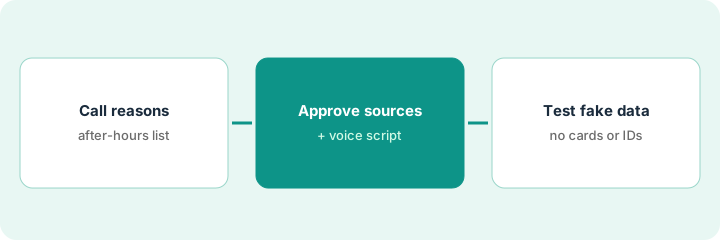
1. Step 1 — List the top after-hours call reasons
What it is: Write the reasons guests call after the desk closes, and which ones AI Voice may answer.
- Pull a week of after-hours call notes or voicemail topics.
- Pick the stable info topics (directions, parking, breakfast hours).
- Send billing, ID, and payment topics to a human callback list.
- Name the front office manager who approves the script.
Top after-hours topics: shuttle times, parking fee, early check-in requests. Payment card updates always go to a morning callback — never to AI Voice.
Write “AI may answer / Always human callback” as two lists before you touch the script.
2. Step 2 — Approve answer sources and voice script
What it is: The front office manager approves every answer source and the voice script text.
- List the knowledge sources Canary may use.
- Remove any source with old hours or rates.
- Approve the voice script line by line.
- Write the hand-off phrase when the bot must stop.
Sources: current website hours page and front-desk one-pager dated this month. Script may state shuttle times; it must hand off on “I need to change my card.”
Sign a one-page “Sources + script version + date.” Replace it whenever hours change.
3. Step 3 — Test with fake data only
What it is: Test after-hours flows with fake guest data only — no real card numbers and no ID images.
- Place three test calls with fake names and confirmation numbers.
- Confirm the bot never asks for a full card number or ID image.
- Confirm hand-off works on payment topics.
- Only then enable after-hours for live calls.
- Re-test after any script change.
Three test calls: shuttle question answered correctly; parking fee correct; card-change request handed off. No ID upload prompts appeared.
Keep a test log with the fake confirmation numbers you used. Never paste real guest payment data into a test.
Pricing context (October 2026)
This how-to isn't a price sheet. Per the Canary Technologies AI review, Core / Advanced / Pro are custom quote with no public dollar amounts. Dated October 2026.
Checked Oct 15, 2026 on the vendor’s own pricing page: Canary shows no public list price. Canary’s pricing page lists Core, Advanced, and Pro by custom quote with no dollar figures. This page quotes no Canary dollar figure; confirm what your contract includes with Canary or your admin.
Uncertainty: No public list price on Canary's pricing page we checked. The only prices this site sells here are the optional $9 AI toolkit spreadsheet and $19 AI toolkit audit.
When this helps (honest take)
Useful when after-hours volume is mostly stable info questions and you can staff morning callbacks for the rest.
Not useful when most after-hours calls are payment or ID problems — keep those on a human answering service first.
Related options (educational)
| Need | Where to look | Why |
|---|---|---|
| Canary Technologies AI | Canary Technologies AI | Primary path |
| Canary vs Revinate | Canary vs Revinate | Side-by-side |
| Revinate Ivy call review | Revinate Ivy call review | A different job |
| Duve check-in upsell | Duve check-in upsell | Same day's how-to |
| Hospitality stack map | Stack map: hospitality ops | Where Canary fits |
FAQ
Can we test with a real passport image?
No. This routine bans card numbers and ID images in every test.
How is this different from Revinate Ivy call review?
A different job: Canary here is after-hours AI Voice. Revinate Ivy reviews reservation sales calls.
Where do Canary prices live?
Custom quote; see the pricing section. Our Oct 15, 2026 check of the vendor’s own pricing page is summarized in the pricing section above.
Can we test with a real guest ID image?
No. This routine bans card numbers and ID images in every test. Use fake data only.
Optional next step
If you want a one-page toolkit map for the tools you already pay for, use the optional $9 AI toolkit spreadsheet. If you want a short review of seat waste and unused tools, use the optional $19 AI toolkit audit. Neither is required to follow this how-to.