How-to · Restaurants · BentoBox · Oct 16, 2026
Let BentoBox draft website copy, and have the chef check every allergen and ingredient line
BentoBox's AI Text Generator can draft website and email copy. Guest-facing allergen lines that skip the chef still create safety risk. This page shows how to draft one dish page and have the chef own every allergen and ingredient line before publish.
Who this is for
Restaurant owners on Clover with BentoBox who want AI website copy with chef-owned allergens. For Popmenu AI Answering scripts — a different job — see Popmenu AI Answering FOH approve.
How to do it
This is a how-to, not a ranking. Per the BentoBox AI review, BentoBox is sold to Clover POS customers and includes AI Text Generator and related marketing tools; BentoBox itself shows no separate public website price. The review's ground rule: the chef owns allergen and ingredient accuracy before publish.

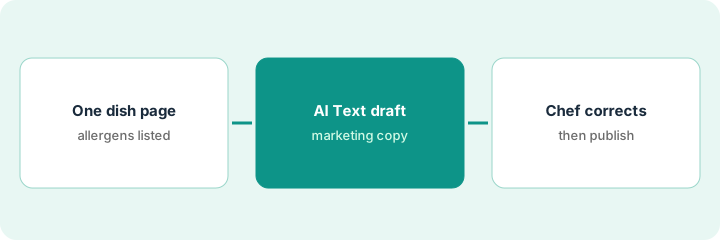
1. Pick one dish page
What it is: Choose one dish (or one menu section page) with known allergens.
- Pick a dish guests order often.
- List known allergens and ingredients from the kitchen card.
- Name the chef who must approve.
- Leave prices to the POS/Clover source of truth.
They pick the seafood pasta page. Steak pages wait until seafood allergens are clean.
Paste the kitchen allergen card next to the draft brief.
2. AI Text Generator draft
What it is: Generate website copy; keep allergen and ingredient lines marked for the chef.
- Draft marketing copy only.
- Do not invent allergens.
- Keep the page unpublished.
- Optional: draft one email blurb the same way.
AI drafts a lively description. Allergen block is left blank for the chef to fill.
Highlight every allergen and ingredient sentence for the chef.
3. Chef corrects allergens, then publish
What it is: The chef corrects every allergen and ingredient line, then the owner publishes.
- Chef edits or rewrites allergen lines.
- Owner checks the dish still matches the POS name.
- Publish only after chef initials.
- Re-check when the recipe changes.
Chef adds shellfish and gluten lines and cuts a garnish guests never get. Page goes live the same afternoon.
Log: page, chef approver, date, next recipe-review date.
Pricing context (October 2026)
This how-to isn't a price sheet. Per the BentoBox AI review, BentoBox no longer publishes its own website prices and is offered to Clover customers; Clover POS bundles show their own figures, not a BentoBox add-on line. Ask Clover for a written quote that lists the website separately. Dated October 2026.
Checked Oct 16, 2026 on the vendor’s own pricing page: BentoBox no longer publishes a standalone website price; it is offered to Clover customers. BentoBox’s site and Clover POS pages show Clover bundle figures, not a BentoBox add-on line — ask Clover for an itemized quote. This page quotes no BentoBox dollar figure; confirm what your contract includes with BentoBox or your admin.
Uncertainty: The only prices this site sells here are the optional $9 AI toolkit spreadsheet and $19 AI toolkit audit.
When this helps (honest take)
Useful when you are on Clover/BentoBox and a chef will approve allergens before publish.
Not useful when you need a phone answering agent — use Popmenu AI Answering or Slang instead.
Related options (educational)
| Need | Where to look | Why |
|---|---|---|
| BentoBox AI | BentoBox AI | Primary path |
| Popmenu AI | Popmenu AI | Related website + phone |
| Popmenu AI Answering | Popmenu AI Answering | A different job |
| Restaurant stack map | Stack map: restaurant ops | Where BentoBox fits |
FAQ
Does BentoBox publish a website price?
Not on the pages we and the review checked; ask Clover for an itemized quote. Our Oct 16, 2026 check of the vendor’s own pricing page is summarized in the pricing section above.
Can marketing publish without the chef?
Not in this routine. Allergen and ingredient lines wait for the chef.
How is this different from Popmenu AI Answering?
A different job: this page is website dish copy. Popmenu AI Answering is phone scripts with FOH approval.
Does BentoBox publish a website price?
Not on the pages we checked; ask Clover for a quote that lists the website separately.
Optional next step
If you want a one-page toolkit map for the tools you already pay for, use the optional $9 AI toolkit spreadsheet. If you want a short review of seat waste and unused tools, use the optional $19 AI toolkit audit. Neither is required to follow this how-to.