How-to · Multifamily · Rent Manager · Oct 15, 2026
Use Rent Manager Orion's Call Summaries to improve one Script Builder script
Rent Manager Orion Call Summaries and Script Builder can show what callers repeat and how agents answer. Script changes still need a manager. This page shows how to read a week of summaries, pick the top repeat question, and edit one script.
Who this is for
Property management office managers on Rent Manager with Orion Call Summaries and Script Builder. The job here is one script improvement from a week of summaries — not automatic script rewrites.
How to do it
This is a how-to, not a ranking of property platforms. Per the Rent Manager AI review, Orion includes Call Summaries and Script Builder; a manager owns every AI suggestion that touches a ledger, and here the manager owns script changes too.

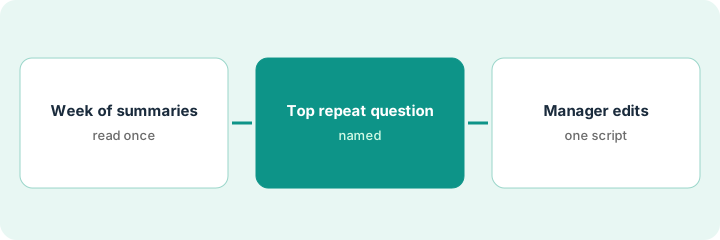
1. Step 1 — Read a week of call summaries
What it is: Read Orion Call Summaries for one week at the same time each day or in one sitting on Friday.
- Open a full week of summaries.
- Tally repeat caller intents.
- Ignore one-off emergencies for this script job.
- Name the manager who edits scripts.
Week tally: maintenance status, rent payment methods, and gate codes dominate. Gate codes are sensitive — not a Script Builder candidate this week.
Write the top three intents with counts before you open Script Builder.
2. Step 2 — Find the top repeat question
What it is: Pick one safe, stable FAQ as the script target — not payments credentials or gate codes.
- Choose the highest-volume stable FAQ.
- Pull the current Script Builder answer.
- List factual errors callers still hit.
- Draft a clearer answer offline first.
Top safe FAQ: how to submit a maintenance request in the portal. Current script omits photo tips callers keep asking about.
Draft the new answer in a doc; do not edit production yet.
3. Step 3 — Manager edits one script
What it is: The manager edits one Script Builder script, then listens for a week.
- Manager edits the single script.
- Publish the new version with a date.
- Brief the phone team the same day.
- Read next week's summaries for that intent.
- Revert if clarity gets worse.
Manager adds two sentences on photos and portal login path. Payment-method script waits for next week.
One script per week is enough. Stacking edits hides what worked.
Pricing context (October 2026)
This how-to isn't a price sheet. Per the Rent Manager AI review, Rent Manager is quote-only. Dated October 2026.
Checked Oct 15, 2026 on the vendor’s own pricing page: Rent Manager shows no public list price. Rent Manager’s pricing page is sales-led; no plan dollar figures appear. This page quotes no Rent Manager dollar figure; confirm what your contract includes with Rent Manager or your admin.
Uncertainty: No public list price on the pricing page we checked. The only prices this site sells here are the optional $9 AI toolkit spreadsheet and $19 AI toolkit audit.
When this helps (honest take)
Useful when you already capture calls into Orion summaries and can change one script per week.
Not useful when summaries are ignored, or scripts change without a manager.
Related options (educational)
| Need | Where to look | Why |
|---|---|---|
| Rent Manager AI | Rent Manager AI | Primary path |
| Yardi AI | Yardi AI | Related platform |
| Yardi Smart accounts payable | Yardi Smart accounts payable | Same day's how-to |
| Property ops stack map | Stack map: property ops | Where Rent Manager fits |
FAQ
Do Call Summaries change scripts by themselves?
No. The manager owns every Script Builder change.
Should gate codes go in a script?
Not in this routine — keep credentials out of reusable scripts.
Where do Rent Manager prices live?
Quote-only; see the pricing section. Our Oct 15, 2026 check of the vendor’s own pricing page is summarized in the pricing section above.
Do Call Summaries change scripts by themselves?
No. The manager owns every Script Builder change; summaries only show where to look.
Optional next step
If you want a one-page toolkit map for the tools you already pay for, use the optional $9 AI toolkit spreadsheet. If you want a short review of seat waste and unused tools, use the optional $19 AI toolkit audit. Neither is required to follow this how-to.