How-to · Procurement · Coupa Navi · Oct 19, 2026
Ask Coupa Navi’s Analytics Agent a spend question, and check the answer against a saved report
Coupa Navi’s Analytics Agent answers spend questions across Coupa data, with other Navi agents across sourcing and accounts payable, Agent Studio, and MCP via Navi Connect. A fluent spend number that disagrees with your saved report still misleads budgeting. This page shows how to reconcile before you trust new answers. Zip intake confirmation is a different job.
Who this is for
Procurement and finance teams already on Coupa. The job here is reconciling Analytics Agent answers to a known report.
How to do it
This is a how-to, not a ranking of procurement suites. Per the Coupa Navi review, Navi includes an Analytics Agent for spend questions, agents across sourcing and accounts payable, Agent Studio, and MCP via Navi Connect. The ground rule: no new spend decision from Navi until one known question reconciles to a saved report.

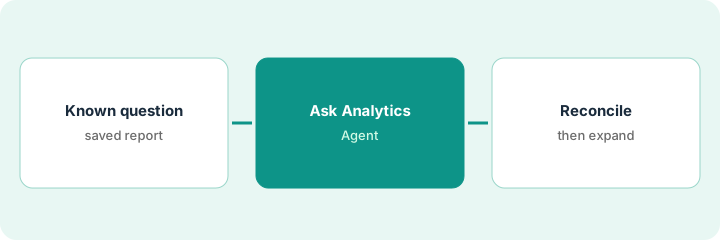
1. Pick one spend question you already know
What it is: Choose a question whose answer you can pull from a saved Coupa or finance report dated the same period.
- Write the expected number and report link first.
- Prefer last quarter’s category spend over open-ended “insights.”
- Name who will reconcile.
- Leave Agent Studio custom agents out of the first check.
- Note Tonkean/Rossum acquisitions only as context — not this routine.
The analyst picks “marketing SaaS spend last quarter” with a saved Coupa report totaling a known figure.
Write the expected number and report URL before you ask Navi.
2. Ask the Analytics Agent
What it is: Ask the same question in Navi’s Analytics Agent and capture the answer, filters, and any cited views.
- Ask once without coaching mid-answer.
- Capture filters Navi applied.
- Save the answer text.
- Do not forward to leadership yet.
- Keep sourcing or accounts-payable agents out of this first check.
Navi returns a number 8% higher than the saved report and applies an extra cost-center filter.
Save Navi’s answer and filters beside the expected number.
3. Reconcile to the saved report; only then ask new questions
What it is: Reconcile differences, document root cause, and only then allow new questions under the same discipline.
- Explain every material difference.
- If you cannot reconcile, do not use Navi for that category yet.
- Write a short go/no-go.
- Repeat for a second category before wide use.
- Keep humans on approval paths in Agent Studio.
The extra filter included a sandbox cost center. After excluding it, numbers match. Lead allows two more categories under the same reconcile rule.
Reconcile to the saved report before any new spend question goes to leadership.
Pricing context (October 2026)
This how-to isn’t a price sheet. Per the Coupa Navi review, Coupa publishes no public list prices (pricing URL blocked on Oct 19, 2026). Ask Coupa for a quote. Dated October 2026.
Checked Oct 19, 2026 on the vendor’s own pricing page: Coupa’s pricing URL was blocked on Oct 19, 2026; Coupa publishes no public list prices. This page quotes no Coupa dollar figure; confirm what your contract includes with Coupa or your admin.
Uncertainty: The only prices this site sells here are the optional $9 AI toolkit spreadsheet and $19 AI toolkit audit.
When this helps (honest take)
Useful when spend truth already lives in Coupa and you will reconcile Navi to a saved report first.
Not useful when you have no trusted report to compare, or you wanted Navi to approve spend unsupervised.
Related options (educational)
| Need | Where to look | Why |
|---|---|---|
| Coupa Navi | Coupa Navi | Primary path |
| Zip vs Coupa | Zip vs Coupa | Compare procurement AI |
| Zip intake confirmation | Zip AI intake requester confirm | A different job |
FAQ
Should we start in Agent Studio?
No. Reconcile Analytics Agent answers first. Add custom agents later with human approval controls.
How much does Coupa Navi cost?
Coupa publishes no public list prices we could verify on Oct 19, 2026. Ask for a quote.
Optional next step
If you want a one-page toolkit map for the tools you already pay for, use the optional $9 AI toolkit spreadsheet. If you want a short review of seat waste and unused tools, use the optional $19 AI toolkit audit. Neither is required to follow this how-to.